







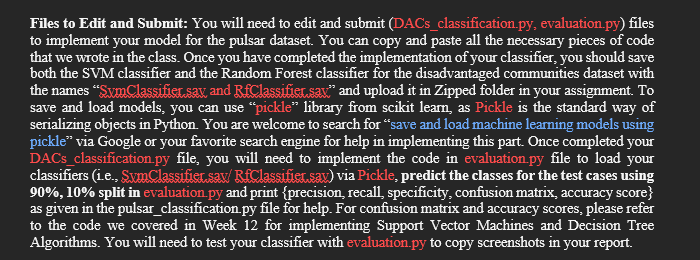
Question: Files to Edit and Submit: You will need to edit and submit ( DACs _ classification.py , evaluation.py ) files to implement your model for
Files to Edit and Submit: You will need to edit and submit DACsclassification.py
evaluation.py files
to implement your model for the pulsar dataset. You can copy and paste all the necessary pieces of code
that we wrote in the class. Once you have completed the implementation of your classifier, you should save
both the SVM class#Step :
# Import libraries
# In this section, you can use a search engine to look for the functions that will help you implement the following steps
#Step :
# Load dataset and show basic statistics
# Show dataset size dimensions
# Show what column names exist for the attributes in the dataset
# Show the distribution of the target class CES Percentile Range column
# Show the percentage distribution of the target class CES Percentile Range column
# Step :
#Clean the dataset you can eitherhandle the missing values in the dataset
# with the mean of the columns attributes or remove rows the have missing values.
# Step :
#Encode the Categorical Variables Using OrdinalEncoder from the categoryencoders library to encode categorical variables as ordinal integers
# Step :
# Separate predictor variables from the target variable attributes X and target variable y as we did in the class
# Create train and test splits for model development. Use the and split ratio
# Use stratifying stratifyy to ensure class balance in traintest splits
# Name them as Xtrain, Xtest, ytrain, and ytest
# Name them as Xtrain, Xtest, ytrain, and ytest
Xtrain # Remove this line after implementing train test split
Xtest # Remove this line after implementing train test split
# Do not do steps for the Ramdom Forest Model
# Step :
# Standardize the features Import StandardScaler here
# Step :
# Below is the code to convert Xtrain and Xtest into data frames for the next steps
cols Xtrain.columns
Xtrain pdDataFrameXtrain, columnscols # pd is the imported pandas lirary Import pandas as pd
Xtest pdDataFrameXtest, columnscols # pd is the imported pandas lirary Import pandas as pd
# Step Build and train the SVM classifier
# Train SVM with the following parameters. use the parameters with the highest accuracy for the model
# RBF kernel
# CHigher value of C means fewer outliers
# gamma Linear
# Test the above developed SVC on unseen pulsar dataset samples
# compute and print accuracy score
# Save your SVC model whatever name you have given your model as sav to upload with your submission
# You can use the library pickle to save and load your model for this assignment
# Optional: You can print test results of your model here if you want. Otherwise implement them in evaluation.py file
# Get and print confusion matrix
cm
# Below are the metrics for computing classification accuracy, precision, recall and specificity
TP cm
TN cm
FP cm
FN cm
# Compute Precision and use the following line to print it
precision # Change this line to implement Precision formula
printPrecision : :fformatprecision
# Compute Recall and use the following line to print it
recall # Change this line to implement Recall formula
printRecall or Sensitivity : :fformatrecall
# Compute Specificity and use the following line to print it
specificity # Change this line to implement Specificity formula
printSpecificity : :fformatspecificity
# Step : Build and train the Random Forest classifier
# Train Random Forest with the following parameters.
# nestimators randomstate
# Test the above developed Random Forest model on unseen DACs dataset samples
# compute and print accuracy score
# Save your Random Forest model whatever name you have given your model as sav to upload with your submission
# You can use the library pickle to save and load your model for this assignment
# Optional: You can print test results of your model here if you want. Otherwise implement them in evaluation.py file
# Get and print confusion matrix
cm
# Below are the metrics for computing classification accuracy, precision, recall and specificity
TP cm
TN cm
FP cm
FN cm
# Compute Classification Accuracy and use the following line to print it
classificationaccuracy
printClassification accuracy : :fformatclassificationaccuracy
# Compute Precision and use the following line to print it
precision # Change this line to implement Precision formula
printPrecision : :fformatprecision
# Compute Recall and use the following line to print it
recall # Change this line to implement Recall formula
printRecall or Sensitivity : :fformatrecall
# Compute Specificity and use the following line to print it
specificity # Change this line to implement Specificity formula
printSpecificity : :fformatspecificity
Step by Step Solution
There are 3 Steps involved in it
1 Expert Approved Answer
Step: 1 Unlock

Question Has Been Solved by an Expert!
Get step-by-step solutions from verified subject matter experts
Step: 2 Unlock
Step: 3 Unlock
 Study Help