







Question: Final Product should look like: Here is the existing code to add to: Page Title HTML and JavaScript Welcome to HTML and JavaScript web page
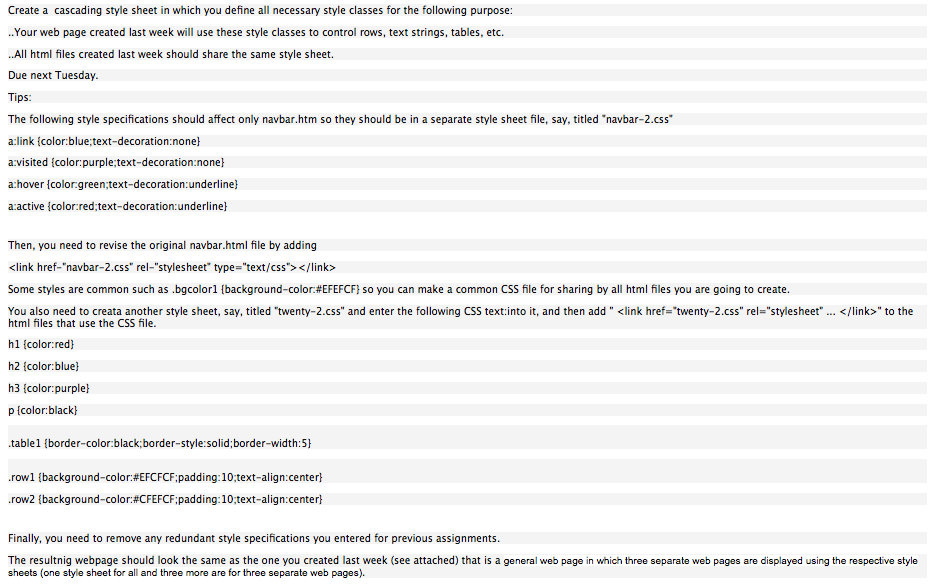 Final Product should look like:
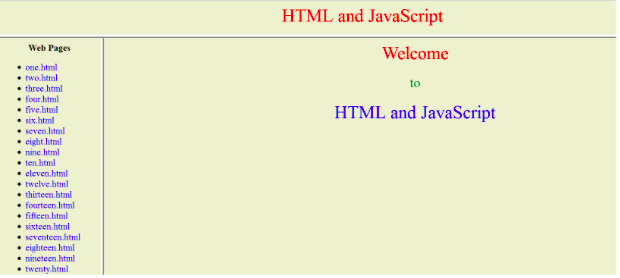
Here is the existing code to add to:
HTML and JavaScript
Welcome to HTML and JavaScript
web page
- one.html
- two.html
- three.html
- four.html
- five.html
- six.html
- seven.html
- eight.html
- nine.html
- ten.html
- eleven.html
- twelve.html
- thirteen.html
- fourteen.html
- fiveteen.html
- sixteen.html
- seventeen.html
- eighteen.html
Create a cascading style sheet in which you define all necessary style classes for the following purpose: ..Your web page created last week will use these style classes to control rows, text strings, tables, etc. ..All html files created last week should share the same style sheet. Due next Tuesday. Tips: The following style specifications should affect only navbar.htm so they should be in a separate style sheet file, say, titled "navbar-2.css" a:link {color:blue;text-decoration:none} a:visited {color:purple;text-decoration:none} a:hover {color:green;text-decoration:underline) a:active {color:red;text-decoration:underline} Then, you need to revise the original navbar.html file by adding Some styles are common such as .bgcolor1 {background-color:#EFEFCF) so you can make a common CSS file for sharing by all html files you are going to create You also need to creata another style sheet, say, titled "twenty-2.css" and enter the following CSS text:into it, and then add " " to the html files that use the CSS file. hl {color:red) h2 {color:blue) h3 {color:purple) p{color:black) table1 {border-color:black;border-style:solid; border-width:5) row1 {background-color:#EFCFCF;padding:10;text-align:center) row2 {background-color:#CFEFCF;padding:10;text-align:center) Finally, you need to remove any redundant style specifications you entered for previous assignments. The resultnig webpage should look the same as the one you created last week (see attached) that is a general web page in which three separate web pages are displayed using the respective style sheets (one style sheet for all and three more are for three separate web pages). HTML and JavaScript Web Pages Welcome HTML and JavaScript one.html two html three html four.html five html Sex.html seven.html eight.html nine html ten html eleven.html twelve html thirteen html fourteen.html fifteen.html sixteen.html seventeen html eighteen html meteen.html .twenty html
Step by Step Solution
There are 3 Steps involved in it

Get step-by-step solutions from verified subject matter experts
 Study Help