







Question: FinAl ProJEct ASSIGNMENT INSTRUCTIONS OVERVIEW In this Final Project Assignment, you will have the opportunity to work on a more complex problem and present your
FinAl ProJEct ASSIGNMENT INSTRUCTIONS
OVERVIEW
In this Final Project Assignment, you will have the opportunity to work on a more complex
problem and present your results. You should use the knowledge you have gained through the
AutoCAD assignments to demonstrate your mastery.
INSTRUCTIONS
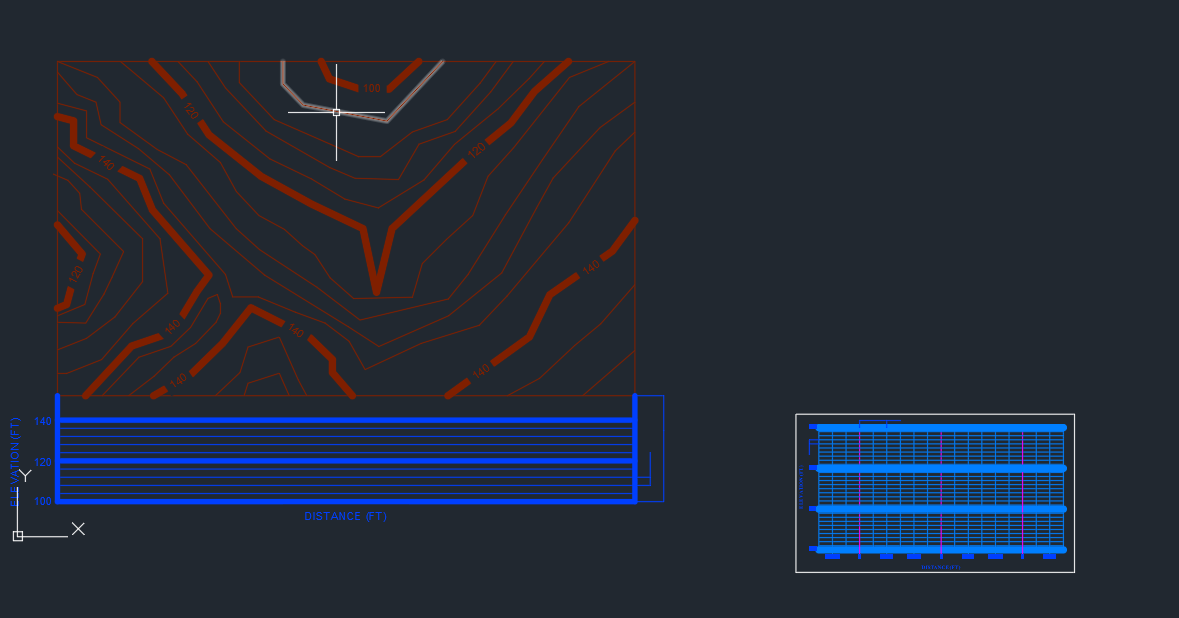
Open the provided drawing Final Project.dwgthe picture
Set drawing units to ENGINEERING.
Delineate the earthwork.
a Draw vertical lines between two profiles.
b Delineate cut and fill on the lower side of the road.
c Extend the projection lines to the other edge of the road.
d Repeat the delineation process for the other edge of the road.
e Hatch and label the cut and fill.
Draw the profile of the roadway centerline as detailed in the textbook.
Utilizing the PnP layout tab, set the viewport scale to :
Update the text blocks for this class.
Plot to a pdf utilizing the name format: "LastNameProjectNumberDate.pdf
Save the AutoCAD file utilizing the following file name format:
"LastNameProjectNumberDate.dwg
Submit both files to complete the project.
Step by Step Solution
There are 3 Steps involved in it
1 Expert Approved Answer
Step: 1 Unlock

Question Has Been Solved by an Expert!
Get step-by-step solutions from verified subject matter experts
Step: 2 Unlock
Step: 3 Unlock
 Study Help