







Question: finding hard to understand this lab. Can someone help me? Task 4: Verification To verify that STP is working properly, we are going to introduce
finding hard to understand this lab. Can someone help me?
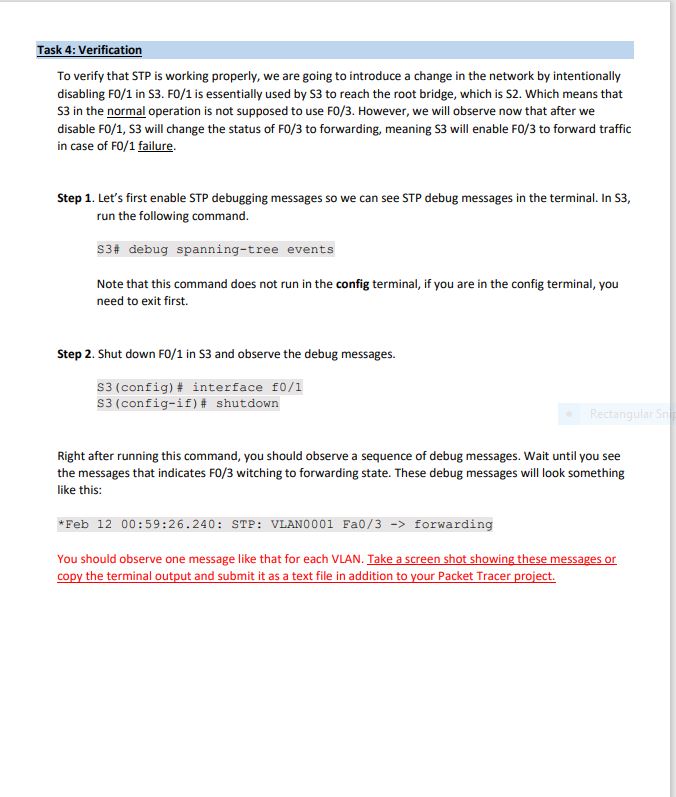
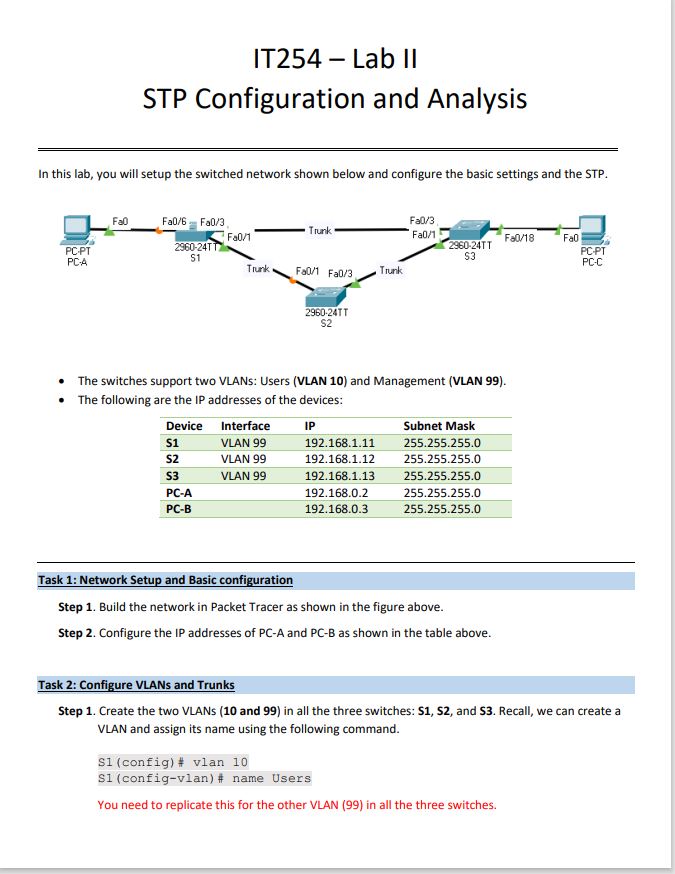
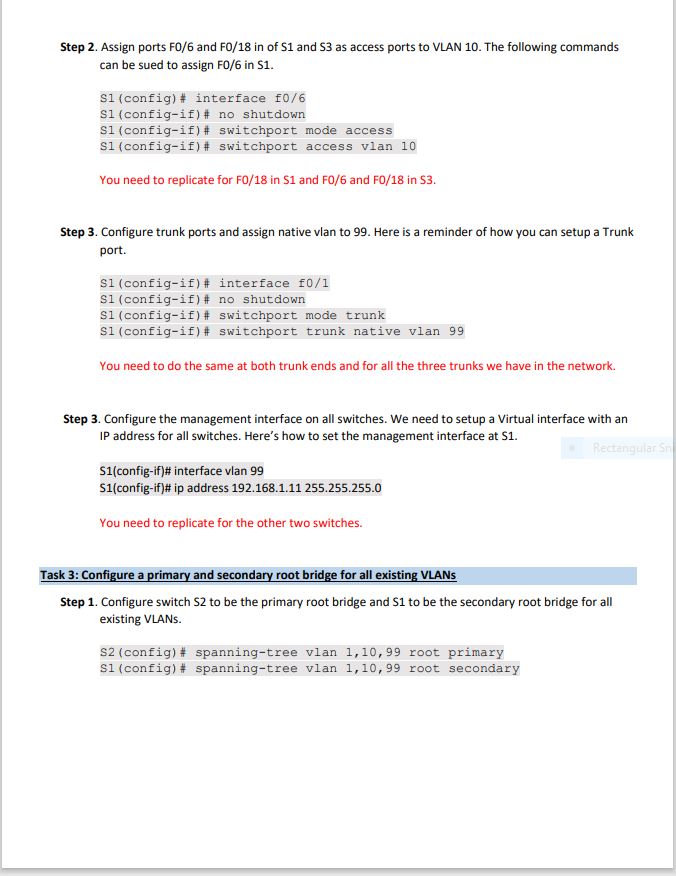
Task 4: Verification To verify that STP is working properly, we are going to introduce a change in the network by intentionally disabling F0/1 in S3. FO/1 is essentially used by S3 to reach the root bridge, which is S2. Which means that $3 in the normal operation is not supposed to use F0/3. However, we will observe now that after we disable F0/1, S3 will change the status of F0/3 to forwarding, meaning S3 will enable F0/3 to forward traffic in case of F0/1 failure. Step 1. Let's first enable STP debugging messages so we can see STP debug messages in the terminal. In S3, run the following command. $3# debug spanning-tree events Note that this command does not run in the config terminal, if you are in the config terminal, you need to exit first. Step 2. Shut down F0/1 in S3 and observe the debug messages. $3 (config)# interface f0/1 $3 (config-if)# shutdown Rectangular Sn Right after running this command, you should observe a sequence of debug messages. Wait until you see the messages that indicates F0/3 witching to forwarding state. These debug messages will look something like this: *Feb 12 00:59:26.240: STP: VLAN0001 Fa0/3 -> forwarding You should observe one message like that for each VLAN. Take a screen shot showing these messages or copy the terminal output and submit it as a text file in addition to your Packet Tracer project.
Step by Step Solution
There are 3 Steps involved in it

Get step-by-step solutions from verified subject matter experts
 Study Help