







Question: Firebase Firestore Database question: I dont know what im doing wrong, i have a collection in firebase as shown in the picture. I am trying
Firebase Firestore Database question:
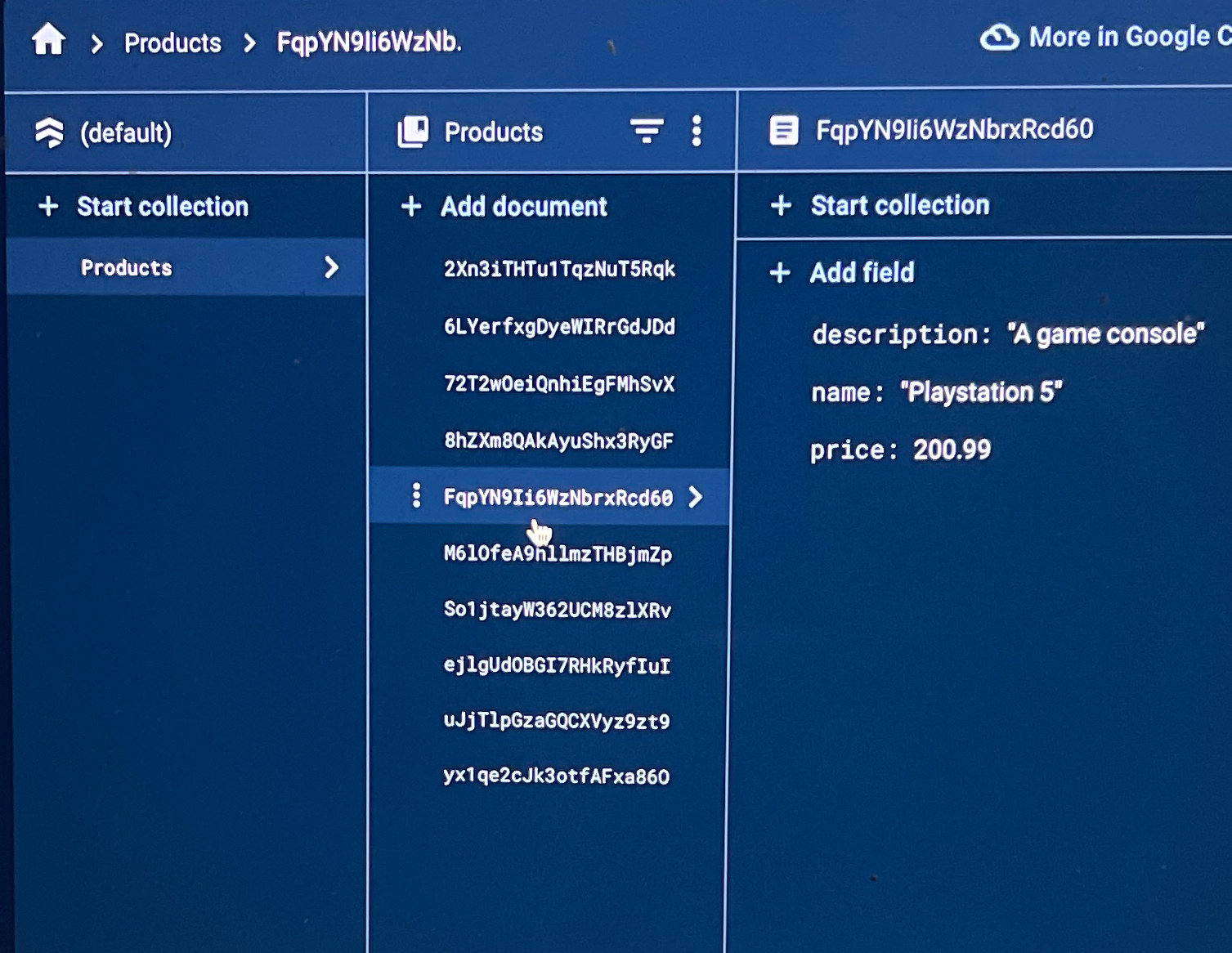
I dont know what im doing wrong, i have a collection in firebase as shown in the picture. I am trying to populate the my app witht he entries i have in the collection and list them on my app. Each entry would have the name, description, and price displayed. The formatting and styling is already done is just a matter of switching the hard coded inputs for ones in the firebase collection. Below is the code for my app, contentView, firebaseManger, and shopList for the constructors. Please help!! import SwiftUIstruct ContentView: View @State var shopListItems ShopList Initialize as empty array var body: some View NavigationView ListshopListItems shopListItem in NavigationLinkdestination: ItemViewitem: ItemMenushopList: shopListItem TextshopListItemname Display item name in list onAppear fetchShopListItems fetchShopListItems in self.shopListItems fetchShopListItems navigationBarTitleStart Shopping!", displayMode: largetoolbar NavigationLinkdestination: CartViewcartItems: ImagesystemName: "cart"struct ContentViewPreviews: PreviewProvider static var previews: some View ContentViewimport SwiftUIimport Firebase Import Firebase module Define a struct for ShopList conforming to Identifiablestruct ShopList: Identifiable let id UUID let name: String let description: String let price: Double Define ItemMenu and CartItem as beforestruct ItemMenu let shopList: ShopList initshopList: ShopList self.shopList shopList var name: String return shopList.name var description: String return shopList.description var price: Double return shopList.price struct CartItem: Identifiable let id UUID let item: ItemMenu Change 'Item' to 'ItemMenu' let quantity: Int Modify this function to fetch data from Firestorefunc fetchShopListItemscompletion: @escaping ShopList Void var products ShopList Renamed from shopListItems to products let db Firestore.firestore let productsRef dbcollectionProducts Updated collection name productsRef.getDocuments querySnapshot error in if let error error printError fetching products: error completion Call completion with an empty array on error else for document in querySnapshot!.documents let productData document.data let name productDataname as String let description productDatadescription as String let price productDataprice as Double let product ShopListname: name, description: description, price: price products.appendproduct completionproducts Call completion with the fetched products array import SwiftUIimport Firebase@mainstruct ShopAppPtApp: App @StateObject var firestoreManager FirestoreManager Create an instance of FirestoreManager init FirebaseApp.configure Initialize Firebase Call the function to fetch items from Firestore before the app starts firestoreManager.fetchShopListItems var body: some Scene WindowGroup ContentViewenvironmentObjectfirestoreManager Pass FirestoreManager instance to ContentView import SwiftUIimport Firebaseimport FirebaseFirestoreclass FirestoreManager: ObservableObject Conform to ObservableObject @Published var shopListItems ShopList Publish shopListItems to trigger updates func fetchShopListItems let db Firestore.firestore let productsRef dbcollectionProducts productsRef.getDocuments querySnapshot error in if let error error printError fetching products: error Handle error if needed else var products ShopList for document in querySnapshot!.documents let data document.data document.documentID let name dataname as String let description datadescription as String let price dataprice as Double let product ShopListname: name, description: description, price: price products.appendproduct DispatchQueue.main.async self.shopListItems products Update shopListItems
Step by Step Solution
There are 3 Steps involved in it
1 Expert Approved Answer
Step: 1 Unlock

Question Has Been Solved by an Expert!
Get step-by-step solutions from verified subject matter experts
Step: 2 Unlock
Step: 3 Unlock
 Study Help