







Question: First, connect to the Server. Homework #2: Mastering the Basics of SQL Server - This is an individual assignment and is worth 20 points. -
First, connect to the Server.
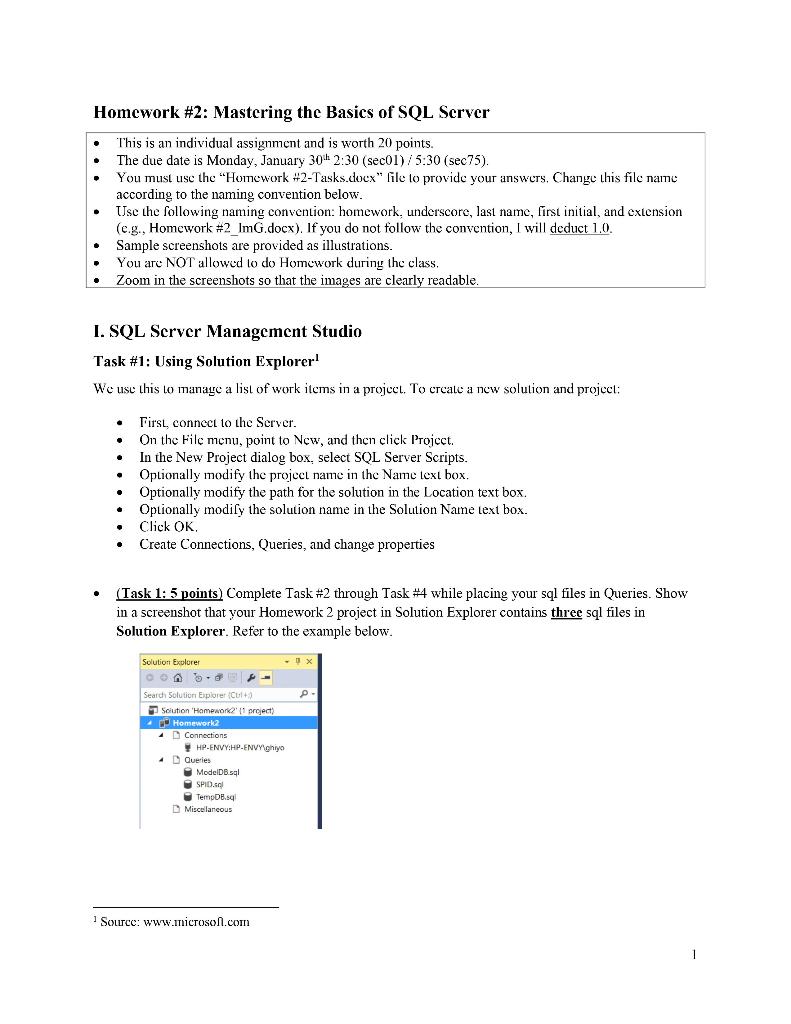
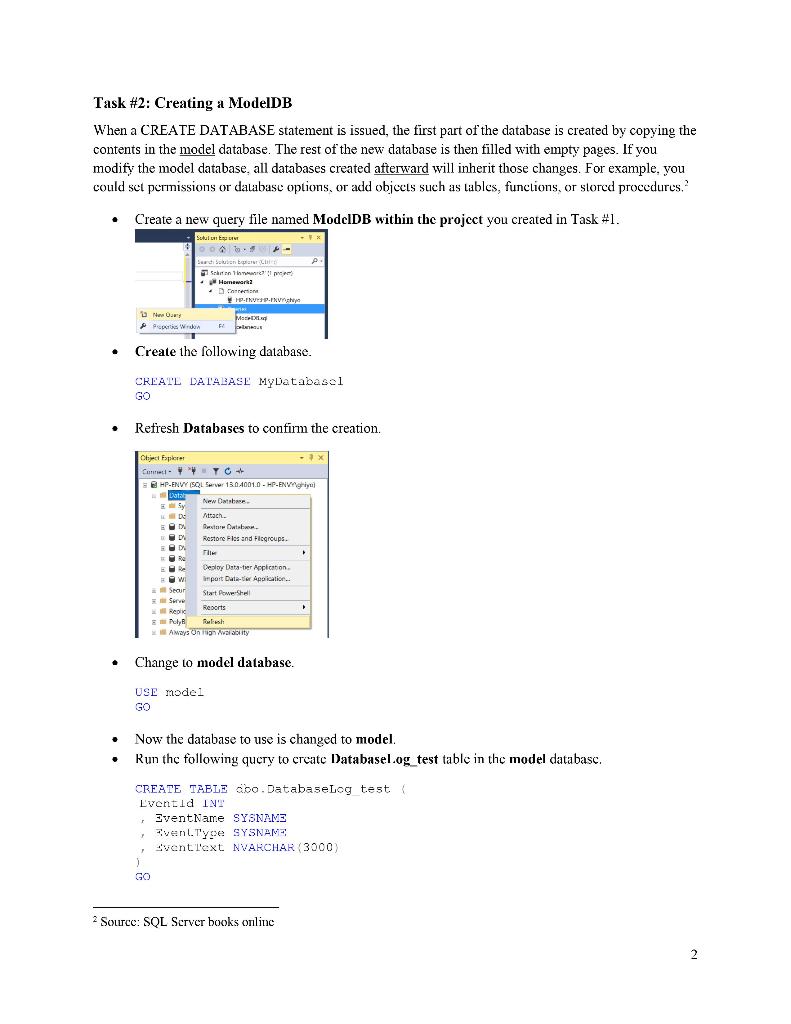
Homework \#2: Mastering the Basics of SQL Server - This is an individual assignment and is worth 20 points. - The due date is Monday, January 30th2:30(sec01)/5:30(sec75). - You must use the "Homework \#2-Tasks.doex" file to provide your answers. Change this file name according to the naming convention below. - Use the following naming convention: homework, underscore, last name, first initial, and extension (e.g., Homework \#2_ImG.docx). If you do not follow the convention, I will deduct 1.0. - Sample screenshots are provided as illustrations. - You are NOT allowed to do Homework during the class. - Zoom in the screenshots so that the images are clearly readable. I. SQL Server Management Studio Task \#1: Using Solution Explorer 1 We use this to manage a list of work items in a project. To create a new solution and project: - First, connect to the Server. - On the File menu, point to New, and then click Project. - In the New Project dialog box, select SQL Server Scripts. - Optionally modify the project name in the Name text box. - Optionally modify the path for the solution in the Location text box. - Optionally modify the solution name in the Solution Name text box. - Click OK. - Create Connections, Queries, and change properties - (Task 1: 5 points) Complete Task \#2 through Task \#4 while placing your sql files in Queries. Show in a screenshot that your Homework 2 project in Solution Explorer contains three sql files in Solution Explorer. Refer to the example below. Task \#2: Creating a ModelDB When a CREATE DATABASE statement is issued, the first part of the database is created by copying the contents in the model database. The rest of the new database is then filled with empty pages. If you modify the model database, all databases created afterward will inherit those changes. For example, you could set permissions or database options, or add objects such as tables, functions, or storcd procedures. 2 - Create a new query file named ModcIDB within the project you created in Task \#1. - Create the following database. CrEAlL LAL'ABASE MyDatabasel Go - Refresh Databases to confirm the creation. - Change to model database. USE nodel Go - Now the database to use is changed to model. - Run the following query to create Databasel og_test table in the model databasc. CREATE TAELE cobo.Databaselog test. Lyentld 1 - EventName SYSNANZ , Fvent.TYe SYSNAN? i, Jrenti'ext NVARCHAK (3000) 2 Source: SQL Server books online
Step by Step Solution
There are 3 Steps involved in it

Get step-by-step solutions from verified subject matter experts
 Study Help