







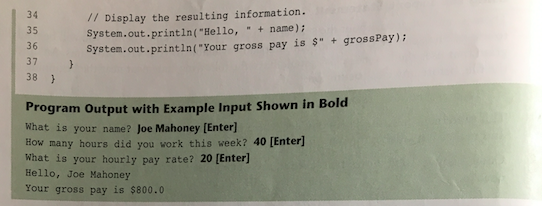
Question: [First image 1&2] [Second image] I was trying to program output in first image. However, my program output result which is second image is different
[First image 1&2]
![[First image 1&2] [Second image] I was trying to program output in](https://dsd5zvtm8ll6.cloudfront.net/si.experts.images/questions/2024/09/66f3a3e8ccedb_24066f3a3e80d57c.jpg)
[Second image]
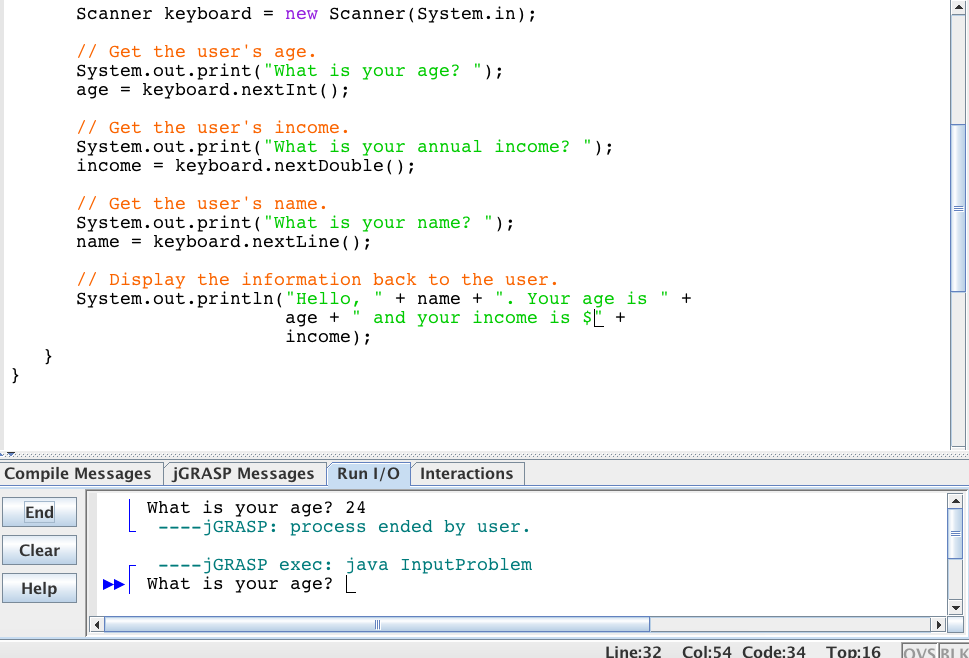
I was trying to program output in first image. However, my program output result which is second image is different with first image. How can I make first image output?
Code Listing 2-29 (Payroll .java) 1 import java util. Scanner Needed for the Scanner class 4 This program demonstrates the Scanner class. 7 public class Payroll 9 public static void main (String[] args) To hold a name string name 11 Hours worked int hours. 12 Hourly pay rate double pay Rate; double gross Pay, Gross pay 14 Create a Scanner object to read input. Scanner keyboard new Scanner (system. in) 18 Get the user's name. 19 System. out print "What is your name? 20 name keyboard next Line Get the number of hours worked this week. system. out.print ("How many hours did you work this week? 24 hours keyboard. next Int 25 26 Get the user's hourly pay rate. 27 system out.print ("What is your hourly pay rate? pay Rate keyboard. next Double 29 30 Calculate the gross pay. 31 pay Rate hours gross Pay 32
Step by Step Solution
There are 3 Steps involved in it

Get step-by-step solutions from verified subject matter experts
 Study Help