







Question: First of all, your program will ask for the name of the item name file. It should continue to ask for the name filename until
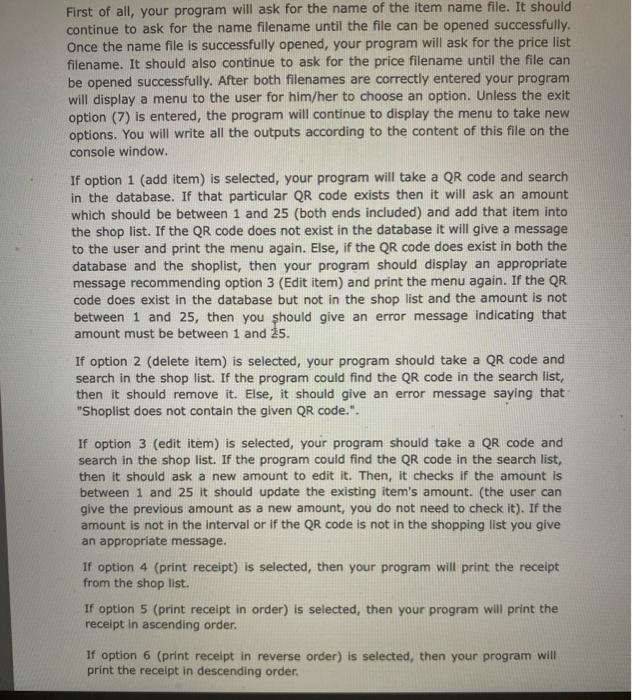
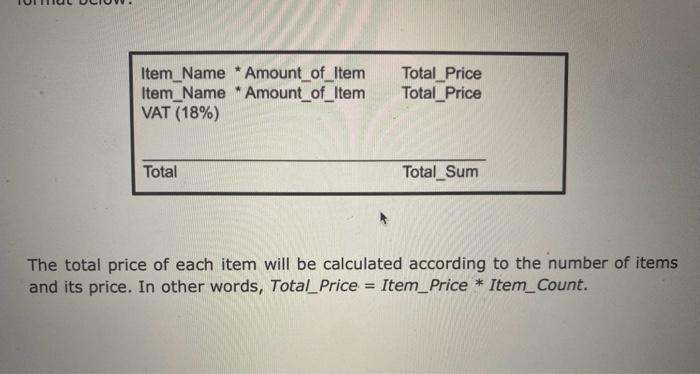
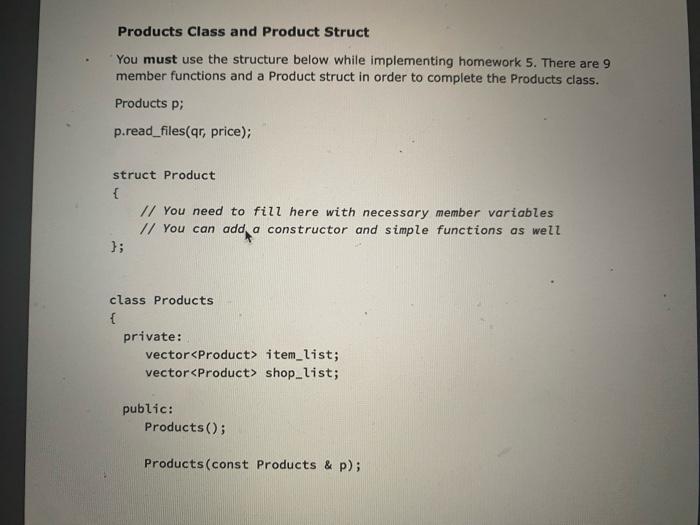
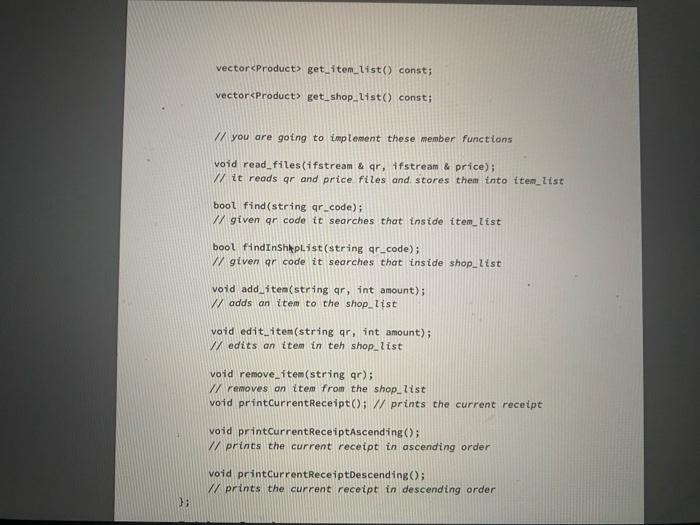
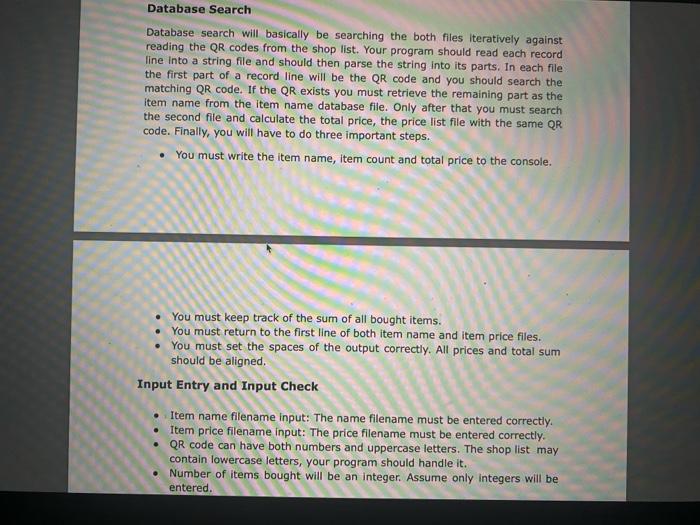
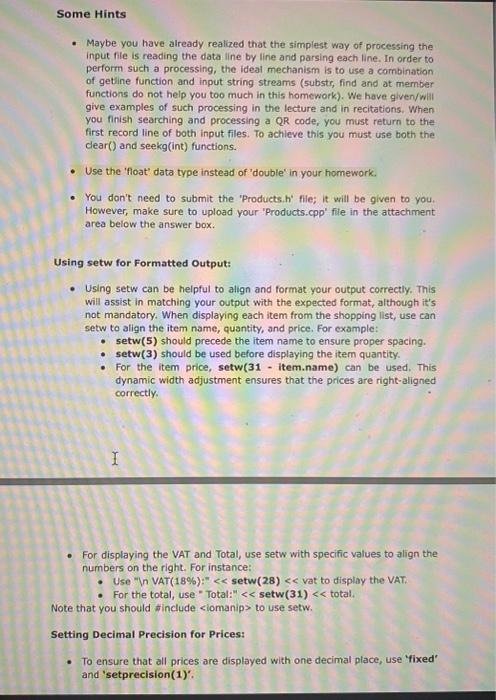
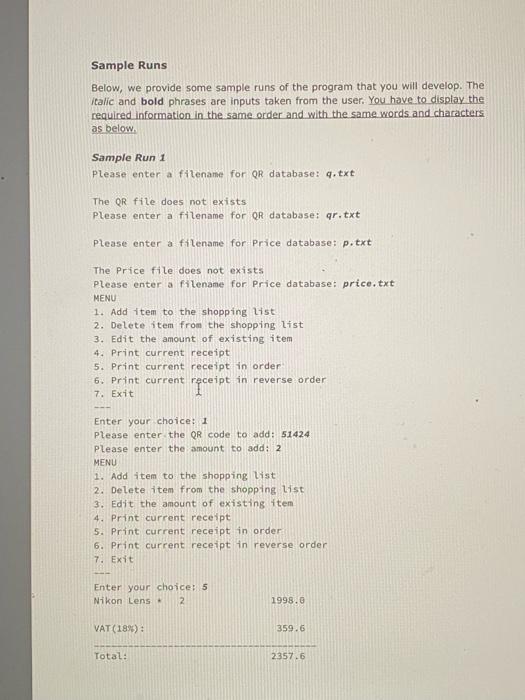
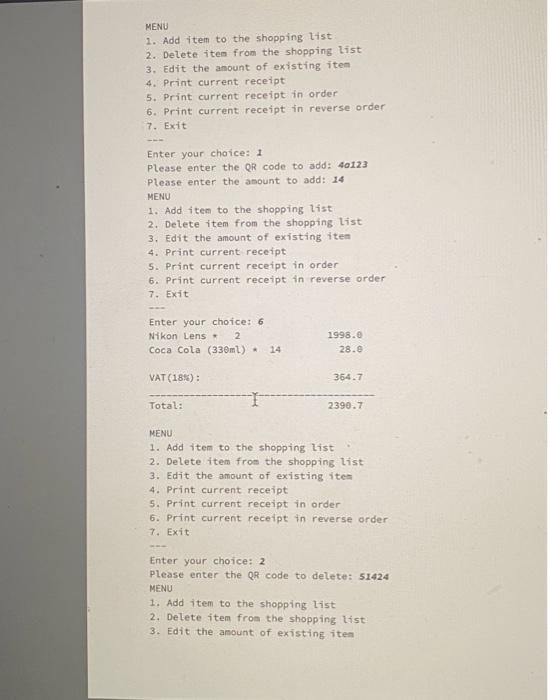
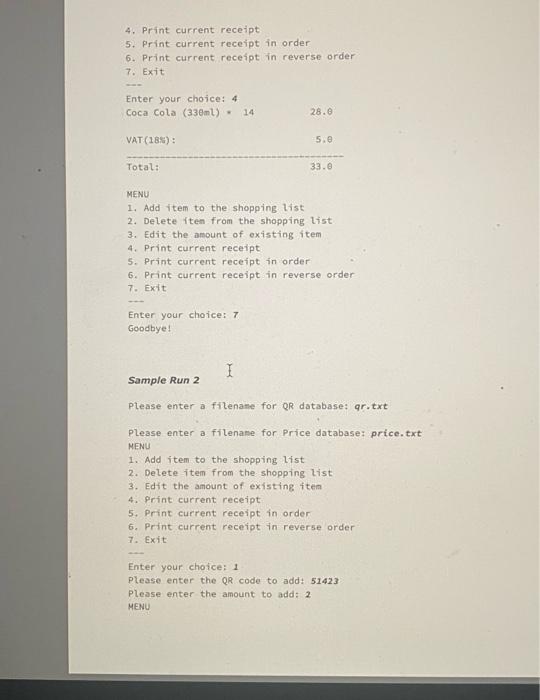
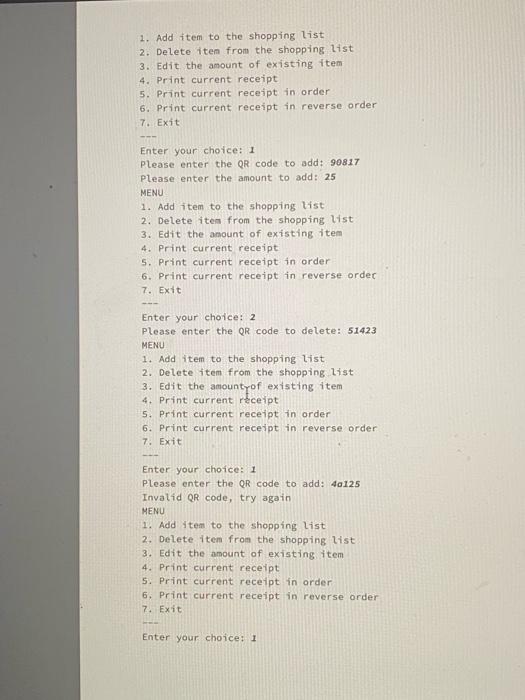
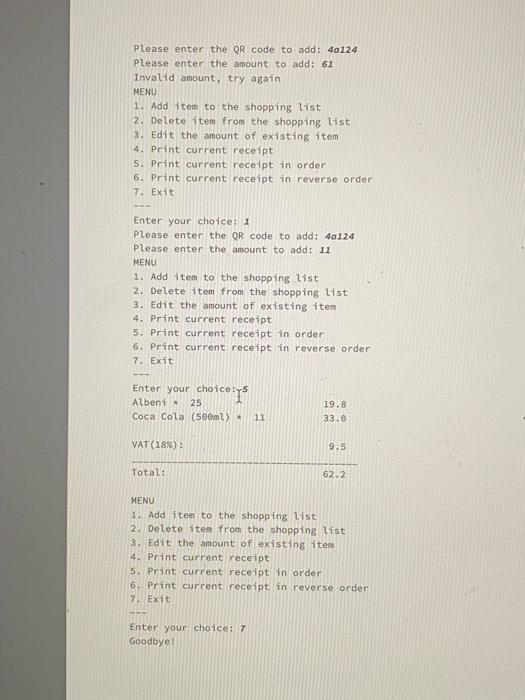
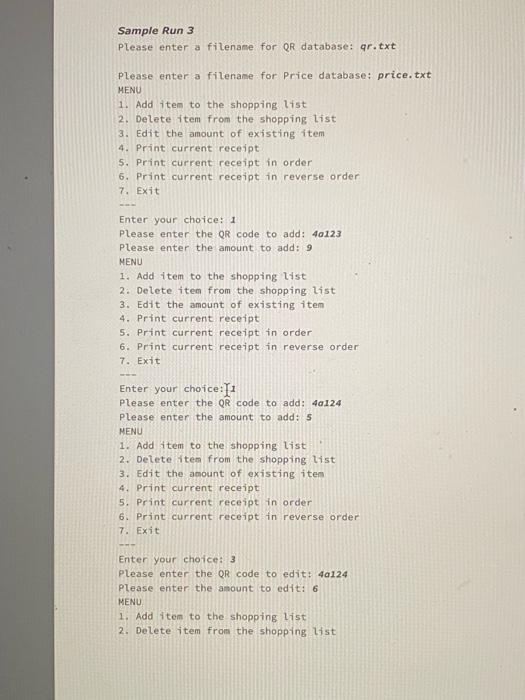
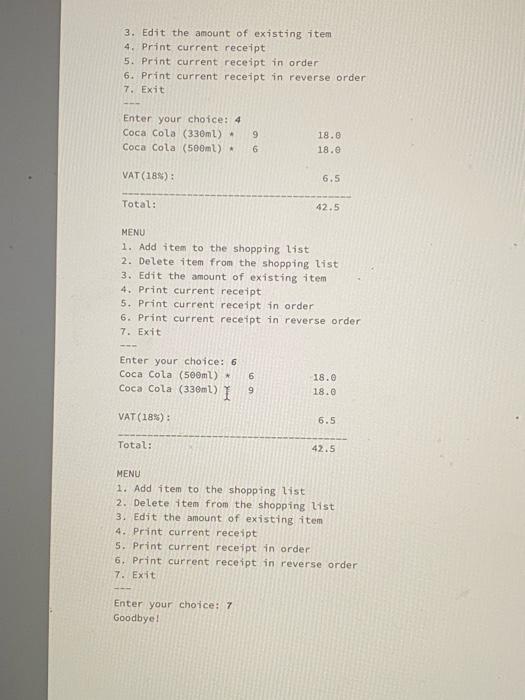
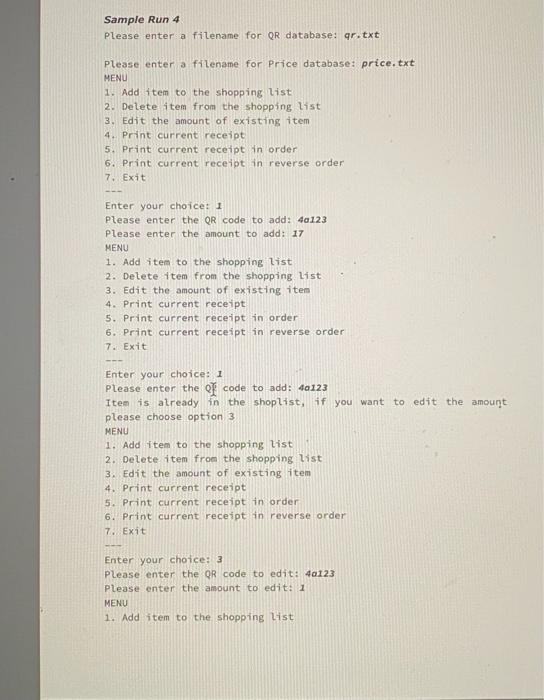
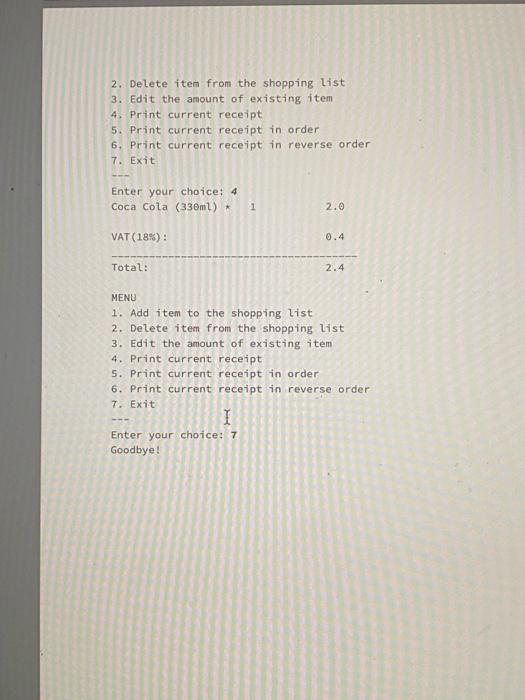
First of all, your program will ask for the name of the item name file. It should continue to ask for the name filename until the file can be opened successfully. Once the name file is successfully opened, your program will ask for the price list filename. It should also continue to ask for the price filename until the file can be opened successfully. After both filenames are correctly entered your program will display a menu to the user for him/her to choose an option. Unless the exit option (7) is entered, the program will continue to display the menu to take new options. You will write all the outputs according to the content of this file on the console window. If option 1 (add item) is selected, your program will take a QR code and search in the database. If that particular QR code exists then it will ask an amount which should be between 1 and 25 (both ends included) and add that item into the shop list. If the QR code does not exist in the database it will give a message to the user and print the menu again. Else, if the QR code does exist in both the database and the shoplist, then your program should display an appropriate message recommending option 3 (Edit item) and print the menu again. If the QR code does exist in the database but not in the shop list and the amount is not between 1 and 25 , then you should give an error message indicating that amount must be between 1 and 25 . If option 2 (delete item) is selected, your program should take a QR code and search in the shop list. If the program could find the QR code in the search list, then it should remove it. Else, it should give an error message saying that "Shoplist does not contain the given QR code.". If option 3 (edit item) is selected, your program should take a QR code and search in the shop list. If the program could find the QR code in the search list, then it should ask a new amount to edit it. Then, it checks if the amount is between 1 and 25 it should update the existing item's amount. (the user can give the previous amount as a new amount, you do not need to check it). If the amount is not in the interval or if the QR code is not in the shopping list you give an appropriate message. If option 4 (print receipt) is selected, then your program will print the receipt from the shop list. If option 5 (print receipt in order) is selected, then your program will print the receipt in ascending order. If option 6 (print recelpt in reverse order) is selected, then your program will print the receipt in descending order. The total price of each item will be calculated according to the number of items and its price. In other words, Total_Price = Item_Price Item_Count. Products Class and Product Struct You must use the structure below while implementing homework 5. There are 9 member functions and a Product struct in order to complete the Products class. Products p; p.read_files(qr, price); struct Product \{ I/ You need to fill here with necessary member variables // You can add a constructor and simple functions as well \}; class Products \{ private: vector item_list; vector shop_list; public: Products(); Products(const Products \& p); vector get_iten_list() const; vectoreproducts get_shop_Iist() const; // you are going to implement these member functions void read_files(ifstream \& qr, ifstream \& price); // it reads ar and price files and stores them into item_tist bool find(string qr_code); // given ar code it searches that inside item_list bool findinshkplist (string ar_code); (/ given ar code it searches that inside shop_itst void add_iten(string qr, int amount); // adds an item to the shop_list void edit_iten(string qr, int amount); 1/ edits an ttem in teh shop_list void remove_item(string qr); // removes on item from the shop_list void printCurrentReceipt(); // prints the current receipt yoid printcurrentReceiptAscending(); // prints the current receipt in ascending order void printcurrentReceiptDescending(); / prints the current receipt in descending order Database Search Database search will basically be searching the both files iteratively against reading the QR codes from the shop list. Your program should read each record line into a string file and should then parse the string into its parts. In each file the first part of a record line will be the QR code and you should search the matching QR code. If the QR exists you must retrieve the remaining part as the item name from the item name database file. Only after that you must search the second file and calculate the total price, the price list file with the same QR code. Finally, you will have to do three important steps. - You must write the item name, item count and total price to the console. - You must keep track of the sum of all bought items. - You must return to the first line of both item name and item price files. - You must set the spaces of the output correctly. All prices and total sum should be aligned. Input Entry and Input Check - Item name filename input: The name filename must be entered correctly. - Item price filename input: The price filename must be entered correctly. - QR code can have both numbers and uppercase letters. The shop list may contain lowercase letters, your program should handle it. - Number of items bought will be an integer. Assume only integers will be entered. - Maybe you have already realized that the simplest way of processing the input file is reading the data line by line and parsing each line. In order to perform such a processing, the ideal mechanism is to use a combination of getline function and input string streams (substr, find and at member functions do not help you too much in this homework). We have given/will give examples of such processing in the lecture and in recitations, When you finish searching and processing a QR code, you must return to the first record line of both input files. To achieve this you must use both the clear() and seekg(int) functions. - Use the 'float' data type instead of 'double' in your homework. - You don't need to submit the 'Products,h' file; it will be given to you. However, make sure to upload your 'Products.cpp' file in the attachment area below the answer box. Using setw for Formatted Output: - Using setw can be helpful to align and format your output correctly. This will assist in matching your output with the expected format, although it's not mandatory. When displaying each item from the shopping list, use can setw to align the item name, quantity, and price. For example: - setw(5) should precede the item name to ensure proper spacing. - setw(3) should be used before displaying the item quantity. - For the item price, setw(31 - item.name) can be used. This dynamic width adjustment ensures that the prices are right-aligned correctly. - For displaying the VAT and Total, use setw with specific values to align the numbers on the right. For instance: - Use "In VAT(18\%):"
Step by Step Solution
There are 3 Steps involved in it

Get step-by-step solutions from verified subject matter experts
 Study Help