







Question: Fix PYTHON code for GREEN CHECKSAssignment: A quite different way of using sentinels is to write guessing games. The sentinel becomes the value you need
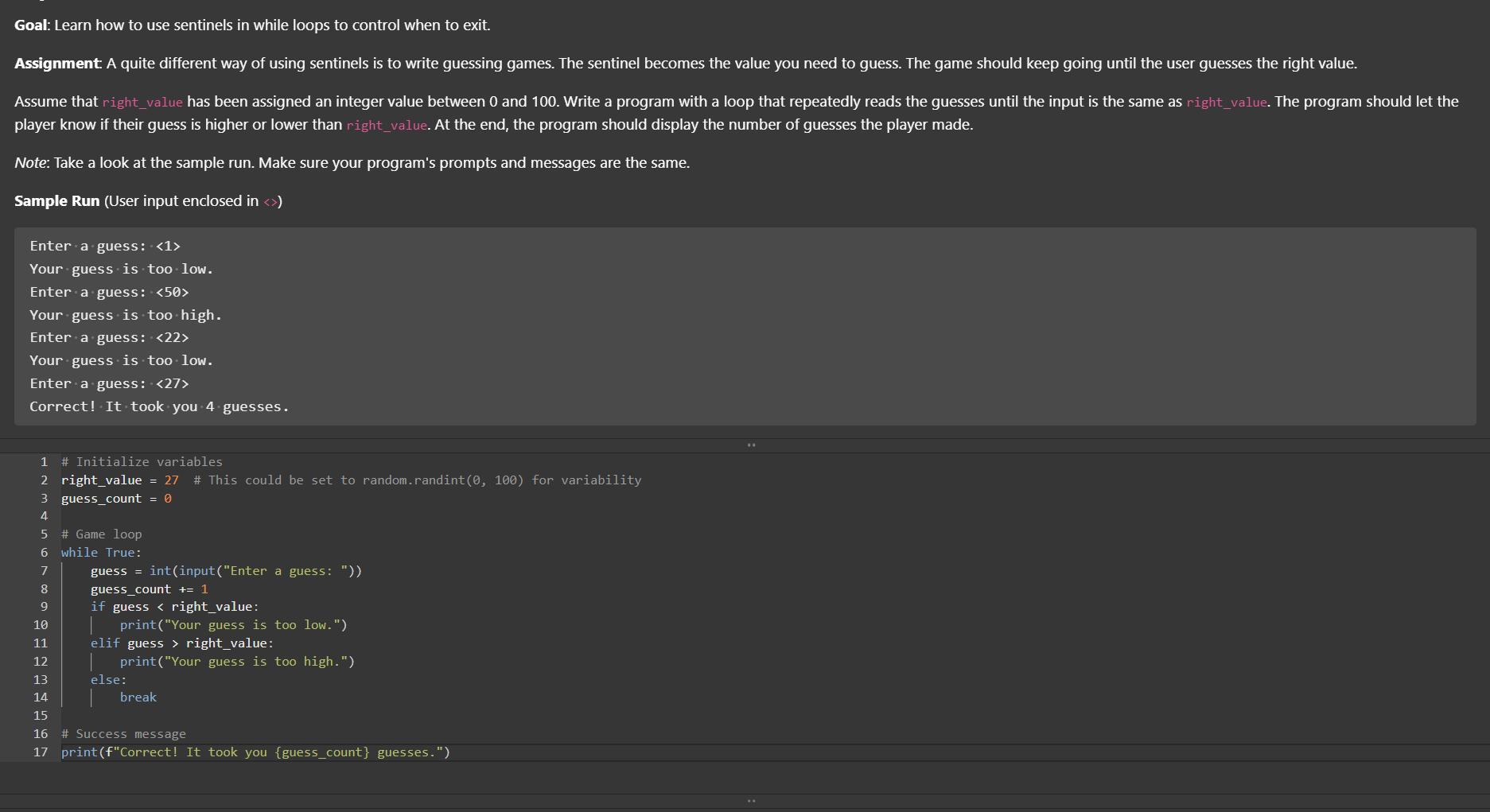
Fix PYTHON code for GREEN CHECKSAssignment: A quite different way of using sentinels is to write guessing games. The sentinel becomes the value you need to guess. The game should keep going until the user guesses the right value.
player know if their guess is higher or lower than rightvalue. At the end, the program should display the number of guesses the player made.
Note: Take a look at the sample run. Make sure your program's prompts and messages are the same.
Sample Run User input enclosed in
Entercdotacdotguess:
Your guess is too low.
Enter a guess:
Your guess is too high.
Enter a guess:
Your guess is too low
Enter a guess:
Correct! It took you guesses.rightvalue # This could be set to random.randint for variability
guesscount while True:
guess intinputEnter a guess:
guesscount
if guess rightvalue:
printYour guess is too low."
elif guess rightvalue:
printYour guess is too high."
else:
breakprintfCorrect It took you guesscount guesses."
Step by Step Solution
There are 3 Steps involved in it
1 Expert Approved Answer
Step: 1 Unlock

Question Has Been Solved by an Expert!
Get step-by-step solutions from verified subject matter experts
Step: 2 Unlock
Step: 3 Unlock
 Study Help