







Question: Fix the code % FIX ME To Make It run correctly. Use the Programming Language ---- > MATLAB Calculating wind turbine output power using interpolation.
Fix the code % FIX ME
To Make It run correctly.
Use the Programming Language ---- > MATLAB
Calculating wind turbine output power using interpolation.
The manufacturer of a 2.1 MW wind turbine provides the power produced by the turbine (outputPwrData) given various wind speeds (windSpeedData). Linear and spline interpolation can be utilized to estimate the power produced by the wind turbine given windSpeed.
Assign outputPowerInterp with the estimated output power given windSpeed, using a linear interpolation method. Assign outputPowerSpline with the estimated output power given windSpeed, using a spline interpolation method.
Ex: If windSpeed is 7.9, then outputPowerInterp is 810.6 and outputPowerSpline is 808.2.
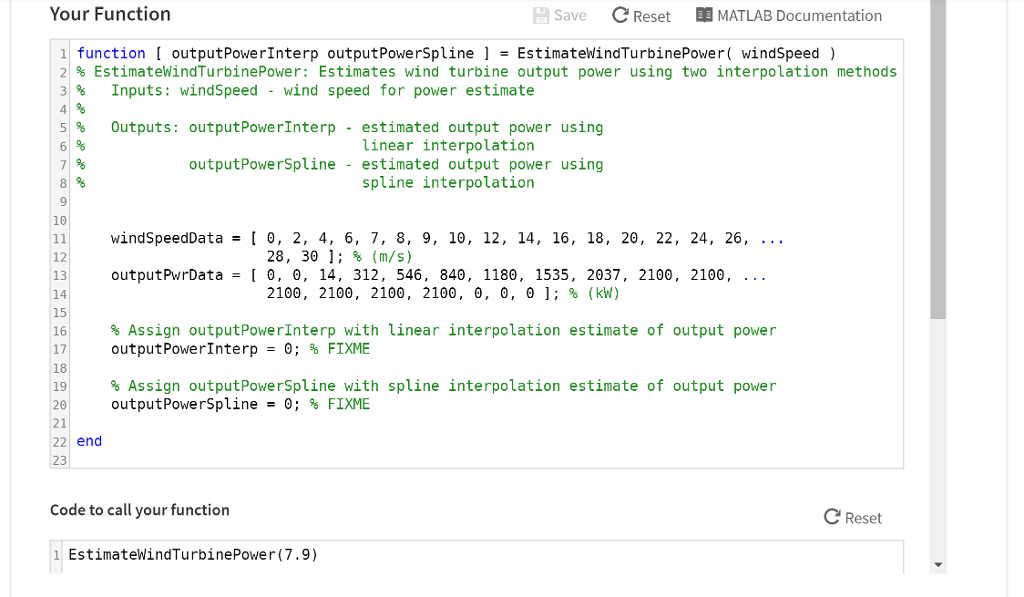
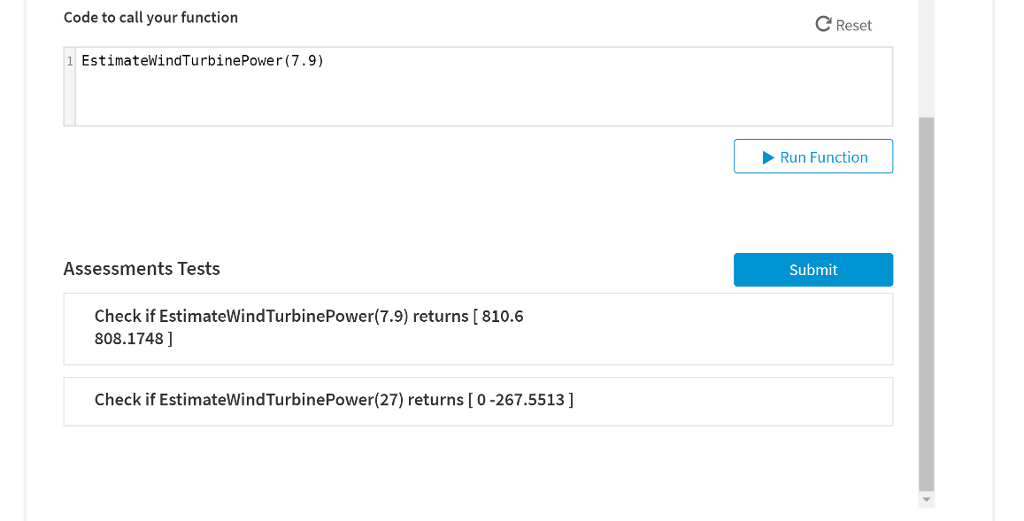
Your Function Save C Reset MATLAB Documentation 1function outputPowerInterp outputPowerSplineEstimatevindTurbinePower( WindSpeed) 2 % EstimatewindTurbinePower: Estimates wind turbine output power using two interpolation methods 3% Inputs: windspeed - wind speed for power estimate Outputs: output Power!nterp - estimated output powe r using 5% 6/% 7' linear interpolation outputPowerSpline - estimated output power using spline interpolation 9 windSpeedData= [ 0, 2, 4, 6, 7, 8, 9, 10, 12, 14, 16, 18, 20, 22, 24, 26, 11 12 13 14 15 16 17 18 28, 3 ]; % (m/s) outputPurData= [ 0, , 14, 312, 546 , 840, 1180, 1535, 2037, 2100, 2100, 2100, 2100, 2100, 2100, , 0, ]; % (kW) % Assign outputPowerInterp with linear interpolation estimate of output power outputPowe rInterp = 0; % FIXME % Assign outputPowerSpline with spline interpolation estimate of output powe r outputPowerSpline 0; % FIXME 20 21 22 end 23 Code to call your function C Reset 1 EstimateWindTurbinePower (7.9)
Step by Step Solution
There are 3 Steps involved in it

Get step-by-step solutions from verified subject matter experts
 Study Help