







Question: floating numbers can be difficult to work with due to imprecision. Instead, take the users input, multiply it by 100, round it, and convert it
- floating numbers can be difficult to work with due to imprecision. Instead, take the users input, multiply it by 100, round it, and convert it to an integer (the number of cents). E.g., if the user enters 143.55, you should store it as 14355.
- To see the imprecision problem, try evaluating 1.15*100 in the Python console and compare that to evaluating round(1.15*100).
- You may assume the user will always give you a valid dollar amount as input, and will not include the '$' symbol.
- To calculate the integer result of dividing two integers, you can either use the quotient operator // (Links to an external site.) or the int() function (Links to an external site.). For example, the expressions 18 // 5 and int(18 / 5) both return the integer 3.
- To calculate the remainder upon dividing two integers, you can use the modulus operator % (Links to an external site.). For example, the expression 27 % 10 returns the integer 7.
- The denominations of currency you can give back are the following (as integer cents): 2000, 1000, 500, 200, 100, 25, 10, 5.
- Pennies (1 cent) are not available to be given as change. If the user gives a value that would require pennies, do not give the pennies. See the examples below.
- You must use at least one for loop.
- You must use a dictionary to store the counts of how many of each denomination will be given back.
- You must use the .format() method to output exactly two digits after the decimal point. See the examples below.
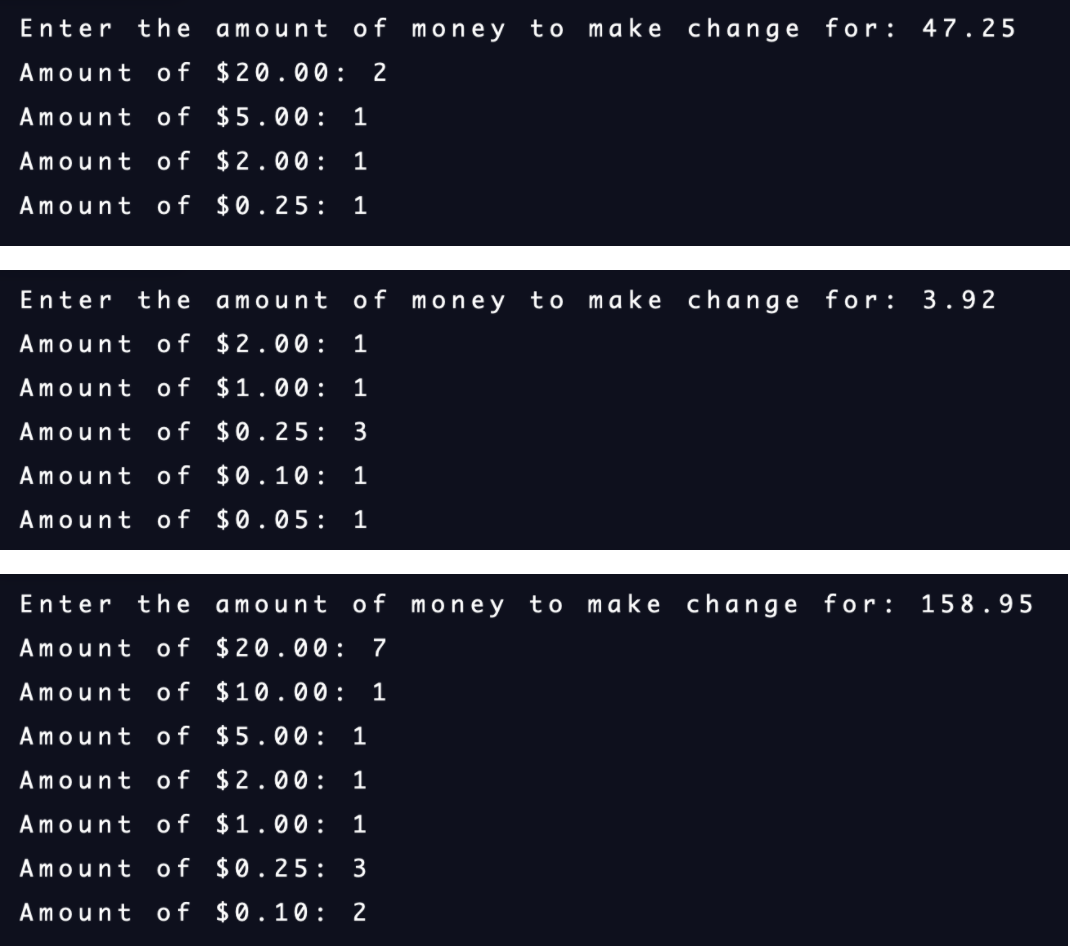
- When outputting these counts, do not output anything for denominations that we do not need to give back any amount for (i.e., count of 0). For example, in the example above for $33.70, we would not output the number of $5 bills or nickels since they are both 0. See the examples below.
Enter the amount of money to make change for: 47.25 Amount of $20.00: 2 Amount of $5.00: 1 Amount of $2.00: 1 Amount of $0.25 : 1 Enter the amount of money to make change for: 3.92 Amount of $2.00: 1 Amount of $1.00: 1 Amount of $0.25 : 3 Amount of $0.10: 1 Amount of $0.05: 1 Enter the amount of money to make change for: 158.95 Amount of $20.00: 7 Amount of $10.00: 1 Amount of $5.00: 1 Amount of $2.00: 1 Amount of $1.00 : 1 Amount of $0.25: 3 Amount of $0.10: 2
Step by Step Solution
There are 3 Steps involved in it
1 Expert Approved Answer
Step: 1 Unlock

Question Has Been Solved by an Expert!
Get step-by-step solutions from verified subject matter experts
Step: 2 Unlock
Step: 3 Unlock
 Study Help