







Question: For any calculations, please include how you got it. Assignment instructions are as follows Use the information in the provided Income Statement and Balance Sheet

 For any calculations, please include how you got it.
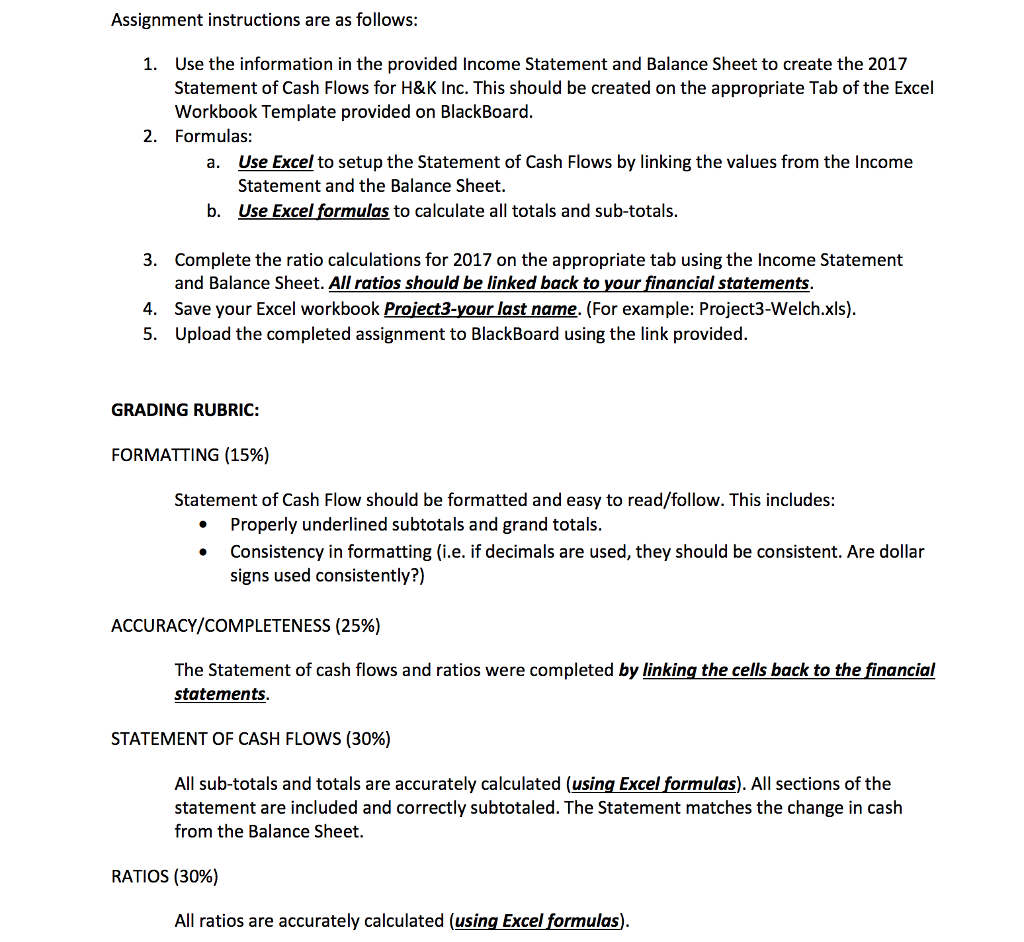
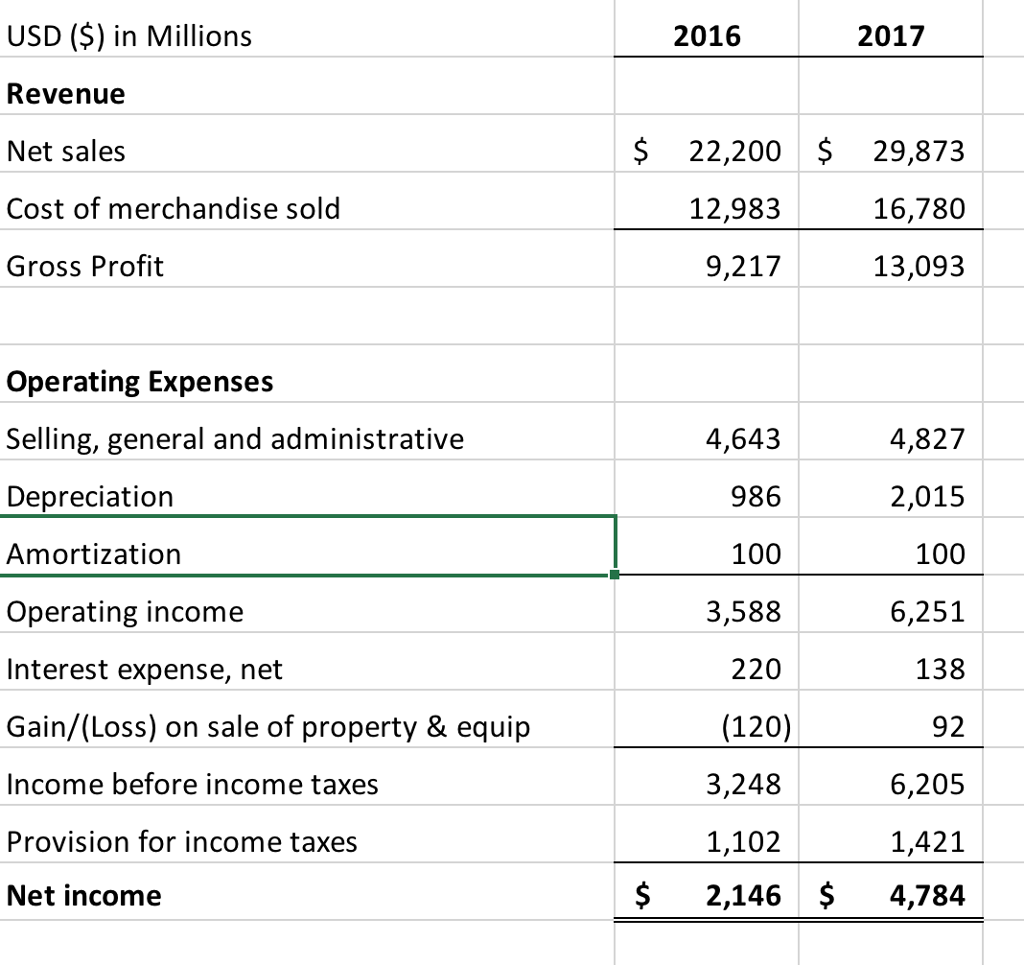
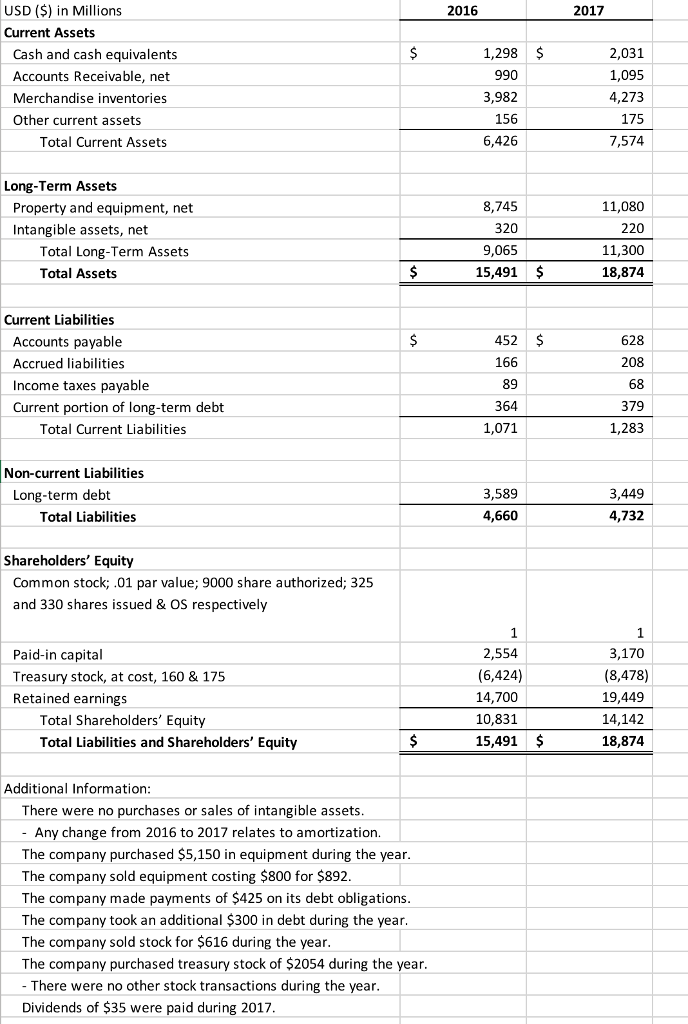
Assignment instructions are as follows Use the information in the provided Income Statement and Balance Sheet to create the 2017 Statement of Cash Flows for H&K Inc. This should be created on the appropriate Tab of the Excel Workbook Template provided on BlackBoard 1. 2. Formulas: Use Excel to setup the Statement of Cash Flows by linking the values from the Income Statement and the Balance Sheet. a. b. Use Excel formulas to calculate all totals and sub-totals. 3. Complete the ratio calculations for 2017 on the appropriate tab using the Income Statement and Balance Sheet. All ratios should be linked back to your financial statements Save you roject3-Welch.xls) Upload the completed assignment to BlackBoard using the link provided r Excel workbook Proiect3-your last name. (For example: P 4. 5. GRADING RUBRIC: FORMATTING (15%) Statement of Cash Flow should be formatted and easy to read/follow. This includes: . Properly underlined subtotals and grand totals . Consistency in formatting (i.e. if decimals are used, they should be consistent. Are dollar signs used consistently?) ACCURACY/COMPLETENESS (25%) The Statement of cash flows and ratios were completed by linking the cells back to the financial statements STATEMENT OF CASH FLOWS (30%) All sub-totals and totals are accurately calculated (using Excel formulas). All sections of the statement are included and correctly subtotaled. The Statement matches the change in cash from the Balance Sheet RATIOS (30%) All ratios are accurately calculated (using Excel formulas)
Step by Step Solution
There are 3 Steps involved in it

Get step-by-step solutions from verified subject matter experts
 Study Help