







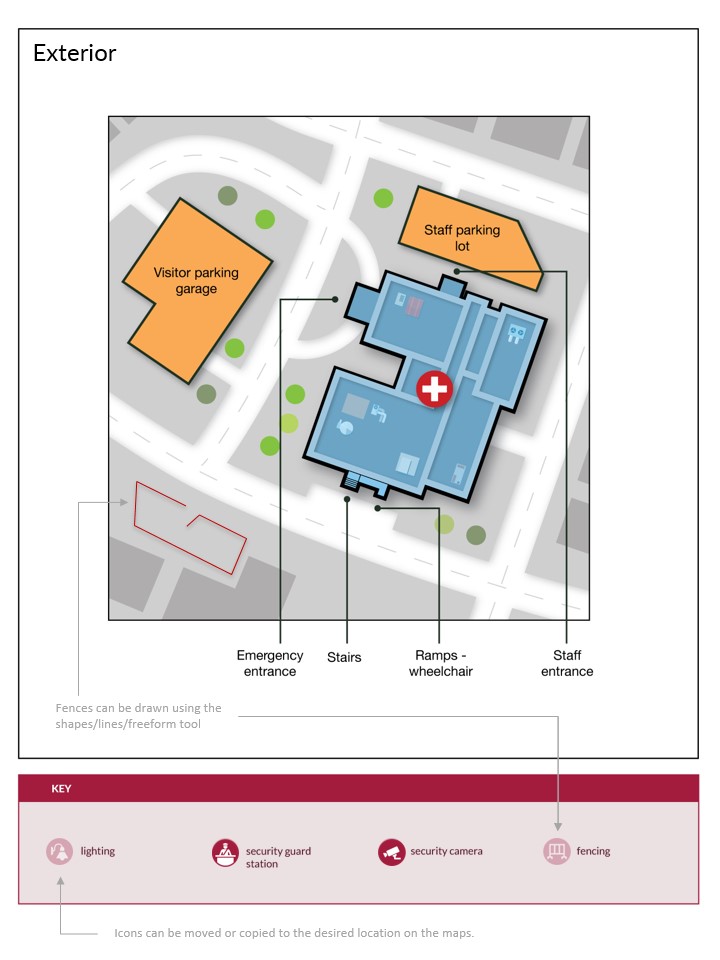
Question: For each map, click the icons in the map key and drag them to the place on the map you believe they should be located.
For each map, click the icons in the map key and drag them to the place on the map you believe they should be located. If you want to place an icon multiple times, you can copy the icon by rightclicking or selecting it and pressing CtrlC and then pressing CtrlV as needed.
Exterior
Why did you propose the lighting where you did?
What factors did you consider when increasing security of the parking design and the differences between the visitor parking garage and the staff parking lot?
Why did you place cameras where you did?
Step by Step Solution
There are 3 Steps involved in it
1 Expert Approved Answer
Step: 1 Unlock

Question Has Been Solved by an Expert!
Get step-by-step solutions from verified subject matter experts
Step: 2 Unlock
Step: 3 Unlock
 Study Help