







Question: For excel VBA codes please. Thanks. Write a macro that processes the following sales data (your final code should work with data that haw any
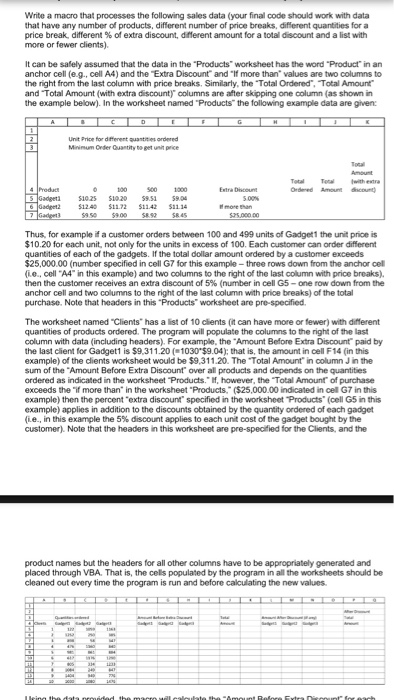
Write a macro that processes the following sales data (your final code should work with data that haw any number of products, different number of price breaks, different quantities for a price break, different % of extra discount, different amount for a total recount and a list with more or fewer diems). It can be safely assumed that the data in the 'Products' worksheet has the word 'Product' in an anchor cell (e.g., cell A4) and the Extra Discount' and 'If more than' values are two columns to the right from the last column with price breaks Similarly, the 'Total Ordered'. Total Amount' and Total Amount (with extra discount)' columns are after stopping one column (as shown in the example below) in the worksheet named 'Products' the following example data are given: Thus, for example if a customer orders between 100 and 499 units of Gadget 1 the unit price is $10.20 for each unit, not only for the units in excess of 100 Each customer can order different quantities of each of the gadgets If the total dollar amount ordered by a customer exceeds $25,000 00 (number specified in cell G7 for this example - three rows down from the anchor cell (i e. cell "A4" in this example) and two columns to the right of the last column with price breaks), then the customer receives an extra discount of 5% (number in cell G5 - one row down from the anchor cell and two columns to the right of the last column with price breaks) of the total purchase Note that headers in this 'Products' worksheet are pre-specified the worksheet named 'Clients' has a tot of 10 clients (it can have more or fewer) with different quantities of products ordered the program win populate the columns to the right of the last column with data (including headers) For example, the 'Amount 8efore Extra Discount" paid by the last client for Gadget 1 is S9.311.20 (=1030'$9 04); that is. The amount in cell F14 (in this example) of the diem's worksheet would be $9.311.20 the Total Amount in column J in the sum of the 'Amount Before Extra Discount' over all products and depends on the quantizes ordered as indicated m the worksheet 'Products ' If, however, the Total Amount" of purchase exceeds the 'if more than' in the worksheet 'Products.' ($25,000 00 indicated m cell G7 in this example) then the percent 'extra discount' specified m the worksheet 'Products' (cell G5 in this example) applies in addition to the discounts obtained by the quantity ordered of each gadget (i.e., in this example the 5% discount applies to each unit cost of the gadget bought by the customer) Note that the headers in this worksheet are pre-specified tor the Clients and the product names but the headers for all other columns have to be appropriately generated and placed through VBA That is, the cote populated by the program in a* the worksheets should be cleaned out every time the program is run and before calculating the new values
Step by Step Solution
There are 3 Steps involved in it

Get step-by-step solutions from verified subject matter experts
 Study Help