







Question: FOR JAVA Also using a loop in the test portion of the solution to input multiple values for calculating circle areas and include sentinel value
FOR JAVA
Also using a loop in the test portion of the solution to input multiple values for calculating circle areas and include sentinel value logic to terminate the loop. Also a Scanner class for input and output uses
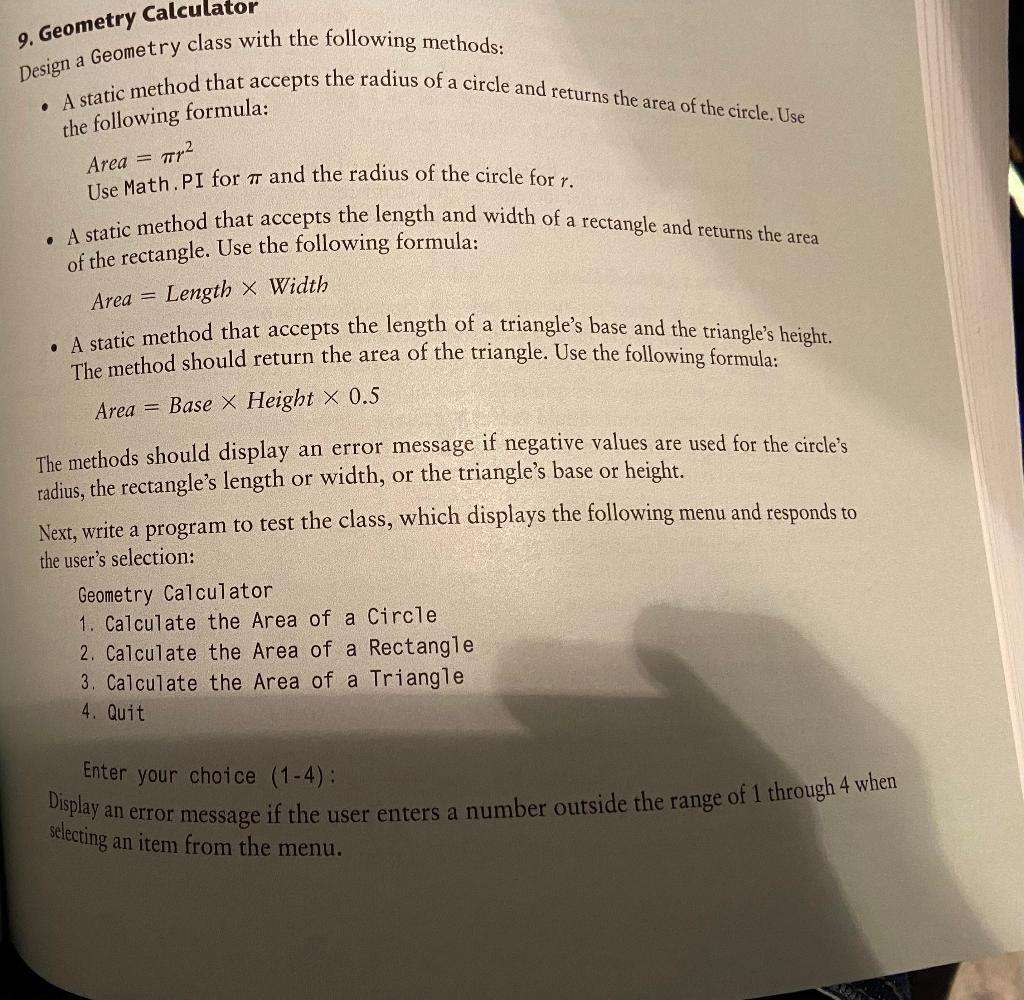
9. Geometry Calculator Design a Geometry class with the following methods: - A static method that accepts the radius of a circle and returns the area of the circle. Use the following formula: Area =r2 Use Math.PI for and the radius of the circle for r. - A static method that accepts the length and width of a rectangle and returns the area of the rectangle. Use the following formula: Area=LengthWidth - A static method that accepts the length of a triangle's base and the triangle's height. The method should return the area of the triangle. Use the following formula: Area=BaseHeight0.5 The methods should display an error message if negative values are used for the circle's radius, the rectangle's length or width, or the triangle's base or height. Next, write a program to test the class, which displays the following menu and responds to the user's selection: Geometry Calculator 1. Calculate the Area of a Circle 2. Calculate the Area of a Rectangle 3. Calculate the Area of a Triangle 4. Quit Enter your choice (14) : Display an error message if the user enters a number outside the range of 1 through 4 when selecting an item from the menu
Step by Step Solution
There are 3 Steps involved in it

Get step-by-step solutions from verified subject matter experts
 Study Help