







Question: For problems #1 and #2 create EER diagrams and save them to .mwb files. For problems #3 take the database diagram you created in problem
For problems #1 and #2 create EER diagrams and save them to .mwb files. For problems #3 take the database diagram you created in problem #2 and convert to an sql file.
Then take the two .mwb files and the one .sql and zip them to one file and upload the .zip file.
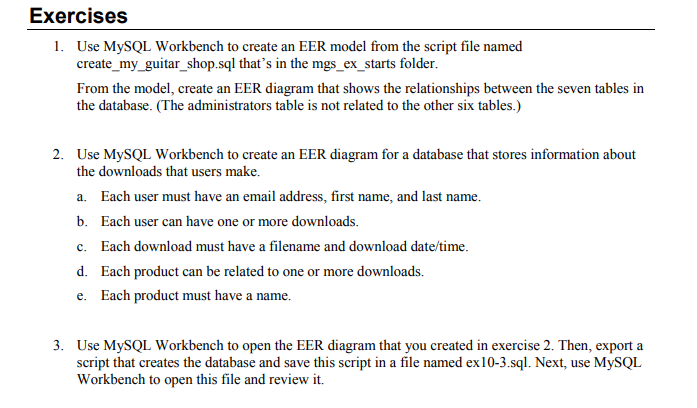
Exercises 1. Use MySQL Workbench to create an EER model from the script file named create _my_guitar_shop.sql that's in the mgs_ex_starts folder. From the model, create an EER diagram that shows the relationships between the seven tables in the database. (The administrators table is not related to the other six tables.) 2. Use MySQL Workbench to create an EER diagram for a database that stores information about the downloads that users make. a. Each user must have an email address, first name, and last name. b. Each user can have one or more downloads. c. Each download must have a filename and download date/time. d. Each product can be related to one or more downloads. e. Each product must have a name. 3. Use MySQL Workbench to open the EER diagram that you created in exercise 2. Then, export a script that creates the database and save this script in a file named ex10-3.sql. Next, use MySQL Workbench to open this file and review it. Exercises 1. Use MySQL Workbench to create an EER model from the script file named create _my_guitar_shop.sql that's in the mgs_ex_starts folder. From the model, create an EER diagram that shows the relationships between the seven tables in the database. (The administrators table is not related to the other six tables.) 2. Use MySQL Workbench to create an EER diagram for a database that stores information about the downloads that users make. a. Each user must have an email address, first name, and last name. b. Each user can have one or more downloads. c. Each download must have a filename and download date/time. d. Each product can be related to one or more downloads. e. Each product must have a name. 3. Use MySQL Workbench to open the EER diagram that you created in exercise 2. Then, export a script that creates the database and save this script in a file named ex10-3.sql. Next, use MySQL Workbench to open this file and review it
Step by Step Solution
There are 3 Steps involved in it

Get step-by-step solutions from verified subject matter experts
 Study Help