







Question: for some reason, this code does not work. import javax.swing.*; import java.awt.*; public class lab02 extends JPanel { public void paintComponent(Graphics g) { //background g.setColor(Color.
for some reason, this code does not work.
import javax.swing.*; import java.awt.*; public class lab02 extends JPanel { public void paintComponent(Graphics g) { //background g.setColor(Color.RED.darker()); g.fillRect(0, 0, 400, 400); //picture frame g.setColor(new Color(150,150,0)); g.fillRect(125, 60, 180, 180); int x, y; for(x = 125; x for(x = 125; x for(y = 60; y for(y = 60; y //image ImageIcon chs = new ImageIcon("apcsaassignment.jpg"); g.drawImage(chs.getImage(), 145, 70, 150, 160, null); //text g.setFont(new Font("Serif", Font.BOLD | Font.ITALIC, 30)); g.setColor(Color.WHITE); g.drawString("Our Fearless Leader", 75, 300); } } the code is supposed to have the picture below and i named it apcsaassignment
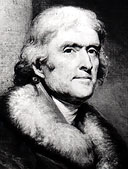
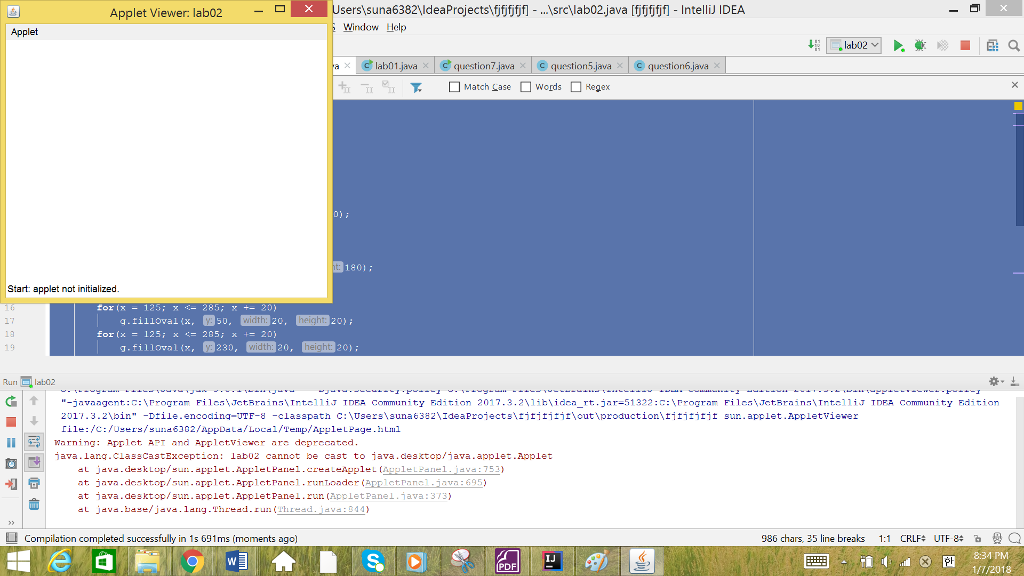
but this is what i get... it's java if anyone needs to know
Step by Step Solution
There are 3 Steps involved in it
1 Expert Approved Answer
Step: 1 Unlock

Question Has Been Solved by an Expert!
Get step-by-step solutions from verified subject matter experts
Step: 2 Unlock
Step: 3 Unlock
 Study Help