







Question: For the code below, Can you please help me to allow the decaying notes ( i . e . with the windowing function ) to
For the code below, Can you please help me to allow the decaying notes ie with the windowing function to overlap slightly in time. Assuming the size of the overlap between two consecutive ADSR functions can be samples.
Is this goin to improve the sound quality?
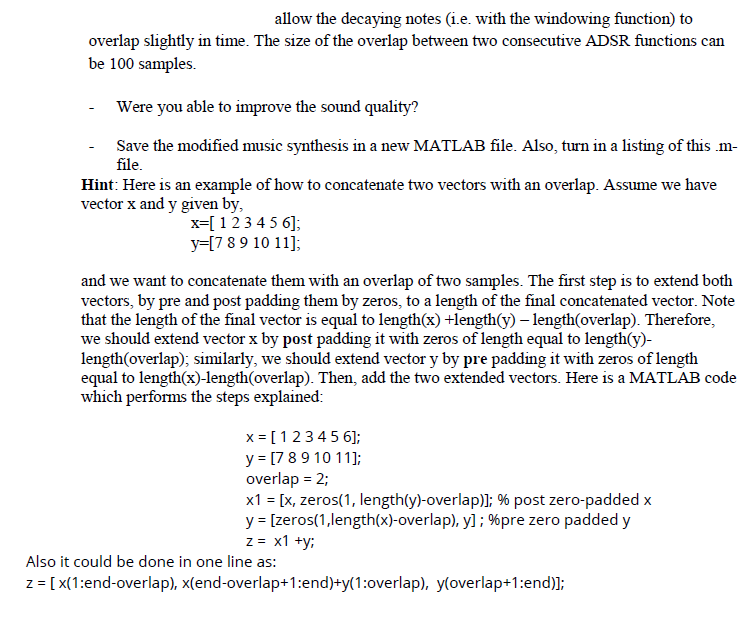
Hint: Here is an example of how to concatenate two vectors with an overlap. Assume we have
vector and given by
and we want to concatenate them with an overlap of two samples. The first step is to extend both
vectors, by pre and post padding them by zeros, to a length of the final concatenated vector. Note
that the length of the final vector is equal to length lengthy lengthoverlap Therefore,
we should extend vector by post padding it with zeros of length equal to lengthy
lengthoverlap; similarly, we should extend vector y by pre padding it with zeros of length
equal to length x lengthoverlap Then, add the two extended vectors. Here is a MATLAB code
which performs the steps explained:
;
overlap ;
zeros lengthoverlap; post zeropadded
zeroslengthoverlap; pre zero padded
;
Also it could be done in one line as:
:endoverlap endoverlap :end :overlap overlap :end
THE CODE:
labm
clear all
close all
clc
notes AAEEEBCBA;
count ;
x;
fs;
for i :lengthnotes
m counti;
n :m;
switchnotesi
case A
f;
case B
f;
case C
f;
case D
f;
case E
f;
case F
f;
case G
f;
end
y cospiffsn;
ADSR linspacem linspacem linspacem linspacem;
Ensure ADSR has the same length as y
ADSR ADSR:lengthy;
x x y ADSR; Apply ADSR envelope to the signal
end
soundscx fs;
Step by Step Solution
There are 3 Steps involved in it
1 Expert Approved Answer
Step: 1 Unlock

Question Has Been Solved by an Expert!
Get step-by-step solutions from verified subject matter experts
Step: 2 Unlock
Step: 3 Unlock
 Study Help