







Question: For the following C++ Code: #include #include #include #include #include #include #include #include #include #include #include Processes.h using namespace std; pid_t process_id; /* * The
For the following C++ Code:
#include
using namespace std;
pid_t process_id;
/* * The starting point of the program. */ int main(void) { // Call the user-defined function that retrieves the process ID cout
// Call the function that call an external OS command if (process_id != 0) { cout
return 0; }

Use the following C++ code to complete:
#ifndef Processes_cpp #define Processes_cpp
#include "Processes.h"
using namespace std;
// Part 1: Working With Process IDs pid_t getProcessID(void) { // TODO: Add your code here return -1; }
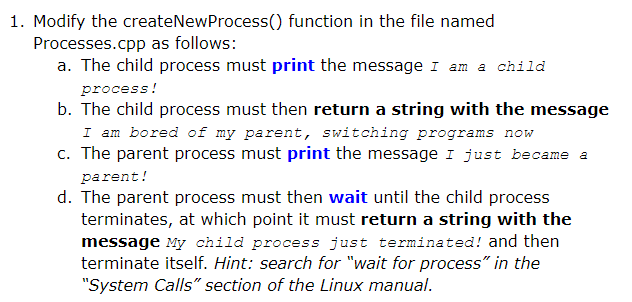
// Part 2: Working With Multiple Processes string createNewProcess(void) { pid_t id = fork(); // DO NOT CHANGE THIS LINE OF CODE process_id = id; if(id == -1) { return "Error creating process"; } else if (id == 0) { // TODO: Add your code here
return ""; } else { // TODO: Add your code here
return ""; } }
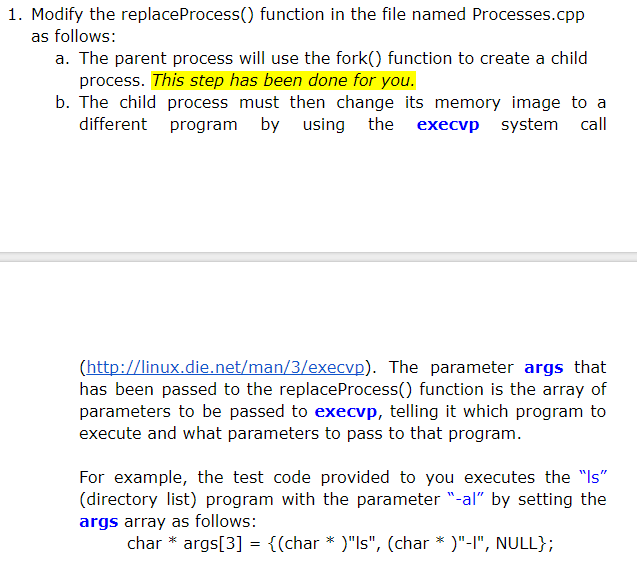
// Part 3: Working With External Commands" void replaceProcess(char * args[]) { // Spawn a process to execute the user's command. pid_t id = fork(); // TODO: Add your code here }
#endif /* TestProg_cpp */
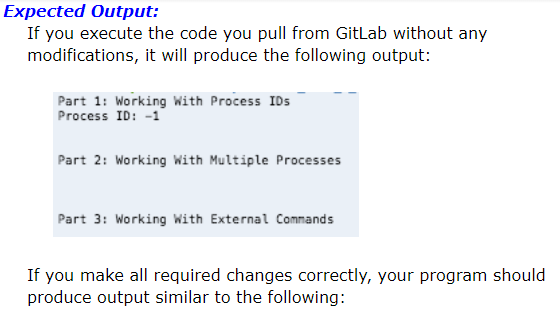
Correct code output:
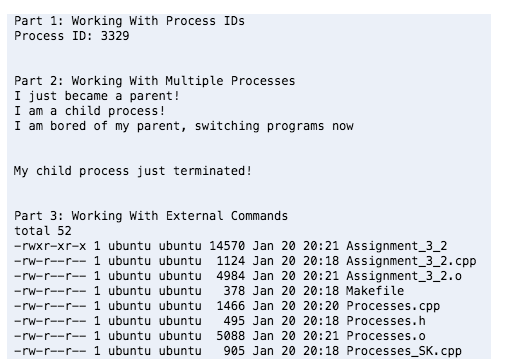
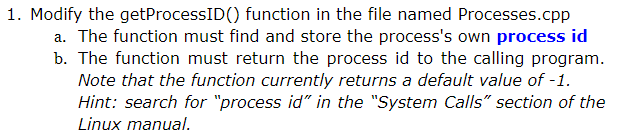
1. Modify the getProcessID() function in the file named Processes.cpp a. The function must find and store the process's own process id b. The function must return the process id to the calling program. Hint: search for "process id" in the "System Calls" section of the Linux manual
Step by Step Solution
There are 3 Steps involved in it

Get step-by-step solutions from verified subject matter experts
 Study Help