







Question: for the following javascript code follow the directions below Hands-on Project 8-1 Hands-on Project 8-1 New Account Information First Name Last Name Street Address City
for the following javascript code follow the directions below
Hands-on Project 8-1
1.Before the closing
tag, add the following script element, save your changes, and then close index.htm:
1.Create a new file in your text editor, create a JavaScript comment section containing the text Hands-on Project - , your name, todays date, and the filename script.js, and then save the file with the name script.js to the HandsOnProject - folder.
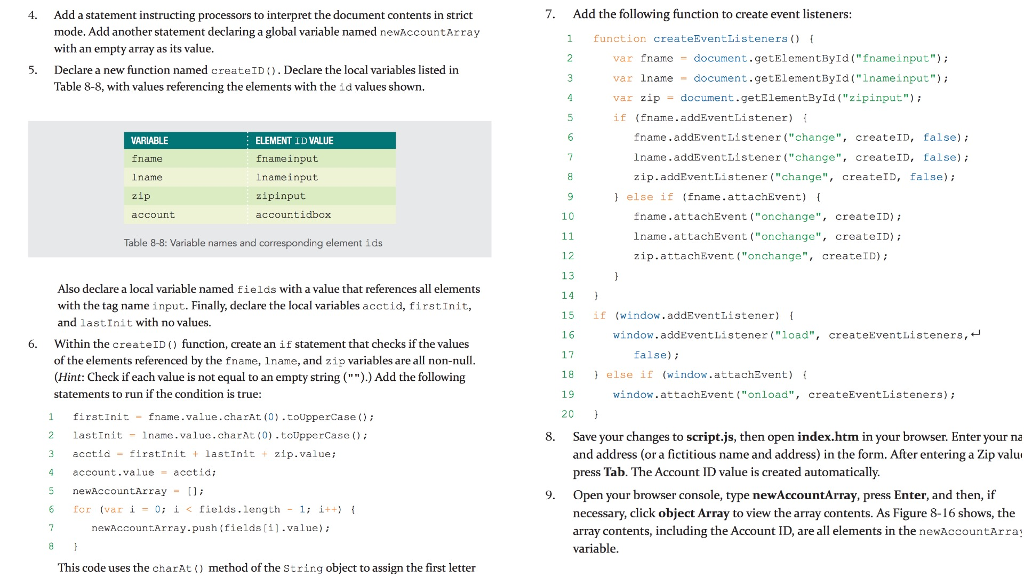
4. 7. Add the following function to create event listeners Add a statement instructing processors to interpret the document contents in strict mode. Add another statement declaring a global variable named newAccountArray with an empty array as its value. Declare a new function named create IDDeclare the local variables listed in Table 8-8, with values referencing the elements with the id values shown. 1 functior createEventListeners var fname document.getElementById("fnameinput") var lnamedocument.getElementById("1nameinput" var zipdocument.getElementByld("zipinput") if (fname.addEventListerer 5. fname.addEventListener ("change", createID, false) lname.addEventListener ("change", createID, false) zip.addEventListener ("change", createID, false) VARLABLE ELEMENT ID VALUE fnameinput lnameinput zipinput accour.tidbox 1name zip else if (fname.attachEvent) 10 name.attachEvent("onchange", createID) lname.attachEvent ("ochange", createID) zip.attachEvent("onchange", createID) Table 8-8: Variable names and corresponding element ids 12 13 14 15 16 17 18 19 20 Aso declare a local variable named fields with a value that references all elements with the tag name input. Finally, declare the local variables acctid, firstInit, and last.Init with no values. if window . addEventListener) { window.addEventListener (" load", createEventListeners,. 6. Within the createID) function, create an if statement that checks if the values false) of the elements referenced by the fname, 1name, and zip variables are all non-null (Hint: Check if each value is not equal to an empty string ("").) Add the following statements to run if the condition is true: } else if (window.ttachEvert) { window.attachEvent ("onload", createEventListeners); 1 firstinit-fname.value.charAt (0 .toUpperCase 2 lastIit name.value.charA ()toUpperCase 3 acctidfiratInit lastInit zip.value; 4 account.va lu=acet id ; S newAccountArray n 6 fcr (var i-0; i
Step by Step Solution
There are 3 Steps involved in it
1 Expert Approved Answer
Step: 1 Unlock

Question Has Been Solved by an Expert!
Get step-by-step solutions from verified subject matter experts
Step: 2 Unlock
Step: 3 Unlock
 Study Help