







Question: For this assignment you are to download and install Node.js. Refer to pages 16 - for installation instructions. The link to download Node.js is https:/odejs.org/en/download.
For this assignment you are to download and install Node.js. Refer to pages 16 - for installation instructions. The link to download Node.js is https:/odejs.org/en/download. To answer this assignment and make sure you have properly downloaded and setup Node.ja post a screenshot similar to that on page 19.
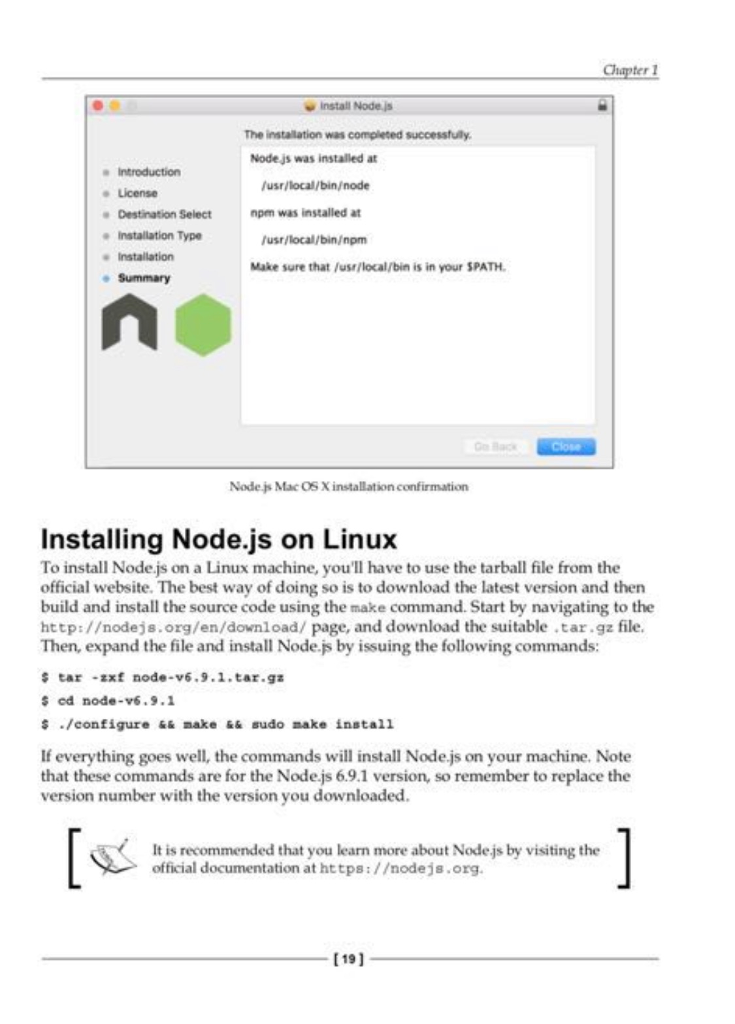
install Nodejs The instalation was completed successfuly Nodejs was installed at usr/local/binode e License e Destination Select eInstallation Type npm was installed at usr/local/binpm Installation Make sure that /ust/local/bin is in your SPATH o Back Node js Mac OS X installation confirmation Installing Node.js on Linux To install Node.js on a Linux machine, you'll have to use the tarball file from the official website. The best way of doing so is to download the latest version and then build and install the source code using the make command. Start by navigating to the http:/odejs.org/en/download/ page, and download the suitable tar.gz file. Then, expand the file and install Node.js by issuing the following commands tar -zxf node-v6.9.1 tar.gz s ed node-v6.9 /configure && make && .do make install If everything goes well, the commands will install Node.js on your machine. Note that these commands are for the Node.js 6.9.1 version, so remember to replace the version number with the version you downloaded It is recommended that you learn more about Node js by visiting the official documentation at https:/odejs.org [191
Step by Step Solution
There are 3 Steps involved in it

Get step-by-step solutions from verified subject matter experts
 Study Help