Question: For this assignment you will create multiple time series models, in both excel and SAS. You will need to answer questions about your models (calculating

For this assignment you will create multiple time series models, in both excel and SAS. You will need to answer questions about your models (calculating alpha, MSE, etc) and upload your excel files and upload your SAS log, and use the output to answer questions.
For this assignment you will create multiple timeFor this assignment you will create multiple timeFor this assignment you will create multiple timeFor this assignment you will create multiple timeFor this assignment you will create multiple time
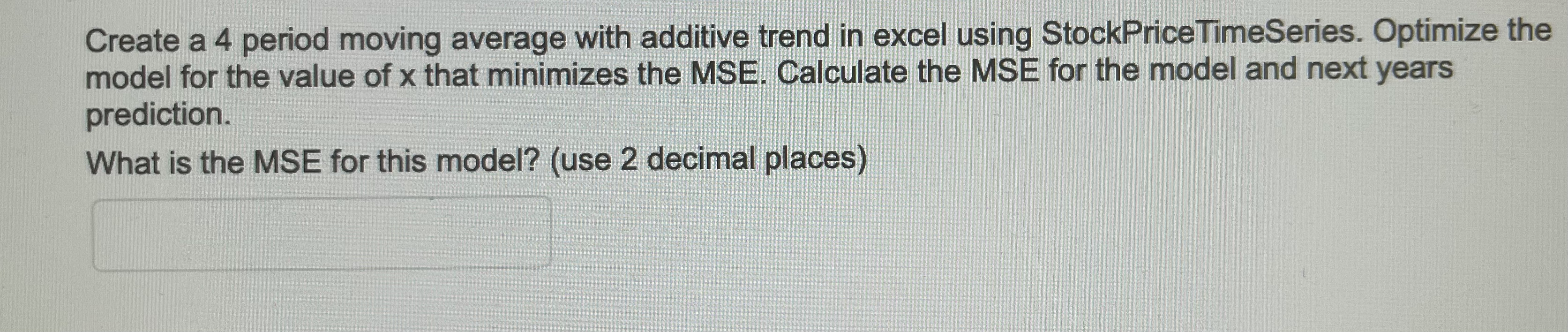
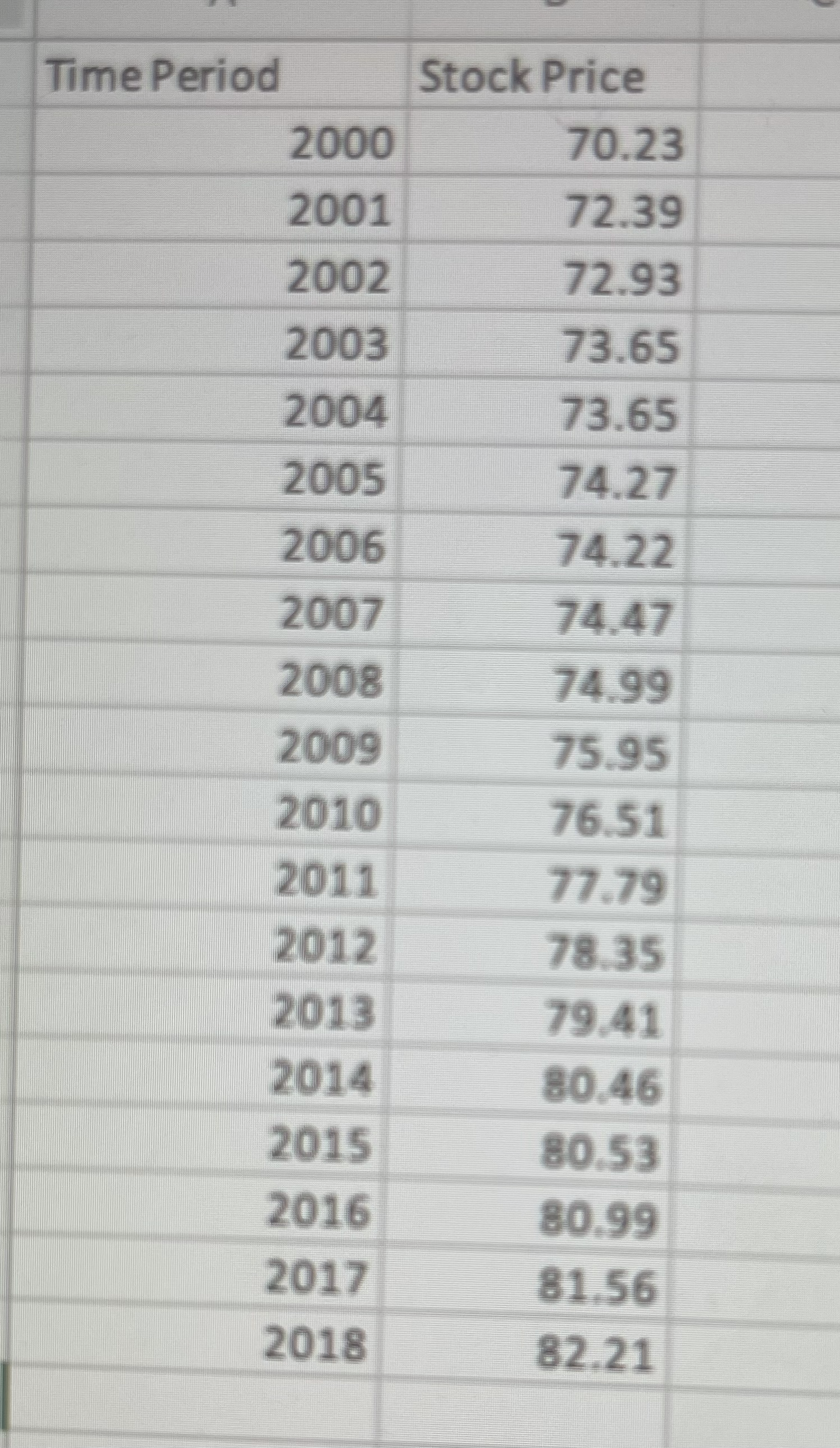
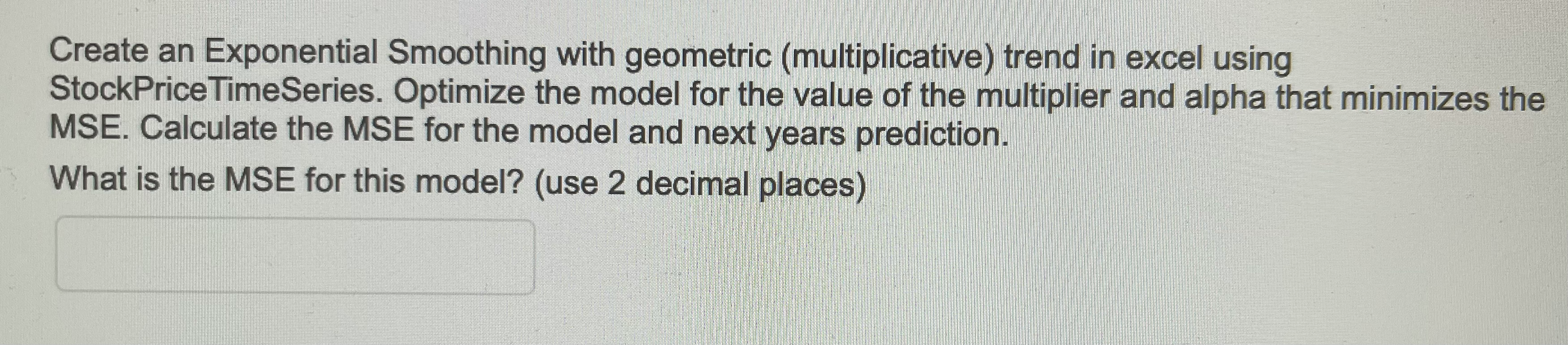
\fCreate an Exponential Smoothing with geometric (multiplicative) trend in excel using StockPrice TimeSeries. Optimize the model for the value of the multiplier and alpha that minimizes the MSE. Calculate the MSE for the model and next years prediction. What is the MSE for this model? (use 2 decimal places)QUESTION 4 Upload the spreadsheet you used to complete questions 1-3 of this assignment. It should show that you completed the requested models and your answer, it should also show how you compared different models for question 3. Attach FileCreate a 4 period moving average with additive trend in excel using StockPrice TimeSeries. Optimize the model for the value of x that minimizes the MSE. Calculate the MSE for the model and next years prediction. What is the MSE for this model? (use 2 decimal places)Using StockPrice TimeSeries data, determine the best time series model to use. You need to choose from moving average (and specify how many periods (up to 5)), and exponential smoothing (and which alpha value). Additionally you need to choose between an additive or multiplicative model to account for trend. Describe the process you used to choose among the models, why the model you chose was best, and any other factors that led you to choose the model you chose. The next part of this assignment is to upload the spreadsheet you used to complete the first two questions as well as the models you compared. You can refer to the sheets in the spreadsheet in your

Step by Step Solution

There are 3 Steps involved in it

1 Expert Approved Answer
Step: 1 Unlock blur-text-image

Question Has Been Solved by an Expert!

Get step-by-step solutions from verified subject matter experts

Step: 2 Unlock
Step: 3 Unlock

Students Have Also Explored These Related Accounting Questions!