Question: For this assignment, you will use awk only. Do not use bash, sed, perl, Python, or any other lan- guages/utilities not explicitly specified. News Commands
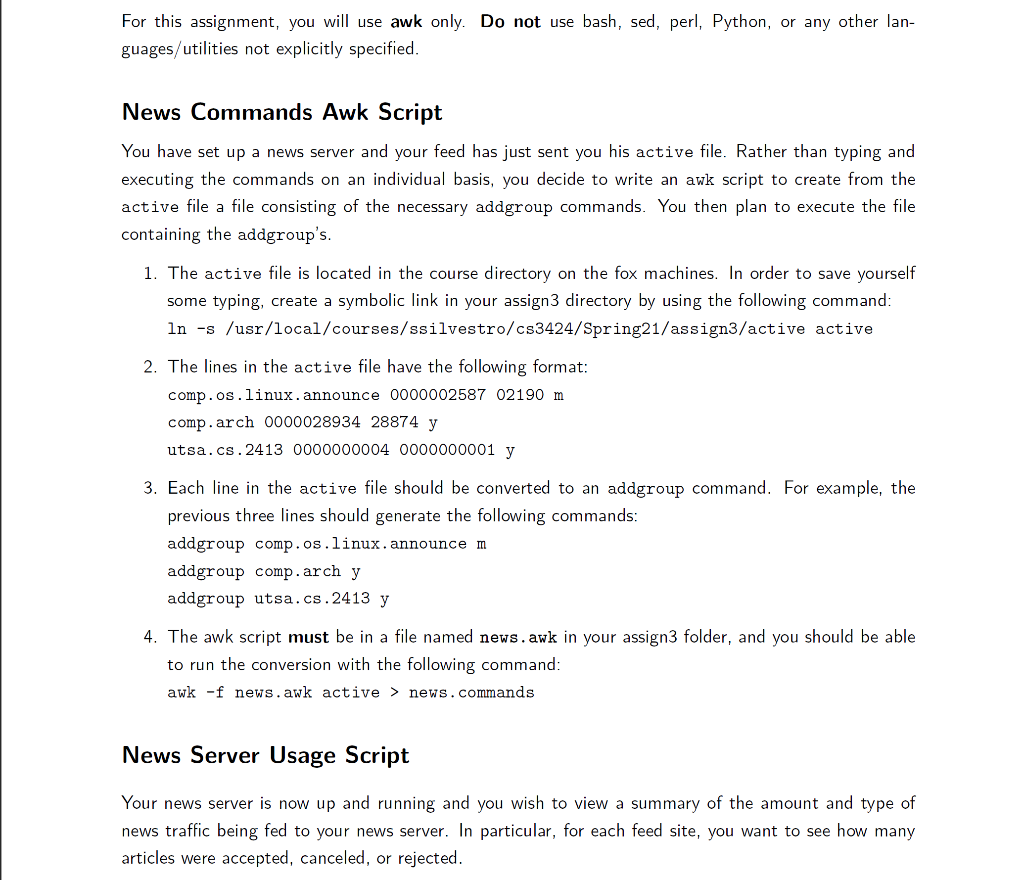
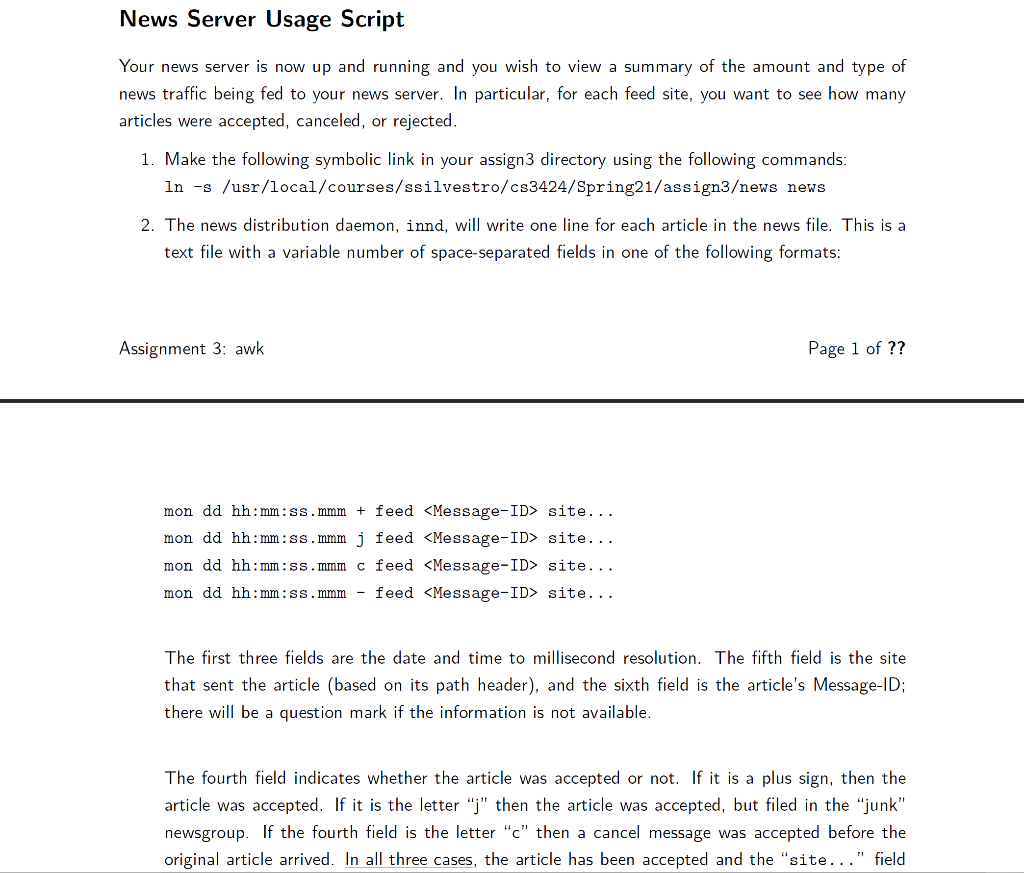
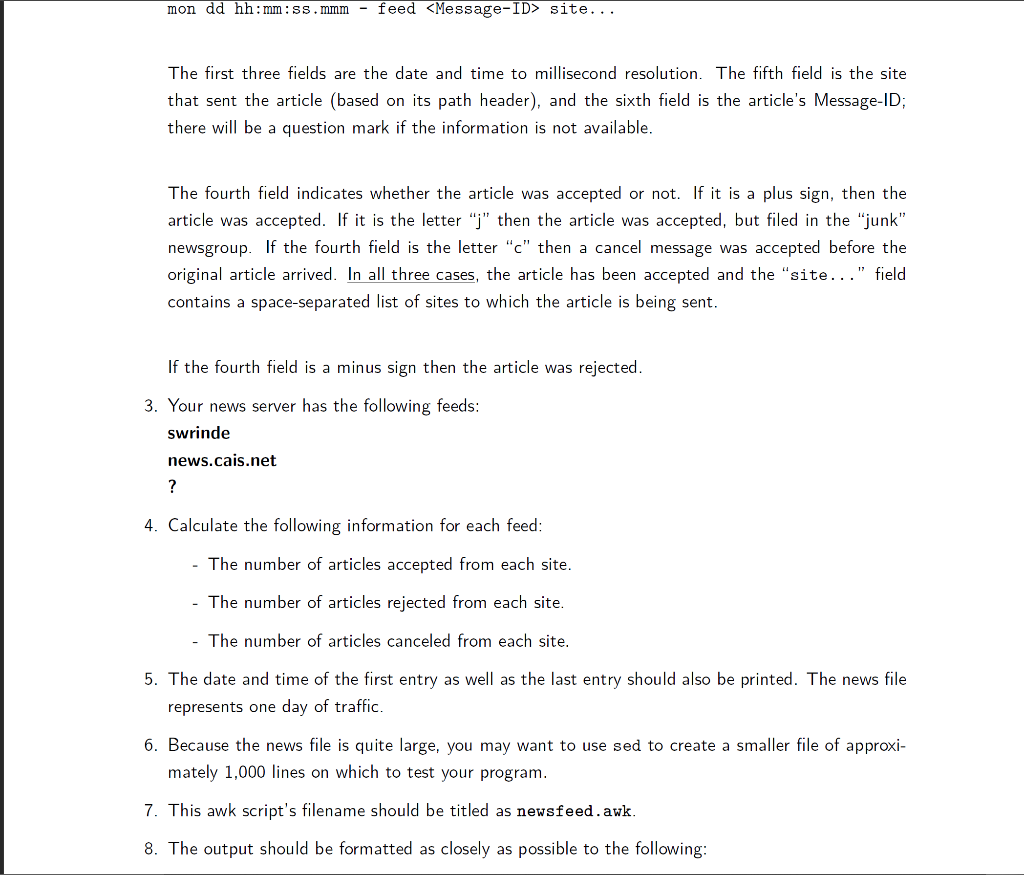
For this assignment, you will use awk only. Do not use bash, sed, perl, Python, or any other lan- guages/utilities not explicitly specified. News Commands Awk Script You have set up a news server and your feed has just sent you his active file. Rather than typing and executing the commands on an individual basis, you decide to write an awk script to create from the active file a file consisting of the necessary addgroup commands. You then plan to execute the file containing the addgroup's. 1. The active file is located in the course directory on the fox machines. In order to save yourself some typing, create a symbolic link in your assign3 directory by using the following command: In -s /usr/local/courses/ssilvestro/cs3424/Spring21/assign3/active active 2. The lines in the active file have the following format: comp.os.linux. announce 0000002587 02190 m comp. arch 0000028934 28874 y utsa.cs.2413 0000000004 0000000001 y 3. Each line in the active file should be converted to an addgroup command. For example, the previous three lines should generate the following commands: addgroup comp.os.linux.announce m addgroup comp.arch y addgroup utsa.cs. 2413 y 4. The awk script must be in a file named news.awk in your assign3 folder, and you should be able to run the conversion with the following command: awk -f news.awk active > news.commands News Server Usage Script Your news server is now up and running and you wish to view a summary of the amount and type of news traffic being fed to your news server. In particular, for each feed site, you want to see how many articles were accepted, canceled, or rejected. News Server Usage Script Your news server is now up and running and you wish to view a summary of the amount and type of news traffic being fed to your news server. In particular, for each feed site, you want to see how many articles were accepted, canceled, or rejected. 1. Make the following symbolic link in your assign3 directory using the following commands: In -s /usr/local/courses/ssilvestro/cs3424/Spring21/assign3ews news 2. The news distribution daemon, innd, will write one line for each article in the news file. This is a text file with a variable number of space-separated fields in one of the following formats: Assignment 3: awk Page 1 of ?? mon dd hh:mm:ss.mmm + feed site... mon dd hh:mm:ss.mmm j feed site... mon dd hh:mm:ss.mmm c feed site... mon dd hh:mm:ss.mmm feed site... The first three fields are the date and time to millisecond resolution. The fifth field is the site that sent the article (based on its path header), and the sixth field is the article's Message-ID; there will be a question mark if the information is not available. The fourth field indicates whether the article was accepted or not. If it is a plus sign, then the article was accepted. If it is the letter ">" then the article was accepted, but filed in the "junk" newsgroup. If the fourth field is the letter "c" then a cancel message was accepted before the original article arrived. In all three cases, the article has been accepted and the "site..." field mon dd hh:mm:ss.mmm feed site... The first three fields are the date and time to millisecond resolution. The fifth field is the site that sent the article (based on its path header), and the sixth field is the article's Message-ID; there will be a question mark if the information is not available. The fourth field indicates whether the article was accepted or not. If it is a plus sign, then the article was accepted. If it is the letter "j" then the article was accepted, but filed in the "junk" newsgroup. If the fourth field is the letter "c" then a cancel message was accepted before the original article arrived. In all three cases, the article has been accepted and the "site..." field contains a space-separated list of sites to which the article is being sent. If the fourth field is a minus sign then the article was rejected. 3. Your news server has the following feeds: swrinde news.cais.net ? 4. Calculate the following information for each feed: - The number of articles accepted from each site. - The number of articles rejected from each site. - The number of articles canceled from each site. 5. The date and time of the first entry as well as the last entry should also be printed. The news file represents one day of traffic. 6. Because the news file is quite large, you may want to use sed to create a smaller file of approxi- mately 1,000 lines on which to test your program. 7. This awk script's filename should be titled as newsfeed. awk. 8. The output should be formatted as closely as possible to the following: For this assignment, you will use awk only. Do not use bash, sed, perl, Python, or any other lan- guages/utilities not explicitly specified. News Commands Awk Script You have set up a news server and your feed has just sent you his active file. Rather than typing and executing the commands on an individual basis, you decide to write an awk script to create from the active file a file consisting of the necessary addgroup commands. You then plan to execute the file containing the addgroup's. 1. The active file is located in the course directory on the fox machines. In order to save yourself some typing, create a symbolic link in your assign3 directory by using the following command: In -s /usr/local/courses/ssilvestro/cs3424/Spring21/assign3/active active 2. The lines in the active file have the following format: comp.os.linux. announce 0000002587 02190 m comp. arch 0000028934 28874 y utsa.cs.2413 0000000004 0000000001 y 3. Each line in the active file should be converted to an addgroup command. For example, the previous three lines should generate the following commands: addgroup comp.os.linux.announce m addgroup comp.arch y addgroup utsa.cs. 2413 y 4. The awk script must be in a file named news.awk in your assign3 folder, and you should be able to run the conversion with the following command: awk -f news.awk active > news.commands News Server Usage Script Your news server is now up and running and you wish to view a summary of the amount and type of news traffic being fed to your news server. In particular, for each feed site, you want to see how many articles were accepted, canceled, or rejected. News Server Usage Script Your news server is now up and running and you wish to view a summary of the amount and type of news traffic being fed to your news server. In particular, for each feed site, you want to see how many articles were accepted, canceled, or rejected. 1. Make the following symbolic link in your assign3 directory using the following commands: In -s /usr/local/courses/ssilvestro/cs3424/Spring21/assign3ews news 2. The news distribution daemon, innd, will write one line for each article in the news file. This is a text file with a variable number of space-separated fields in one of the following formats: Assignment 3: awk Page 1 of ?? mon dd hh:mm:ss.mmm + feed site... mon dd hh:mm:ss.mmm j feed site... mon dd hh:mm:ss.mmm c feed site... mon dd hh:mm:ss.mmm feed site... The first three fields are the date and time to millisecond resolution. The fifth field is the site that sent the article (based on its path header), and the sixth field is the article's Message-ID; there will be a question mark if the information is not available. The fourth field indicates whether the article was accepted or not. If it is a plus sign, then the article was accepted. If it is the letter ">" then the article was accepted, but filed in the "junk" newsgroup. If the fourth field is the letter "c" then a cancel message was accepted before the original article arrived. In all three cases, the article has been accepted and the "site..." field mon dd hh:mm:ss.mmm feed site... The first three fields are the date and time to millisecond resolution. The fifth field is the site that sent the article (based on its path header), and the sixth field is the article's Message-ID; there will be a question mark if the information is not available. The fourth field indicates whether the article was accepted or not. If it is a plus sign, then the article was accepted. If it is the letter "j" then the article was accepted, but filed in the "junk" newsgroup. If the fourth field is the letter "c" then a cancel message was accepted before the original article arrived. In all three cases, the article has been accepted and the "site..." field contains a space-separated list of sites to which the article is being sent. If the fourth field is a minus sign then the article was rejected. 3. Your news server has the following feeds: swrinde news.cais.net ? 4. Calculate the following information for each feed: - The number of articles accepted from each site. - The number of articles rejected from each site. - The number of articles canceled from each site. 5. The date and time of the first entry as well as the last entry should also be printed. The news file represents one day of traffic. 6. Because the news file is quite large, you may want to use sed to create a smaller file of approxi- mately 1,000 lines on which to test your program. 7. This awk script's filename should be titled as newsfeed. awk. 8. The output should be formatted as closely as possible to the following









 Study Help