







Question: For this problem, you have to make a warning system. You can use the Random Number (Range). vi module available in Labview software. It has
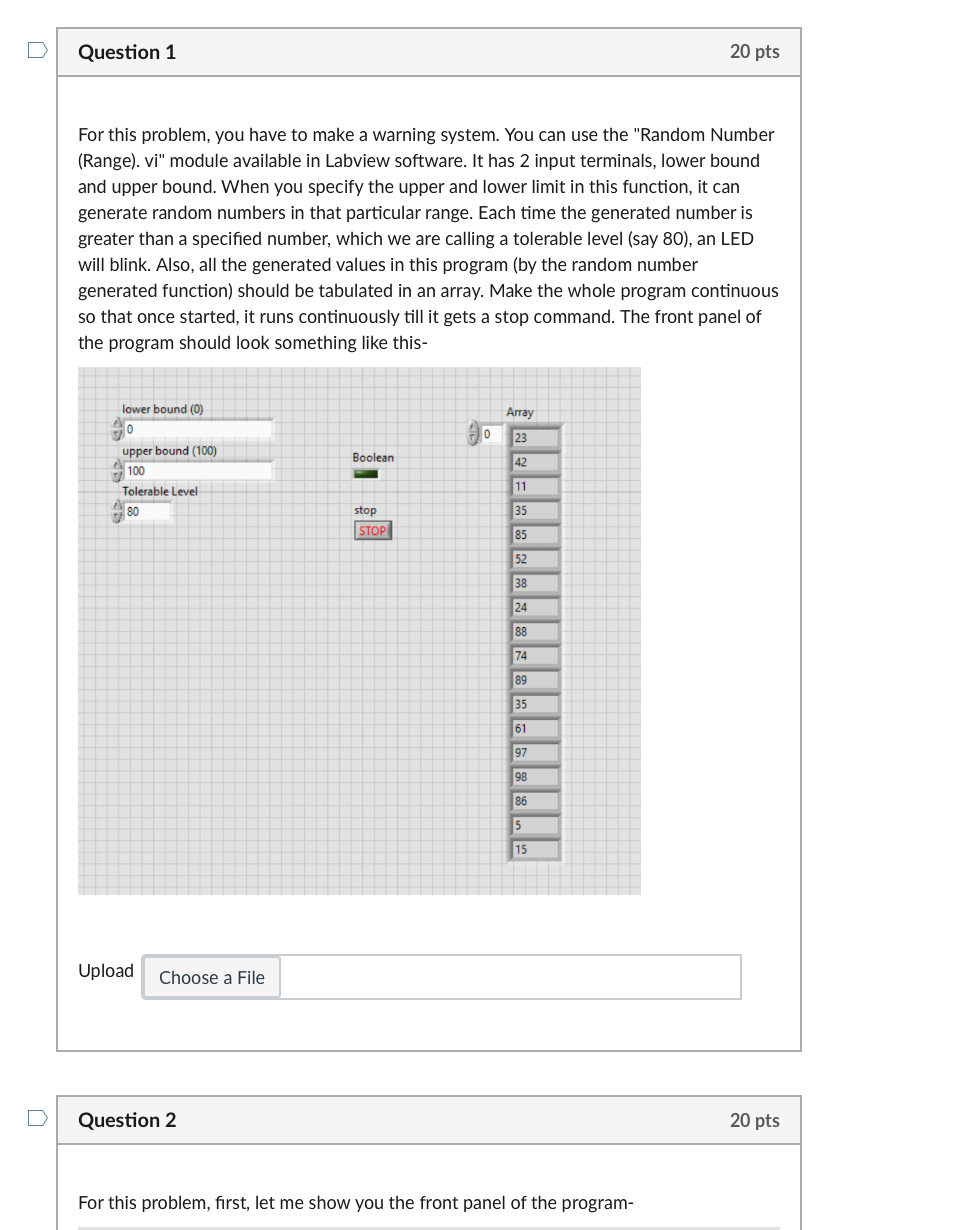
For this problem, you have to make a warning system. You can use the "Random Number (Range). vi" module available in Labview software. It has 2 input terminals, lower bound and upper bound. When you specify the upper and lower limit in this function, it can generate random numbers in that particular range. Each time the generated number is greater than a specified number, which we are calling a tolerable level (say 80), an LED will blink. Also, all the generated values in this program (by the random number generated function) should be tabulated in an array. Make the whole program continuous so that once started, it runs continuously till it gets a stop command. The front panel of the program should look something like this- Upload Question 2 20 pts For this problem, first, let me show you the front panel of the program- For this problem, you have to make a warning system. You can use the "Random Number (Range). vi" module available in Labview software. It has 2 input terminals, lower bound and upper bound. When you specify the upper and lower limit in this function, it can generate random numbers in that particular range. Each time the generated number is greater than a specified number, which we are calling a tolerable level (say 80), an LED will blink. Also, all the generated values in this program (by the random number generated function) should be tabulated in an array. Make the whole program continuous so that once started, it runs continuously till it gets a stop command. The front panel of the program should look something like this- Upload Question 2 20 pts For this problem, first, let me show you the front panel of the program
Step by Step Solution
There are 3 Steps involved in it

Get step-by-step solutions from verified subject matter experts
 Study Help