



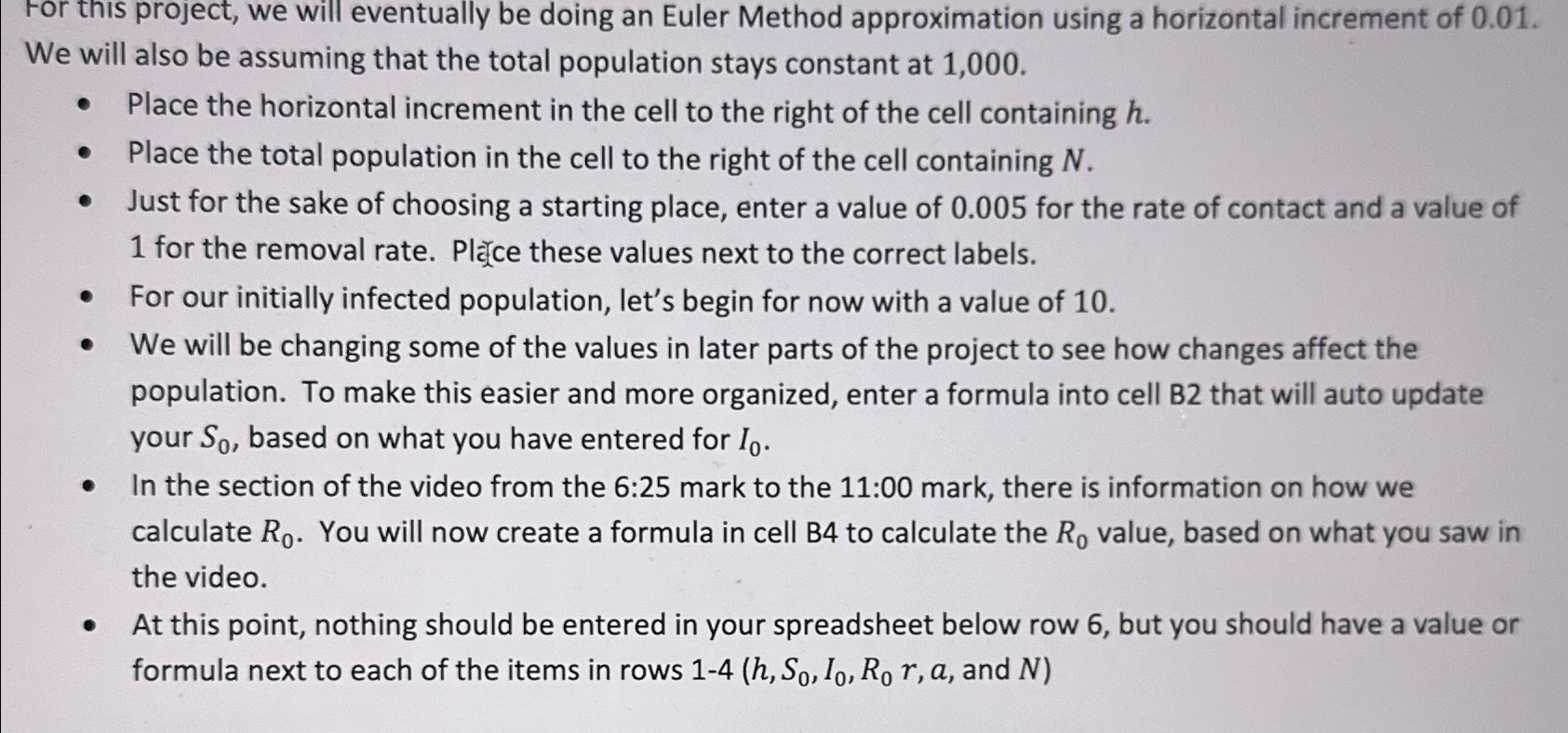
Question: For this project, we will eventually be doing an Euler Method approximation using a horizontal increment of 0 . 0 1 . We will also
For this project, we will eventually be doing an Euler Method approximation using a horizontal increment of We will also be assuming that the total population stays constant at
Place the horizontal increment in the cell to the right of the cell containing
Place the total population in the cell to the right of the cell containing
Just for the sake of choosing a starting place, enter a value of for the rate of contact and a value of for the removal rate. Plece these values next to the correct labels.
For our initially infected population, let's begin for now with a value of
We will be changing some of the values in later parts of the project to see how changes affect the population. To make this easier and more organized, enter a formula into cell B that will auto update your based on what you have entered for
In the section of the video from the : mark to the : mark, there is information on how we calculate You will now create a formula in cell B to calculate the value, based on what you saw in the video.
At this point, nothing should be entered in your spreadsheet below row but you should have a value or formula next to each of the items in rows and :
Step by Step Solution
There are 3 Steps involved in it
1 Expert Approved Answer
Step: 1 Unlock

Question Has Been Solved by an Expert!
Get step-by-step solutions from verified subject matter experts
Step: 2 Unlock
Step: 3 Unlock