







Question: For this project, you will write a python program that allows users to look for all the occurrences of a word in a collection of
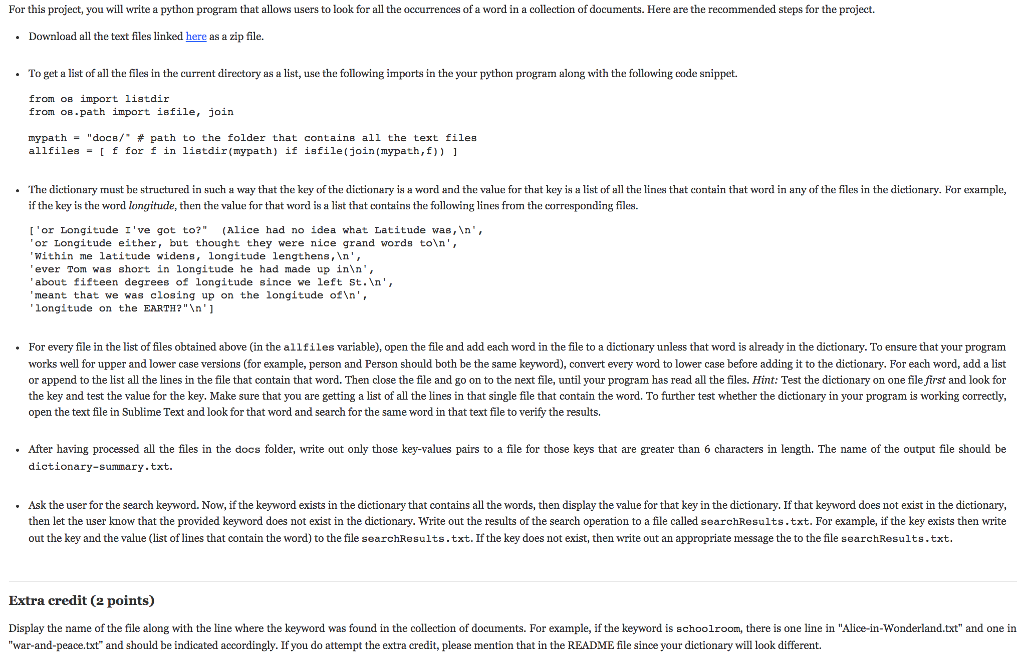
For this project, you will write a python program that allows users to look for all the occurrences of a word in a collection of documents. Here are the recommended steps for the project. Download all the text files linked here as a zip file. . To get a list of all the files in the current directory as a list, use the following imports in the your python program along with the following code snippet. from oB import listdir from oB.path import isfile, join mypath = "doce/" # path to the folder that containe all the text files allfilesf for f in listdir(mypath) if isfile(join (mypath,f)) The dictionary must be structured in such a way that the key of the dictionary is a word and the value for that key is a list of all the lines that contain that word in any of the files in the dictionary. Hor exaple, if the key is the word longitude, then the value for that word is a list that contains the following lines from the corresponding files. I'or Longitude I've got to?" (Alice had no idea what Latitude was,n or Longitude either, but thought they were nice grand words toln Within me latitude widens, longitude lengthens,n ever Tom was short in longitude he had made up in , about fifteen degrees of longitude since we left St.n, meant that we was closing up on the longitude oftn longitude on the EARTH?"n' .For every file in the list of files obtained above (in the allfiles variable), open the file and add each word in the file to a dictionary unless that word is already in the dictionary. To ensure that your program works well for upper and lower case versions (for example, person and Person should both be the same keyword), convert every word to lower case before adding it to the dictionary. For each word, add a list or append to the list all the lines in the file that contain that word. Then close the file and go on to the next file, until your program has read all the files. Hint: Test the dictionary on one file first and look for the key and test the value for the key. Make sure that you are getting a list of all the lines in that single file that contain the word. To further test whether the dictionary in your program is working correctly, open the text file in Sublime Text and look for that word and search for the same word in that text file to verify the results .After having processed all the files in the docs folder, write out only those key-values pairs to a file for those keys that are greater than 6 characters in length. The name of the output file should be dictionary-summary.txt. .Ask the user for the search keyword. Now, if the keyword exists in the dictionary that contains all the words, then display the value for that key in the dictionary. If that keyword does not exist in the dictionary then let the user know that the provided keyword does not exist in the dictionary. Write out the results of the search operation to a file called searchResults.txt. For example, if the key exists then write out the key and the value (list of lines that contain the word) to the file searchResults.txt. If the key does not exist, then write out an appropriate message the to the file searchResults.txt. Extra credit ( points) Display the name of the file along with the line where the keyword was found in the collection of documents. For example, if the keyword is schoolroom, there is one line in "Alice-in-Wonderland.txt" and one in "war-and-peace.txt" and should be indicated accordingly. If you do attempt the extra credit, please mention that in the README file since your dictionary will look different
Step by Step Solution
There are 3 Steps involved in it

Get step-by-step solutions from verified subject matter experts
 Study Help