







Question: Forward Start Interest Rate Swap Excel Project - Create the dates for a 3 year swap ( 3m Libor versus 6 month fixed) swap starting
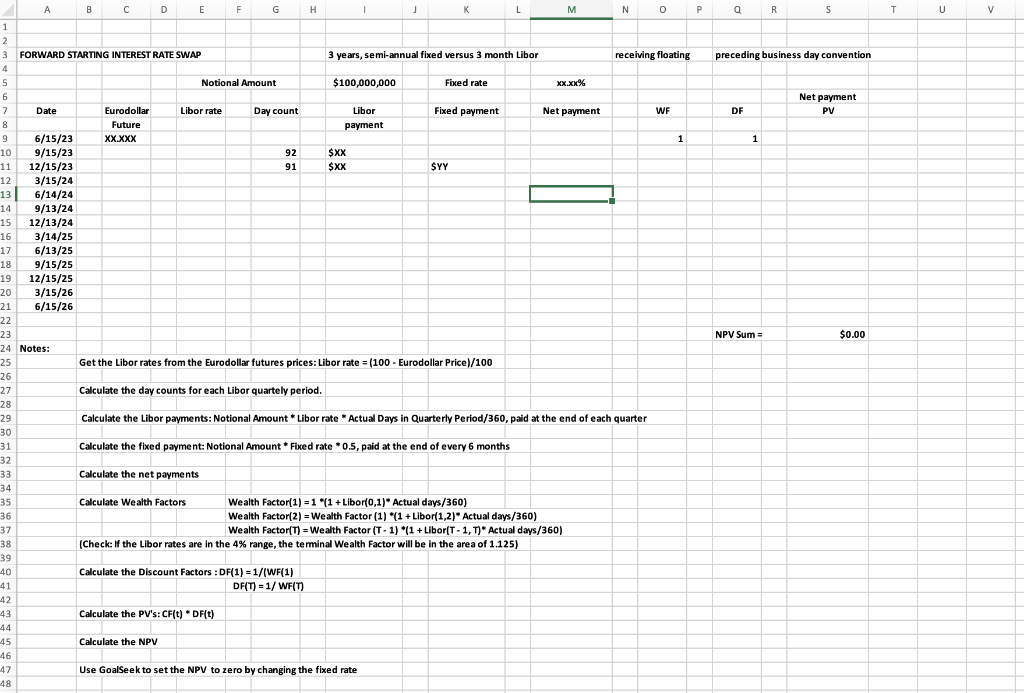
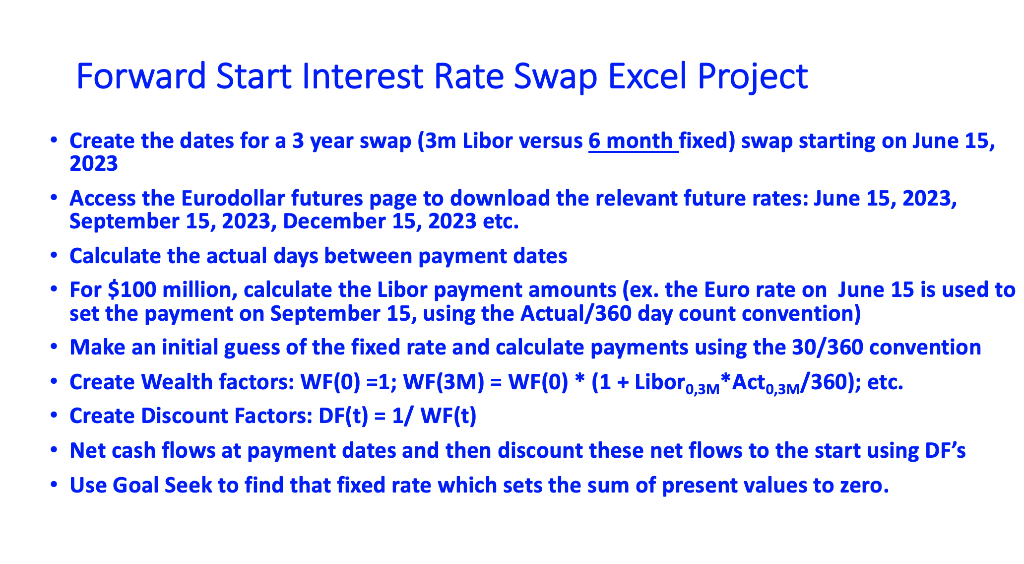
Forward Start Interest Rate Swap Excel Project - Create the dates for a 3 year swap ( 3m Libor versus 6 month fixed) swap starting on June 15, 2023 - Access the Eurodollar futures page to download the relevant future rates: June 15, 2023, September 15, 2023, December 15, 2023 etc. - Calculate the actual days between payment dates - For $100 million, calculate the Libor payment amounts (ex. the Euro rate on June 15 is used to set the payment on September 15, using the Actual/360 day count convention) - Make an initial guess of the fixed rate and calculate payments using the 30/360 convention - Create Wealth factors: WF(0)=1;WF(3M)=WF(0)(1+ Libor 0,3MAct0,3M/360); etc. - Create Discount Factors: DF(t) = 1/ WF(t) - Net cash flows at payment dates and then discount these net flows to the start using DF's - Use Goal Seek to find that fixed rate which sets the sum of present values to zero. Forward Start Interest Rate Swap Excel Project - Create the dates for a 3 year swap ( 3m Libor versus 6 month fixed) swap starting on June 15, 2023 - Access the Eurodollar futures page to download the relevant future rates: June 15, 2023, September 15, 2023, December 15, 2023 etc. - Calculate the actual days between payment dates - For $100 million, calculate the Libor payment amounts (ex. the Euro rate on June 15 is used to set the payment on September 15, using the Actual/360 day count convention) - Make an initial guess of the fixed rate and calculate payments using the 30/360 convention - Create Wealth factors: WF(0)=1;WF(3M)=WF(0)(1+ Libor 0,3MAct0,3M/360); etc. - Create Discount Factors: DF(t) = 1/ WF(t) - Net cash flows at payment dates and then discount these net flows to the start using DF's - Use Goal Seek to find that fixed rate which sets the sum of present values to zero
Step by Step Solution
There are 3 Steps involved in it

Get step-by-step solutions from verified subject matter experts
 Study Help