







Question: From the Navigation bar, go to Reports > Recommended. Link to A / R Aging Summary, which shows unpaid invoices for the current period and
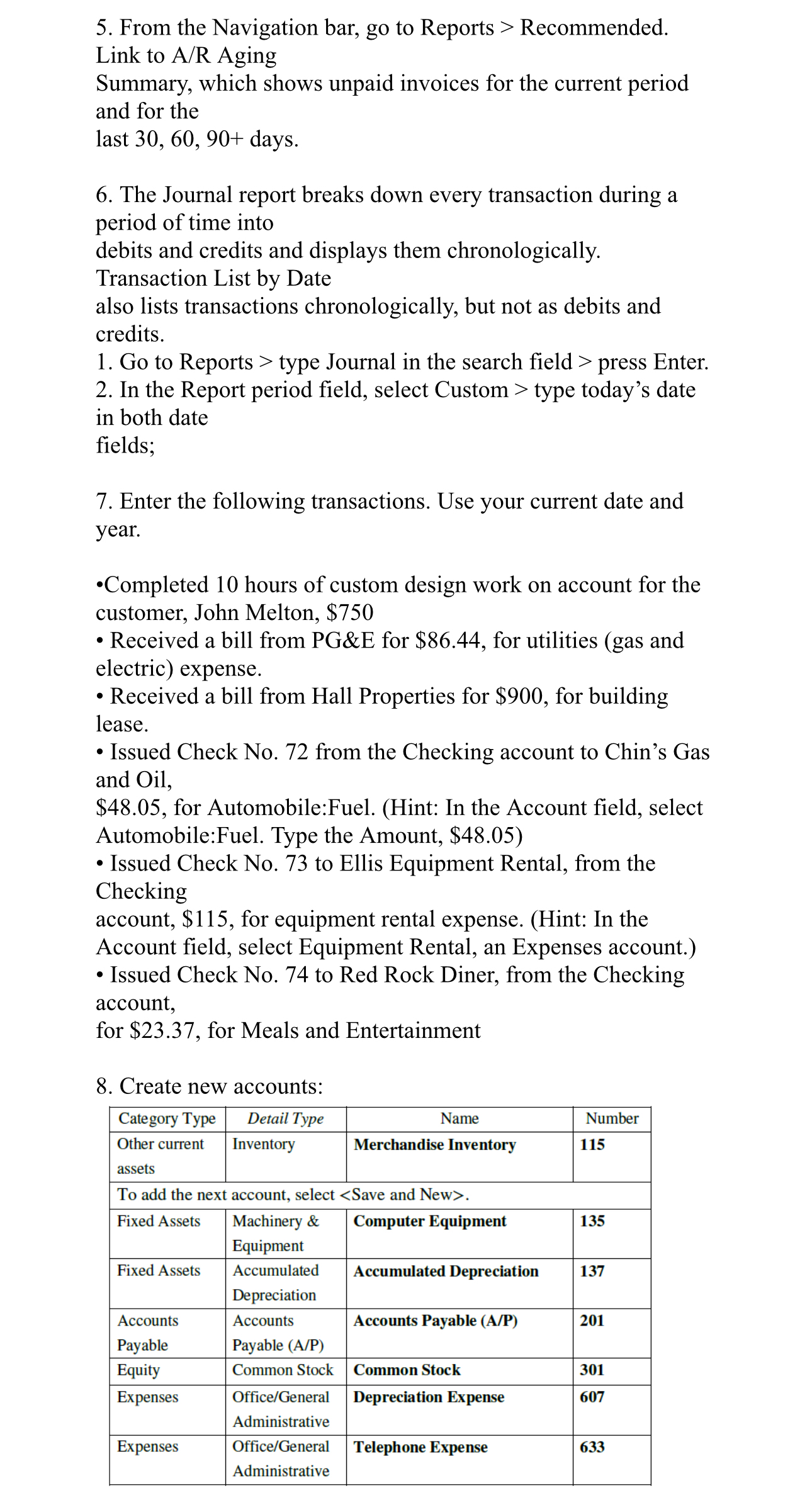
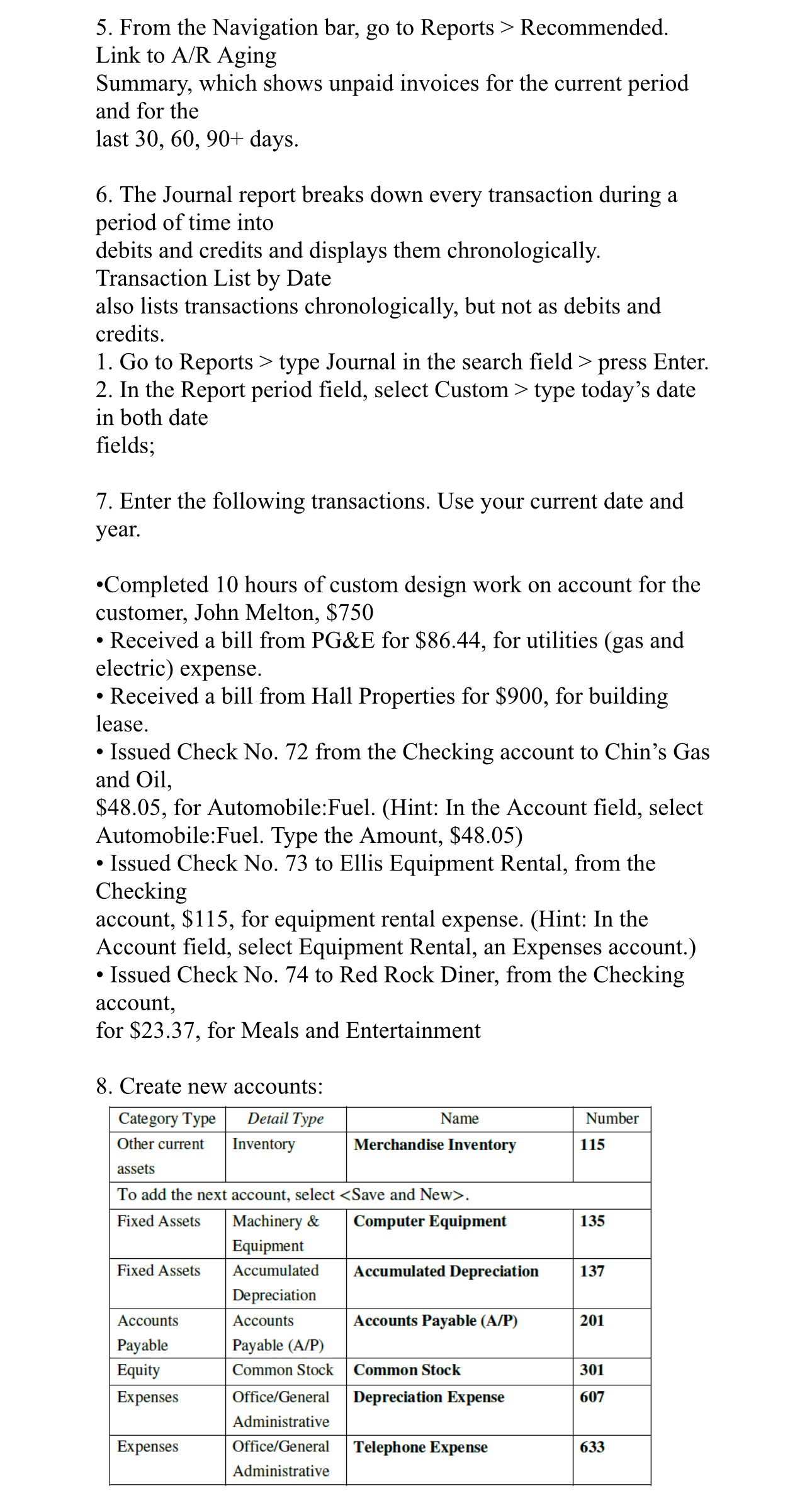
From the Navigation bar, go to Reports Recommended.
Link to AR Aging
Summary, which shows unpaid invoices for the current period and for the
last days.
The Journal report breaks down every transaction during a period of time into
debits and credits and displays them chronologically.
Transaction List by Date
also lists transactions chronologically, but not as debits and credits.
Go to Reports type Journal in the search field press Enter.
In the Report period field, select Custom type today's date in both date
fields;
Enter the following transactions. Use your current date and year.
Completed hours of custom design work on account for the customer, John Melton, $
Received a bill from PG&E for $ for utilities gas and electric expense.
Received a bill from Hall Properties for $ for building lease.
Issued Check No from the Checking account to Chin's Gas and Oil,
$ for Automobile:Fuel. Hint: In the Account field, select Automobile:Fuel. Type the Amount, $
Issued Check No to Ellis Equipment Rental, from the Checking
account, $ for equipment rental expense. Hint: In the Account field, select Equipment Rental, an Expenses account.
Issued Check No to Red Rock Diner, from the Checking account, for $ for Meals and Entertainment
Create new accounts:
tableCategory Type,Detail Type,Name,NumbertableOther currentassetsInventory,Merchandise Inventory,
Step by Step Solution
There are 3 Steps involved in it
1 Expert Approved Answer
Step: 1 Unlock

Question Has Been Solved by an Expert!
Get step-by-step solutions from verified subject matter experts
Step: 2 Unlock
Step: 3 Unlock
 Study Help