







Question: Functioly: SUM; Formula: Add, Subtract; Cell Referencing Using Excel to Prepare a Partial Income Statement PROBLEM Barto Company provides the following information for the month
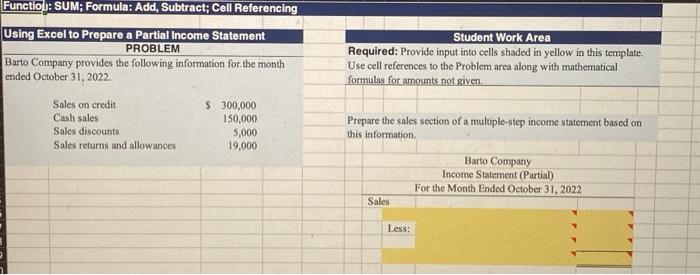
Functioly: SUM; Formula: Add, Subtract; Cell Referencing Using Excel to Prepare a Partial Income Statement PROBLEM Barto Company provides the following information for the month ended October 31, 2022. \begin{tabular}{lr} Sales on credit & $300,000 \\ Cash sales & 150,000 \\ Sales discounts & 5,000 \\ Sales returns and allowances & 19,000 \end{tabular} Student Work Area Required: Provide input into cells shaded in yellow in this template. Use cell references to the Problem area along with mathematical formulas for amounts not given. Prepare the sales section of a multiple-step income statement based on this information. Barto Company Income Statement (Partial) For the Month Ended October 31, 2022 Sales Less
Step by Step Solution
There are 3 Steps involved in it

Get step-by-step solutions from verified subject matter experts
 Study Help