







Question: Function Name: cropPolygon Inputs 1. (double) A 1xN vector containing the lengths of each consecutive line segment of the crop polygon 2. (double) A 1xN
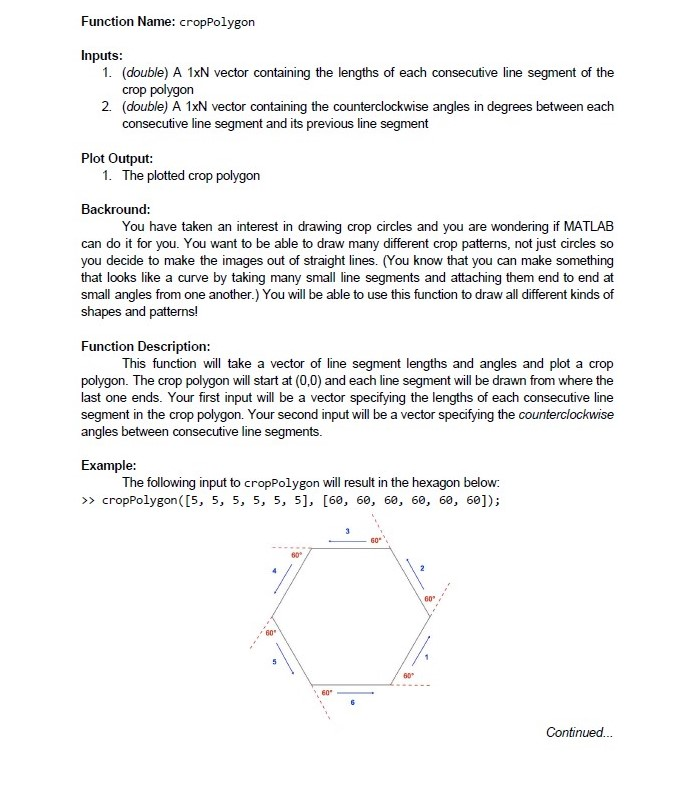
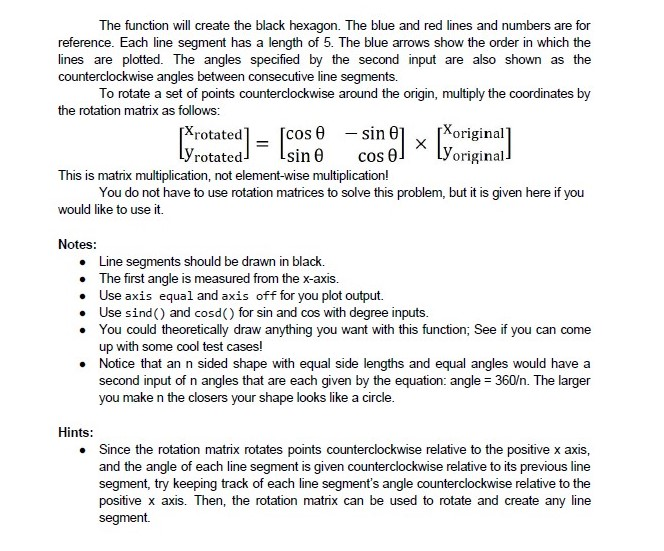
Function Name: cropPolygon Inputs 1. (double) A 1xN vector containing the lengths of each consecutive line segment of the crop polygon 2. (double) A 1xN vector containing the counterclockwise angles in degrees between each consecutive line segment and its previous line segment Plot Output: 1. The plotted crop polygon Backround: You have taken an interest in drawing crop circles and you are wondering if MATLAB can do it for you. You want to be able to draw many different crop patterns, not just circles so you decide to make the images out of straight lines. (You know that you can make something that looks like a curve by taking many small line segments and attaching them end to end at small angles from one another.) You will be able to use this function to draw all different kinds of shapes and patterns! Function Description: This function will take a vector of line segment lengths and angles and plot a crop polygon. The crop polygon will start at (0,0) and each line segment will be drawn from where the last one ends. Your first input will be a vector specifying the lengths of each consecutive line segment in the crop polygon. Your second input will be a vector specifying the counterclockwise angles between consecutive line segments Example: The following input to cropPolygon will result in the hexagon below: >> cropPolygon ([5, 5, 5, 5, 5, 5], [60, 60, 60, 60, 60, 60]); 60 60 60" 60 60 Continued. Function Name: cropPolygon Inputs 1. (double) A 1xN vector containing the lengths of each consecutive line segment of the crop polygon 2. (double) A 1xN vector containing the counterclockwise angles in degrees between each consecutive line segment and its previous line segment Plot Output: 1. The plotted crop polygon Backround: You have taken an interest in drawing crop circles and you are wondering if MATLAB can do it for you. You want to be able to draw many different crop patterns, not just circles so you decide to make the images out of straight lines. (You know that you can make something that looks like a curve by taking many small line segments and attaching them end to end at small angles from one another.) You will be able to use this function to draw all different kinds of shapes and patterns! Function Description: This function will take a vector of line segment lengths and angles and plot a crop polygon. The crop polygon will start at (0,0) and each line segment will be drawn from where the last one ends. Your first input will be a vector specifying the lengths of each consecutive line segment in the crop polygon. Your second input will be a vector specifying the counterclockwise angles between consecutive line segments Example: The following input to cropPolygon will result in the hexagon below: >> cropPolygon ([5, 5, 5, 5, 5, 5], [60, 60, 60, 60, 60, 60]); 60 60 60" 60 60 Continued
Step by Step Solution
There are 3 Steps involved in it

Get step-by-step solutions from verified subject matter experts
 Study Help