







Question: - Functionality You are to create a direct messenger program. In particular, the program will perform as follows: 1. It must behave as either a
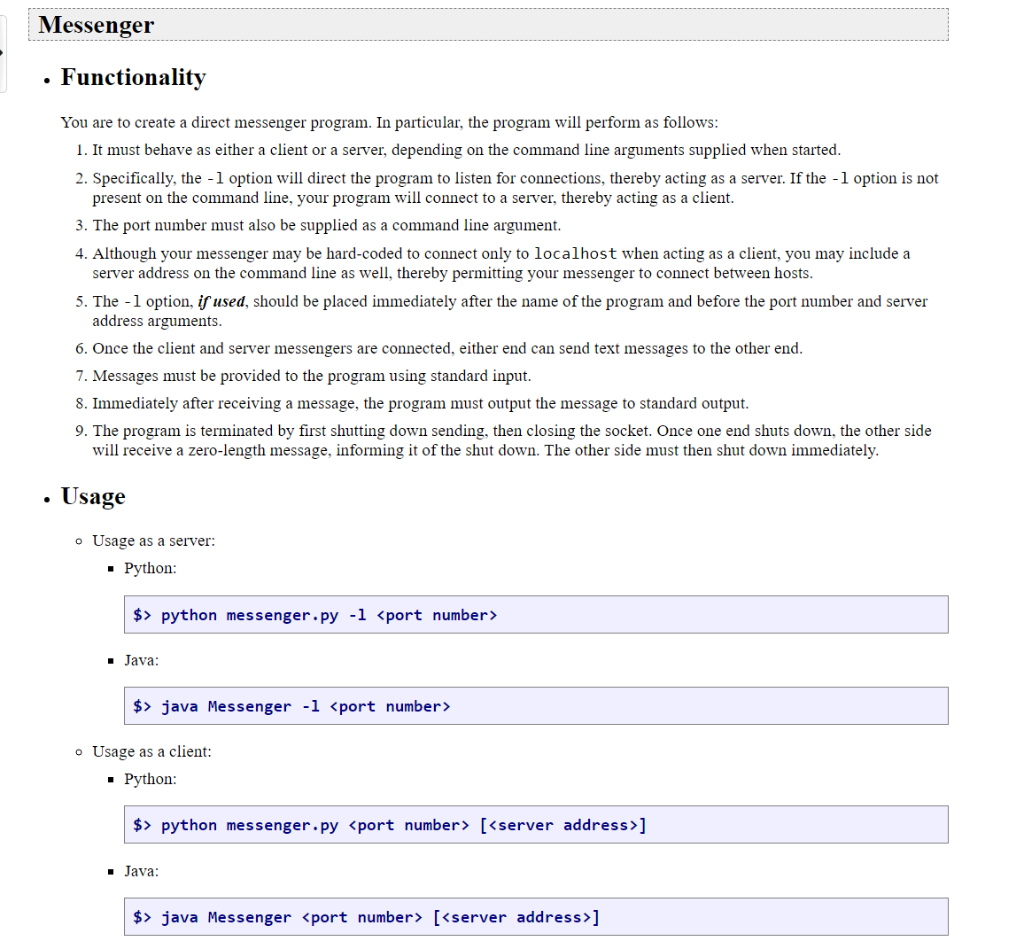
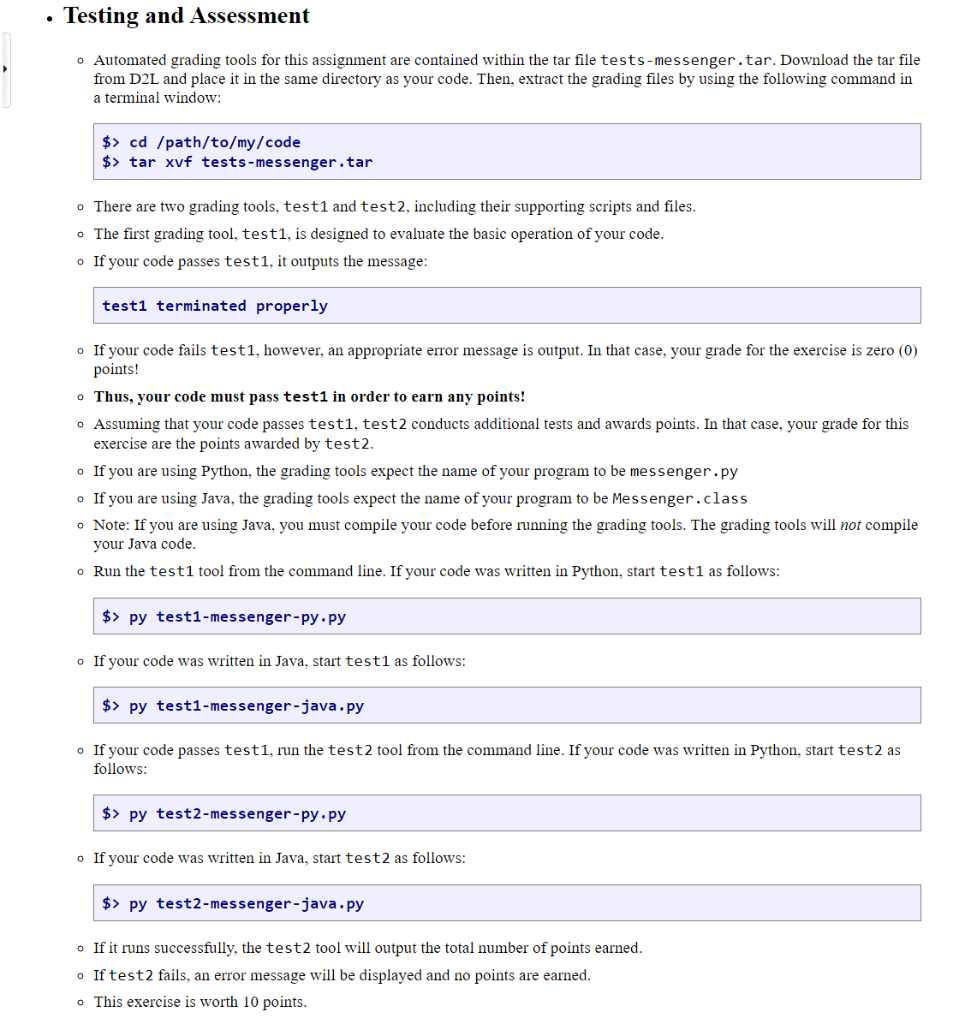
- Functionality You are to create a direct messenger program. In particular, the program will perform as follows: 1. It must behave as either a client or a server, depending on the command line arguments supplied when started. 2. Specifically, the 1 option will direct the program to listen for connections, thereby acting as a server. If the 1 option is not present on the command line, your program will connect to a server, thereby acting as a client. 3. The port number must also be supplied as a command line argument. 4. Although your messenger may be hard-coded to connect only to localhost when acting as a client, you may include a server address on the command line as well, thereby permitting your messenger to connect between hosts. 5. The - l option, if used, should be placed immediately after the name of the program and before the port number and server address arguments. 6. Once the client and server messengers are connected, either end can send text messages to the other end. 7. Messages must be provided to the program using standard input. 8. Immediately after receiving a message, the program must output the message to standard output. 9. The program is terminated by first shutting down sending, then closing the socket. Once one end shuts down, the other side will receive a zero-length message, informing it of the shut down. The other side must then shut down immediately. - Usage - Usage as a server: - Python: \$> python messenger.py 1 port number> - Java: \$> java Messenger 1 - Usage as a client: - Python: - Java: - Automated grading tools for this assignment are contained within the tar file tests-messenger. tar. Download the tar file from D2L and place it in the same directory as your code. Then, extract the grading files by using the following command in a terminal window: \[ \begin{array}{l} \text { \$>cd /path/to/my/code } \\ \text { \$> tar xvf tests-messenger,tar } \end{array} \]gt;cd/path/to/my/code\[ \begin{array}{l} \text { \$>cd /path/to/my/code } \\ \text { \$> tar xvf tests-messenger,tar } \end{array} \]gt;tarxvftests-messenger,tar - There are two grading tools, test1 and test2, including their supporting scripts and files. - The first grading tool, test1, is designed to evaluate the basic operation of your code. - If your code passes test1, it outputs the message: test1 terminated properly - If your code fails test1, however, an appropriate error message is output. In that case, your grade for the exercise is zero (0) points! - Thus, your code must pass test1 in order to earn any points! - Assuming that your code passes test1, test2 conducts additional tests and awards points. In that case, your grade for this exercise are the points awarded by test2. - If you are using Python, the grading tools expect the name of your program to be messenger.py - If you are using Java, the grading tools expect the name of your program to be Messenger. class - Note: If you are using Java, you must compile your code before running the grading tools. The grading tools will not compile your Java code. - Run the test1 tool from the command line. If your code was written in Python, start test1 as follows: \$> py test1-messenger-py,py - If your code was written in Java, start test1 as follows: \$> py test1-messenger-java.py - If your code passes test1, run the test2 tool from the command line. If your code was written in Python, start test2 as follows: - If your code was written in Java, start test2 as follows: \$> py test2-messenger-java.py - If it runs successfully, the test2 tool will output the total number of points earned. - If test2 fails, an error message will be displayed and no points are earned. - This exercise is worth 10 points
Step by Step Solution
There are 3 Steps involved in it

Get step-by-step solutions from verified subject matter experts
 Study Help