







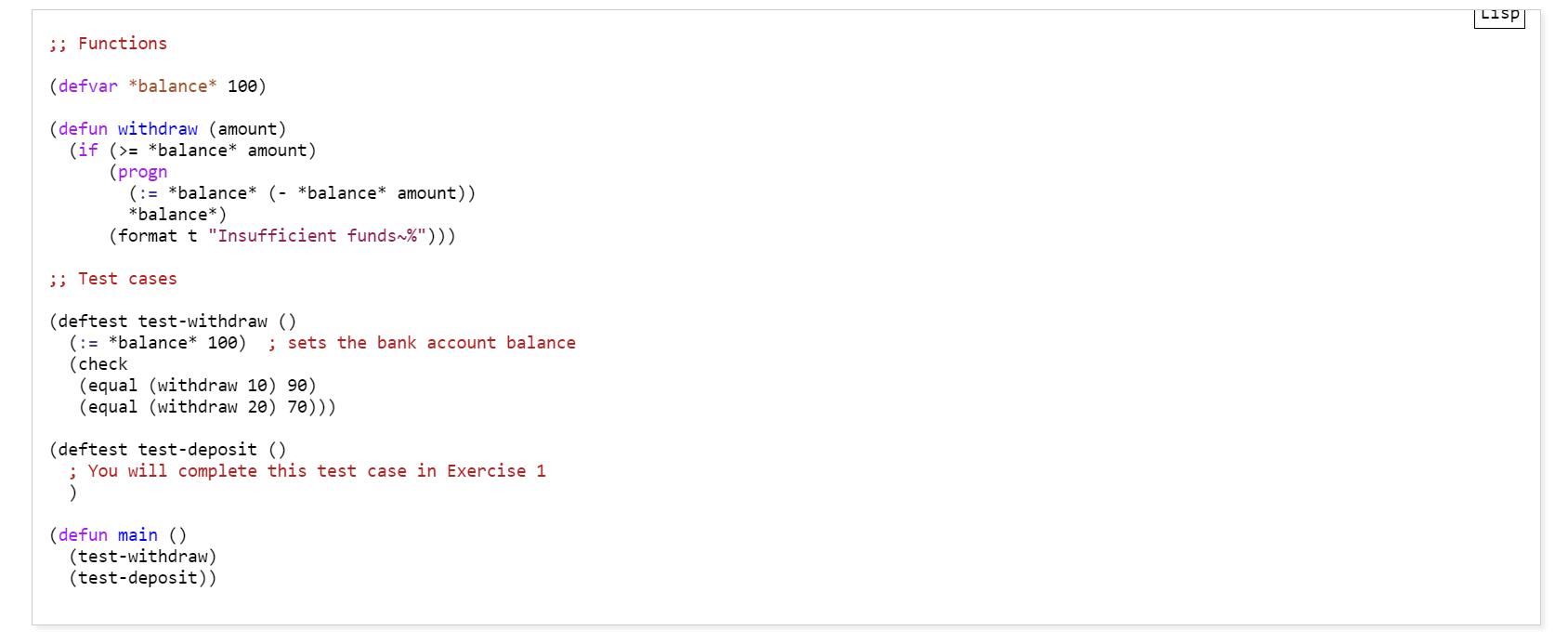
Question: ;; Functions (defvar *balance* 100) (defun withdraw (amount) (if (>= *balance* amount) (progn (:= *balance* (- *balance* amount)) *balance*) (format t Insufficient funds~%))) ;; Test
;; Functions (defvar *balance* 100) (defun withdraw (amount) (if (>= *balance* amount) (progn (:= *balance* (- *balance* amount)) *balance*) (format t "Insufficient funds~%"))) ;; Test cases (deftest test-withdraw () (:= *balance* 100) ; sets the bank account balance (check (equal (withdraw 10) 90) (equal (withdraw 20) 70))) (deftest test-deposit () ; You will complete this test case in Exercise 1 ) (defun main () (test-withdraw) (test-deposit))
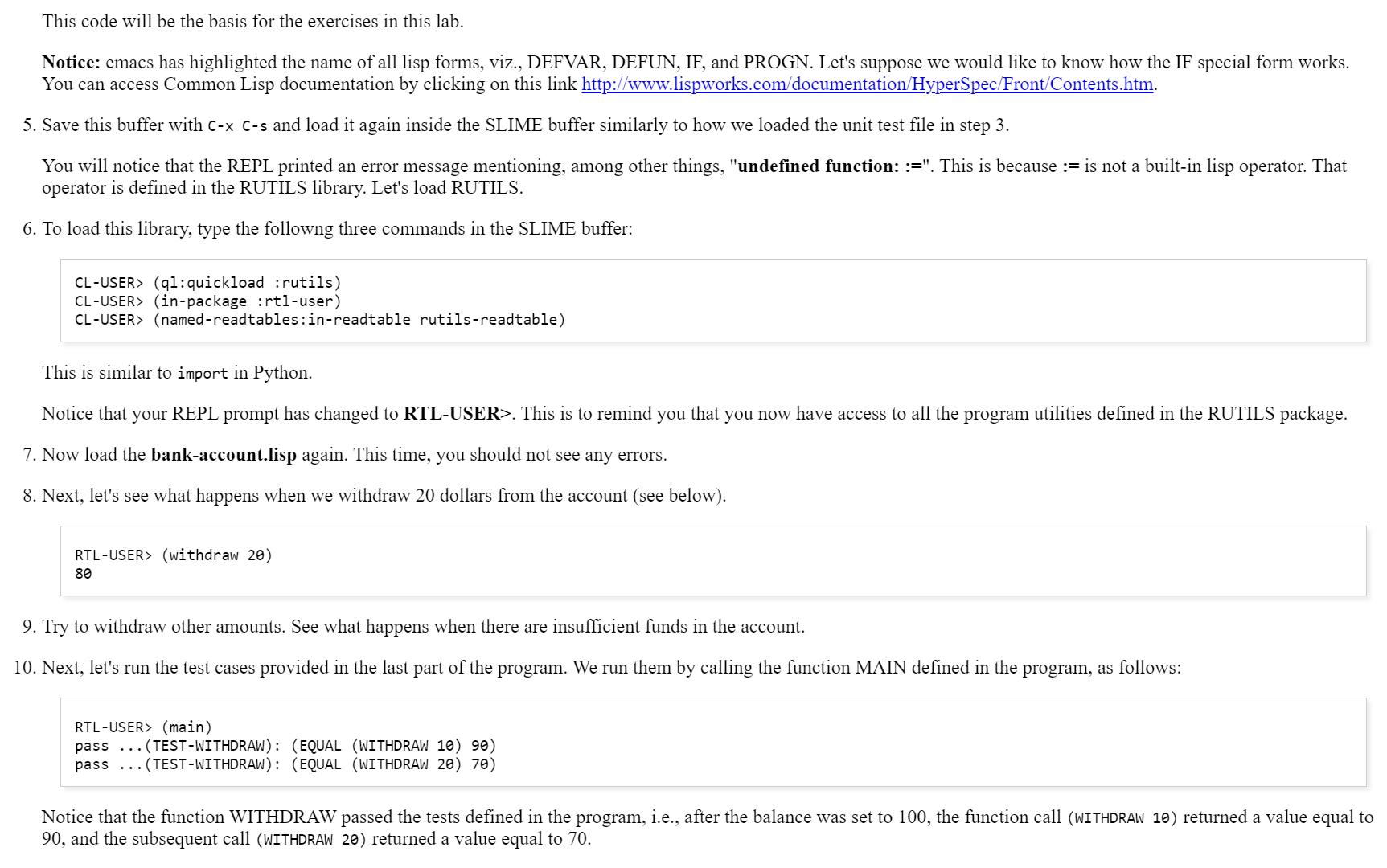
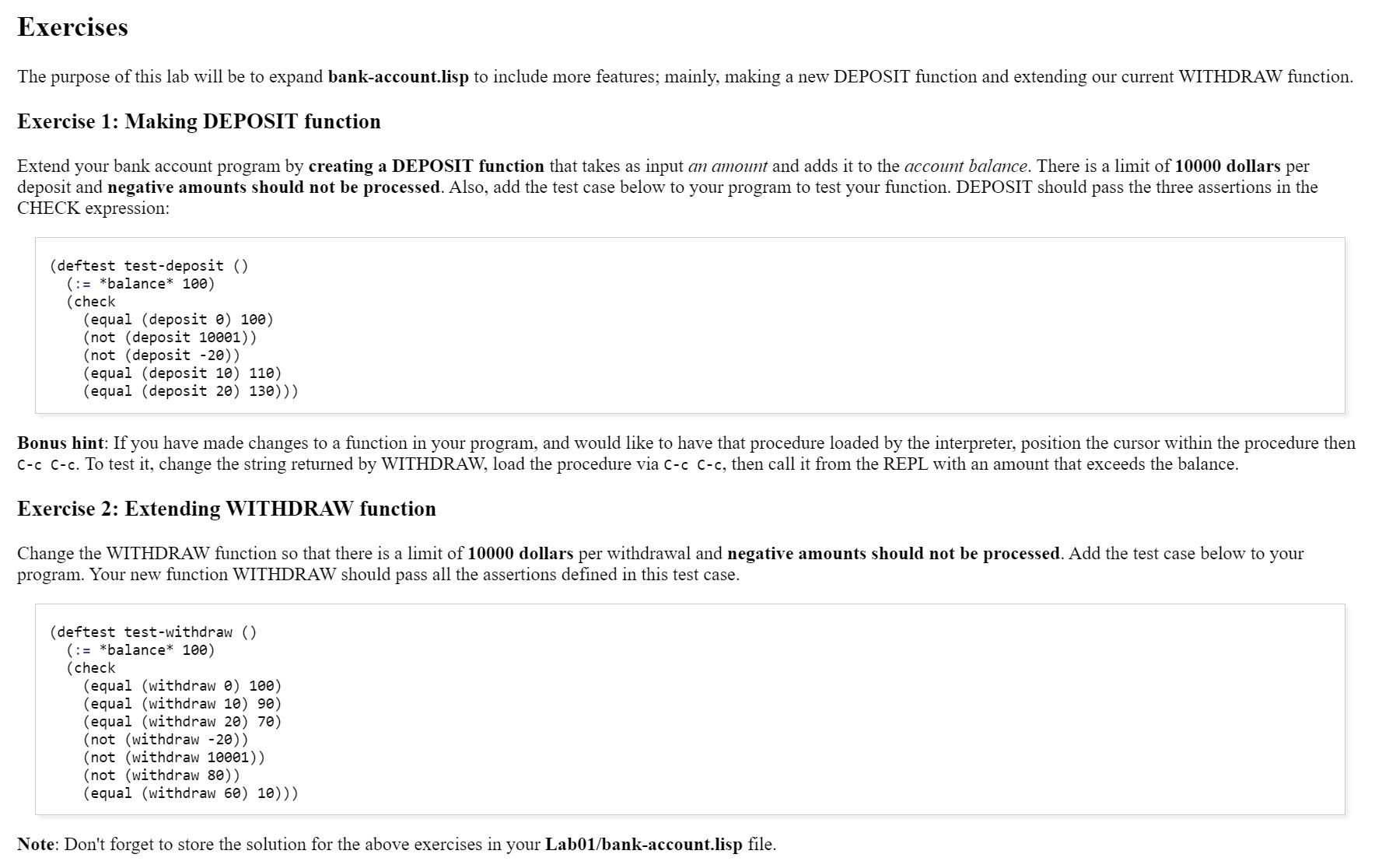
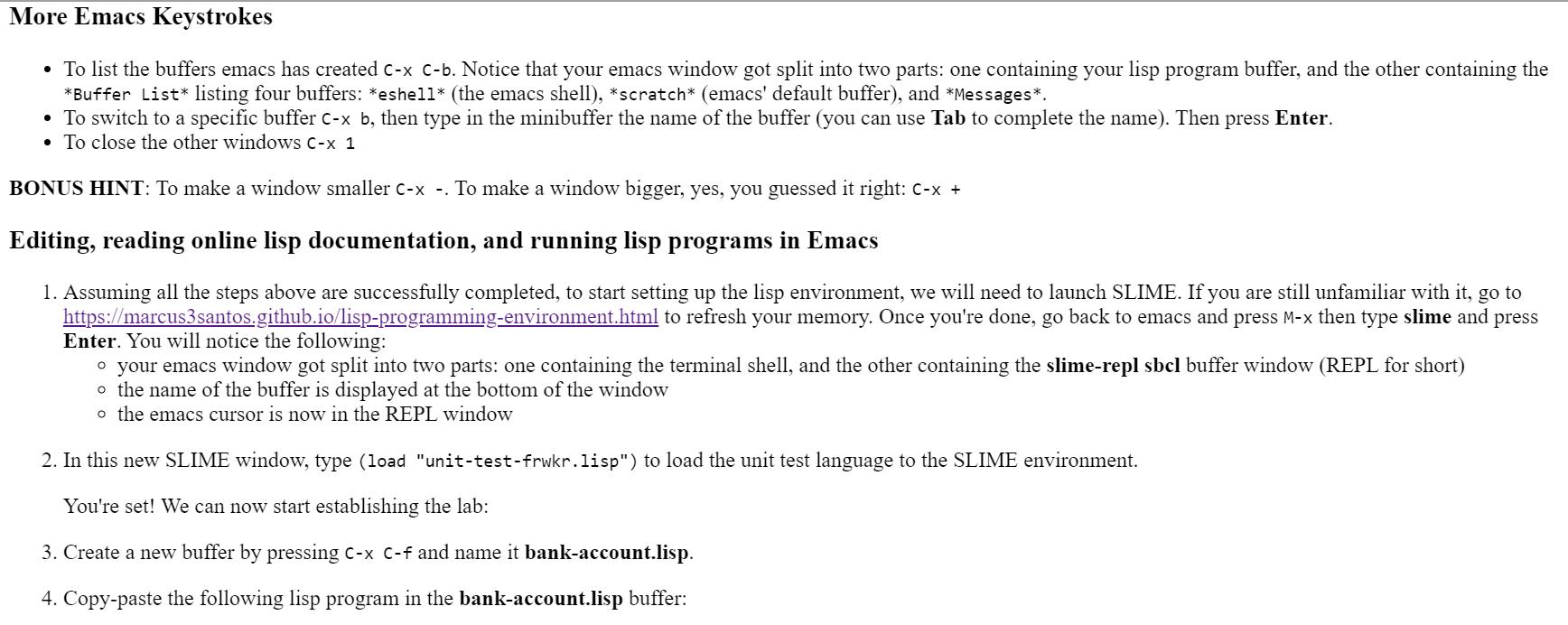
attach and submit the following file(s) only:
- bank-account.lisp
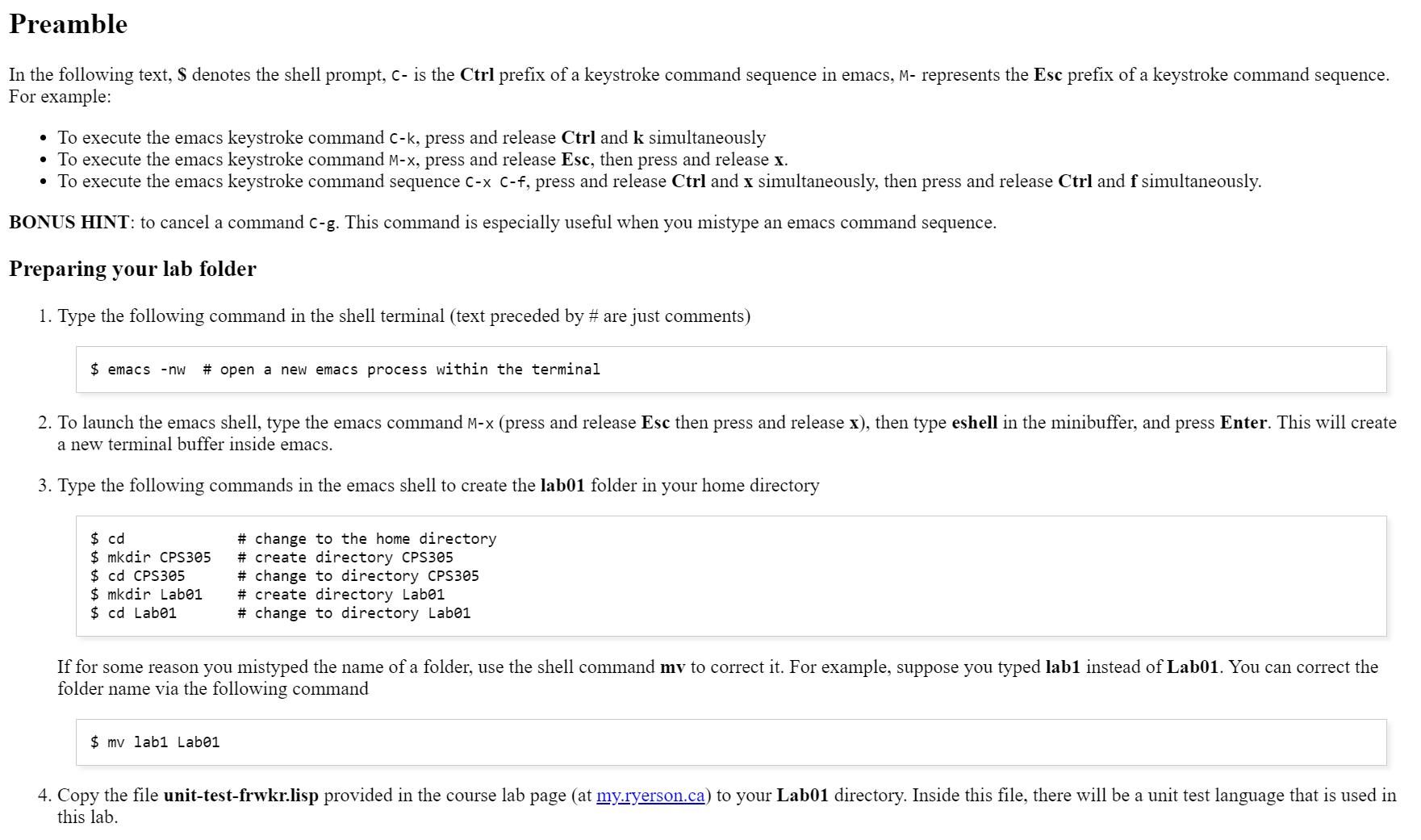
Preamble In the following text, $ denotes the shell prompt, c- is the Ctrl prefix of a keystroke command sequence in emacs, M- represents the Esc prefix of a keystroke command sequence. For example: To execute the emacs keystroke command C-k, press and release Ctrl and k simultaneously To execute the emacs keystroke command M-x, press and release Esc, then press and release x. To execute the emacs keystroke command sequence C-x C-f, press and release Ctrl and x simultaneously, then press and release Ctrl and f simultaneously. BONUS HINT: to cancel a command c-g. This command is especially useful when you mistype an emacs command sequence. Preparing your lab folder 1. Type the following command in the shell terminal (text preceded by # are just comments) $emacs - nw # open a new emacs process within the terminal 2. To launch the emacs shell, type the emacs command M-x (press and release Esc then press and release x), then type eshell in the minibuffer, and press Enter. This will create a new terminal buffer inside emacs. 3. Type the following commands in the emacs shell to create the lab01 folder in your home directory $ cd $ mkdir CPS305 $ cd CPS305 $ mkdir Lab01 $ cd Lab01 # change to the home directory # create directory CPS305 #change to directory CPS305 # create directory Labe1 # change to directory Lab01 If for some reason you mistyped the name of a folder, use the shell command mv to correct it. For example, suppose you typed lab1 instead of Lab01. You can correct the folder name via the following command $ mv lab1 Labe1 4. Copy the file unit-test-frwkr.lisp provided in the course lab page (at my.ryerson.ca) to your Lab01 directory. Inside this file, there will be a unit test language that is used in this lab.
Step by Step Solution
3.33 Rating (162 Votes )
There are 3 Steps involved in it
Here are the solutions for the exercises in the bankaccountlisp file based on the given requirements Functions defvar balance 100 defun withdraw amoun... View full answer

Get step-by-step solutions from verified subject matter experts
 Study Help