







Question: Game: User will pick one number between 1-9. Computer will pick one number randomly between 1-9. If the sum of the numbers will be an
Game: User will pick one number between 1-9. Computer will pick one number randomly between 1-9. If the sum of the numbers will be an even number, then the user will win otherwise computer will win. Instructions: 1. Make a folder named firstname-lastname-a1 2. Create a simple odd even game. 3. Make two HTML files and save them with the names index.html and game.html within the firstname-lastname-a1 folder. 4. Thetag should read: Assignment 1 for . 5. Display the following information in
tag as heading in the index.html page: Assignment 1 Web Programming Your FirstName Last Name 6. Add a
tag before and after the above heading. 7. After the tag, display the game instructions on how to play the game. 8. Add a start button or link that navigates the user to game.html 9. On the game.html file, implement the game using JavaScript. 10. Ask the user to choose the number using a prompt() d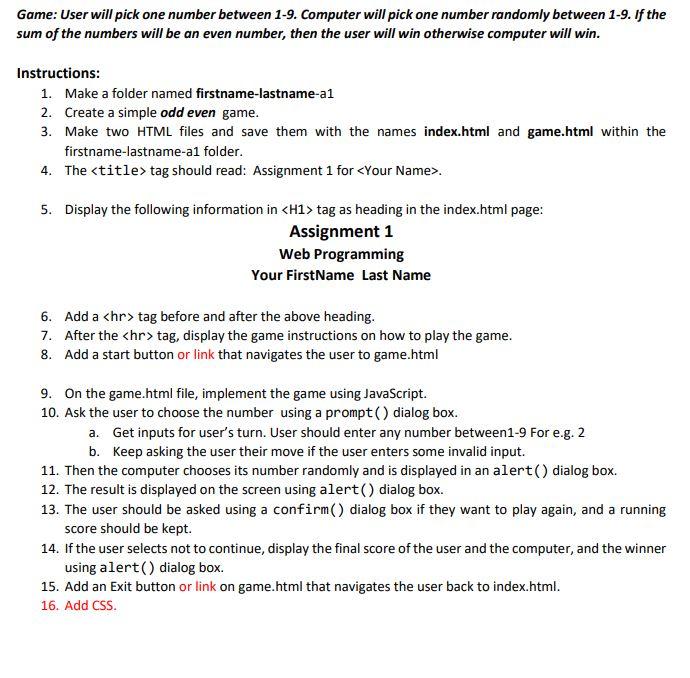 ialog box. a. Get inputs for users turn. User should enter any number between1-9 For e.g. 2 b. Keep asking the user their move if the user enters some invalid input. 11. Then the computer chooses its number randomly and is displayed in an alert() dialog box. 12. The result is displayed on the screen using alert() dialog box. 13. The user should be asked using a confirm() dialog box if they want to play again, and a running score should be kept. 14. If the user selects not to continue, display the final score of the user and the computer, and the winner using alert() dialog box. 15. Add an Exit button or link on game.html that navigates the user back to index.html. 16. Add CSS.
Game: User will pick one number between 1-9. Computer will pick one number randomly between 1-9. If the sum of the numbers will be an even number, then the user will win otherwise computer will win. Instructions: 1. Make a folder named firstname-lastname-al 2. Create a simple odd even game. 3. Make two HTML files and save them with the names index.html and game.html within the firstname-lastname-al folder. 4. The
Step by Step Solution
There are 3 Steps involved in it

Get step-by-step solutions from verified subject matter experts
 Study Help