







Question: General Instruction: Create a word file and name it as Q11_StudentID (Example: Q11_66J12345) Using a snipping tool, save the answer as screenshot for each question
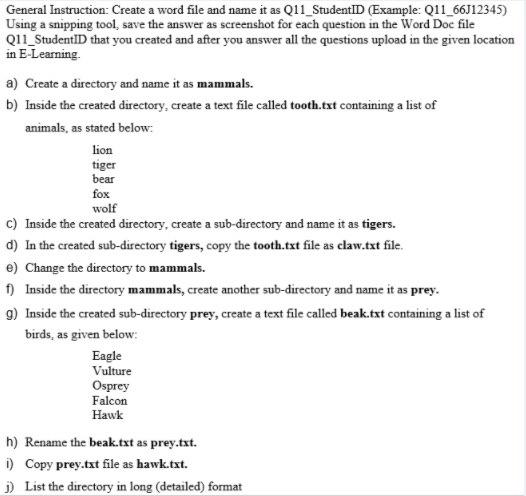
General Instruction: Create a word file and name it as Q11_StudentID (Example: Q11_66J12345) Using a snipping tool, save the answer as screenshot for each question in the Word Doc file Q11_StudentID that you created and after you answer all the questions upload in the given location in E-Learning a) Create a directory and name it as mammals. b) Inside the created directory, create a text file called tooth.txt containing a list of animals, as stated below: lion tiger bear fox wolf C) Inside the created directory, create a sub-directory and name it as tigers. d) In the created sub-directory tigers, copy the tooth.txt file as claw.txt file. e) Change the directory to mammals. f) Inside the directory mammals, create another sub-directory and name it as prey. 9) Inside the created sub-directory prey, create a text file called beak.txt containing a list of birds, as given below: Eagle Vulture Osprey Falcon Hawk h) Rename the beak.txt as prey.txt. D Copy prey.txt file as hawk.txt. 1) List the directory in long detailed) format
Step by Step Solution
There are 3 Steps involved in it

Get step-by-step solutions from verified subject matter experts
 Study Help