







Question: Give me complete working project with full solution not just the walkthrough do every step mentioned clearly in the question also make a WBS as
Give me complete working project with full solution not just the walkthrough do every step mentioned clearly in the question also make a WBS as asked.
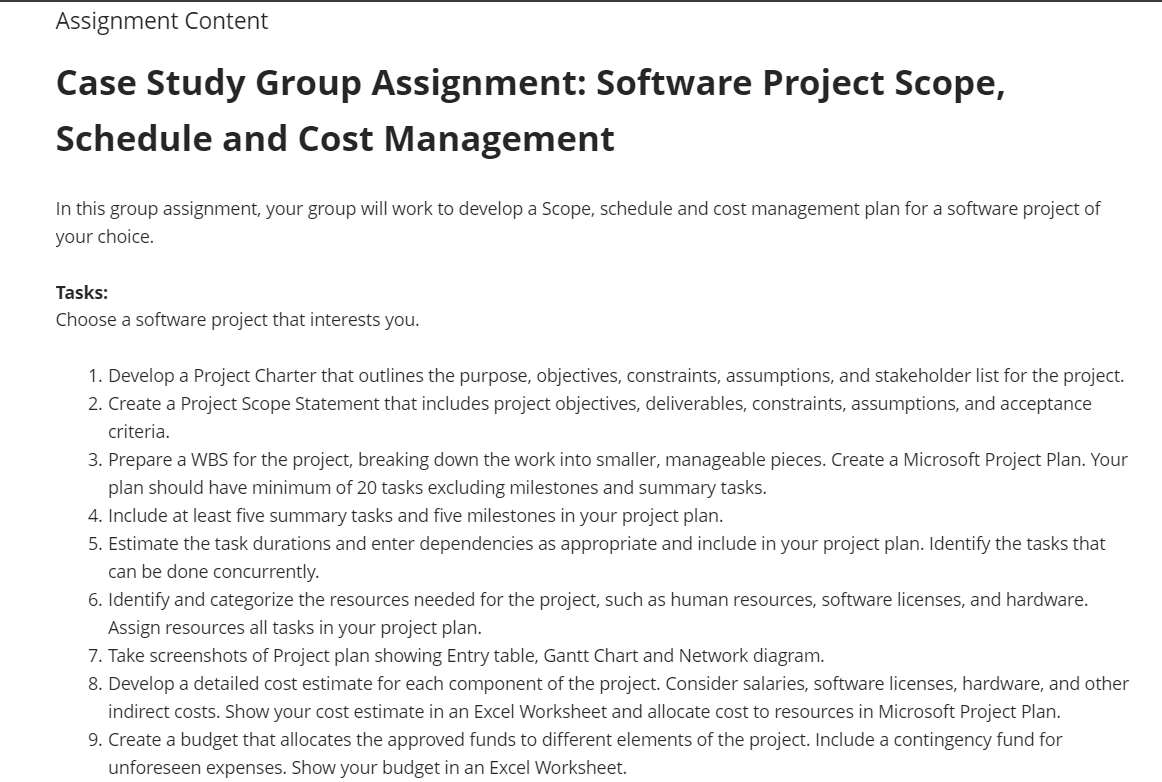
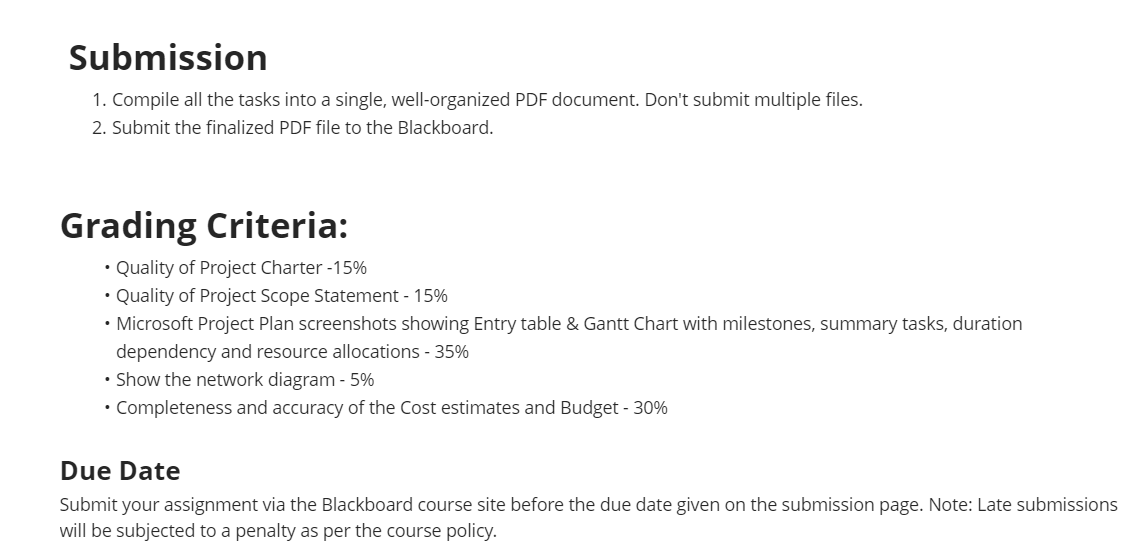
Assignment Content Case Study Group Assignment: Software Project Scope, Schedule and Cost Management In this group assignment, your group will work to develop a Scope, schedule and cost management plan for a software project of your choice. Tasks: Choose a software project that interests you. 1. Develop a Project Charter that outlines the purpose, objectives, constraints, assumptions, and stakeholder list for the project. 2. Create a Project Scope Statement that includes project objectives, deliverables, constraints, assumptions, and acceptance criteria. 3. Prepare a WBS for the project, breaking down the work into smaller, manageable pieces. Create a Microsoft Project Plan. Your plan should have minimum of 20 tasks excluding milestones and summary tasks. 4. Include at least five summary tasks and five milestones in your project plan. 5. Estimate the task durations and enter dependencies as appropriate and include in your project plan. Identify the tasks that can be done concurrently. 6. Identify and categorize the resources needed for the project, such as human resources, software licenses, and hardware. Assign resources all tasks in your project plan. 7. Take screenshots of Project plan showing Entry table, Gantt Chart and Network diagram. 8. Develop a detailed cost estimate for each component of the project. Consider salaries, software licenses, hardware, and other indirect costs. Show your cost estimate in an Excel Worksheet and allocate cost to resources in Microsoft Project Plan. 9. Create a budget that allocates the approved funds to different elements of the project. Include a contingency fund for unforeseen expenses. Show your budget in an Excel Worksheet. Submission 1. Compile all the tasks into a single, well-arganized PDF document. Don't submit multiple files. 2. Submit the finalized PDF file to the Blackboard. Grading Criteria: * Quality of Project Charter -15% * Quality of Project Scope Statement - 15% * Microsoft Project Plan screenshots showing Entry table & Gantt Chart with milestones, summary tasks, duration dependency and resource allocations - 35% * Show the network diagram - 5% * Completeness and accuracy of the Cost estimates and Budget - 30% Due Date Submit your assignment via the Blackboard course site before the due date given on the submission page. Note: Late submissions will be subjected to a penalty as per the course palicy
Step by Step Solution
There are 3 Steps involved in it

Get step-by-step solutions from verified subject matter experts
 Study Help