







Question: Given below is the code for cube.html. Change it to do the following: (a) Each face should be a checker board pattern of 8x8 squares
Given below is the code for cube.html. Change it to do the following:
(a) Each face should be a checker board pattern of 8x8 squares
(b) Each face should be of a single color
(c) Each row or column of the checker board must contain all the 8 colors
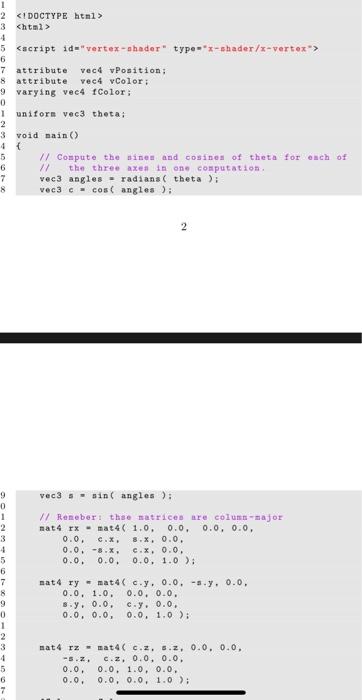
attribute vec4 vPosition;
attribute vec4 vColor; varying vec4 fColor;
uniform vec3 theta;
void main ()
{
// Compute the sines and cosines of theta for each of
// the three axes in one computation.
vec3 angles = radians( theta );
vec3 c = cos( angles );
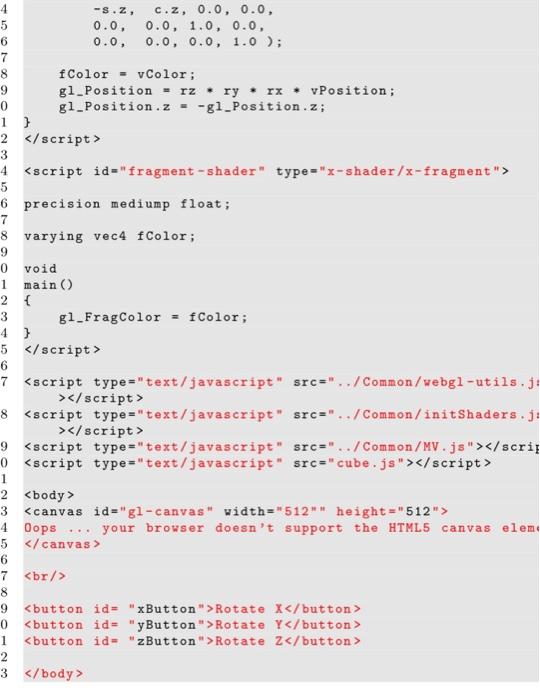
2
vec3 s = sin( angles );
// Remeber: thse matrices are column -major
mat4 rx = mat4( 1.0, 0.0, 0.0, 0.0, 0.0, c.x, s.x, 0.0,
0.0, -s.x, c.x, 0.0, 0.0, 0.0, 0.0, 1.0 );
mat4 ry = mat4( c.y, 0.0, -s.y, 0.0,
0.0, 1.0, 0.0, 0.0, s.y, 0.0, c.y, 0.0,
0.0, 0.0, 0.0, 1.0 );
mat4 rz = mat4( c.z, s.z, 0.0, 0.0,
-s.z, c.z, 0.0, 0.0, 0.0, 0.0, 1.0, 0.0,
0.0, 0.0, 0.0, 1.0 );
fColor = vColor;
gl_Position = rz * ry * rx * vPosition;
gl_Position.z = -gl_Position.z; }
precision mediump float;
varying vec4 fColor;
void main ()
{
gl_FragColor = fColor;
}
Oops ... your browser doesnt support the HTML5 canvas element
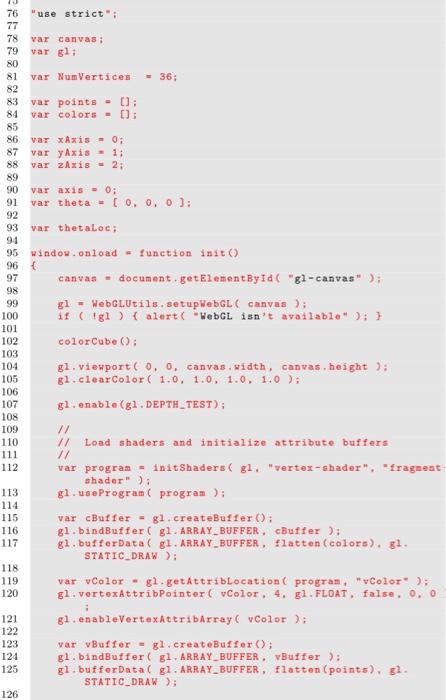
use strict";
var canvas;
var gl;
var NumVertices = 36;
var points = []; var colors = [];
var xAxis = 0;
var yAxis = 1; var zAxis = 2;
var axis = 0;
var theta = [ 0, 0, 0 ];
var thetaLoc;
window.onload = function init() {
canvas = document.getElementById( "gl-canvas" );
gl = WebGLUtils.setupWebGL( canvas );
if ( !gl ) { alert( "WebGL isnt available" ); }
colorCube();
gl.viewport( 0, 0, canvas.width , canvas.height );
gl.clearColor( 1.0, 1.0, 1.0, 1.0 );
gl.enable(gl.DEPTH_TEST);
//
// Load shaders and initialize attribute buffers
//
var program = initShaders( gl, "vertex-shader", "fragment-
shader" ); gl.useProgram( program );
var cBuffer = gl.createBuffer();
gl.bindBuffer( gl.ARRAY_BUFFER , cBuffer ); gl.bufferData( gl.ARRAY_BUFFER , flatten(colors), gl.
STATIC_DRAW );
var vColor = gl.getAttribLocation( program, "vColor" ); gl.vertexAttribPointer( vColor, 4, gl.FLOAT, false, 0, 0 )
;
gl.enableVertexAttribArray( vColor );
var vBuffer = gl.createBuffer();
gl.bindBuffer( gl.ARRAY_BUFFER , vBuffer ); gl.bufferData( gl.ARRAY_BUFFER , flatten(points), gl.
STATIC_DRAW );
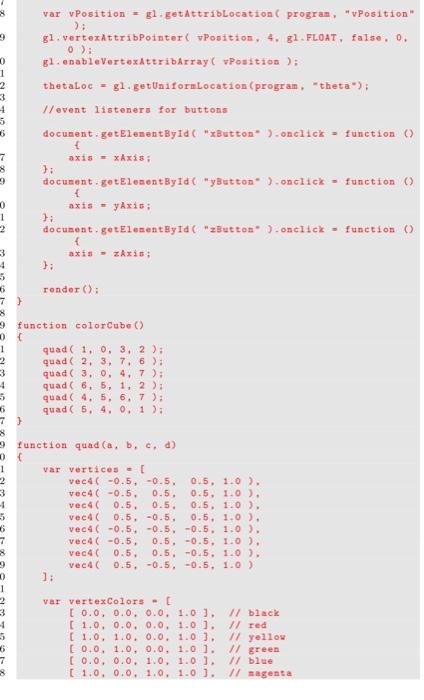
var vPosition = gl.getAttribLocation( program , "vPosition" );
gl.vertexAttribPointer( vPosition, 4, gl.FLOAT, false, 0, 0 );
gl.enableVertexAttribArray( vPosition );
thetaLoc = gl.getUniformLocation(program , "theta");
//event listeners for buttons
document.getElementById( "xButton" ).onclick = function () {
axis = xAxis; };
document.getElementById( "yButton" ).onclick = function () {
axis = yAxis; };
document.getElementById( "zButton" ).onclick = function () {
axis = zAxis; };
render();
}
function colorCube() {
quad( 1, 0, 3, 2 ); quad( 2, 3, 7, 6 );
quad( 3, 0, 4, 7 ); quad( 6, 5, 1, 2 );
quad( 4, 5, 6, 7 ); quad( 5, 4, 0, 1 );
}
function quad(a, b, c, d) {
var vertices = [
vec4( -0.5, -0.5, 0.5, 1.0 ),
vec4( -0.5, 0.5, 0.5, 1.0 ), vec4( 0.5, 0.5, 0.5, 1.0 ),
vec4( 0.5, -0.5, 0.5, 1.0 ), vec4( -0.5, -0.5, -0.5, 1.0 ),
vec4( -0.5, 0.5, -0.5, 1.0 ), vec4( 0.5, 0.5, -0.5, 1.0 ),
vec4( 0.5, -0.5, -0.5, 1.0 ) ];
var vertexColors = [
[ 0.0, 0.0, 0.0, 1.0 ], // black [ 1.0, 0.0, 0.0, 1.0 ], // red
[ 1.0, 1.0, 0.0, 1.0 ], // yellow
[ 0.0, 1.0, 0.0, 1.0 ], // green
[ 0.0, 0.0, 1.0, 1.0 ], // blue
[ 1.0, 0.0, 1.0, 1.0 ], // magenta
[ 0.0, 1.0, 1.0, 1.0 ], // cyan
[ 1.0, 1.0, 1.0, 1.0 ] // white ];
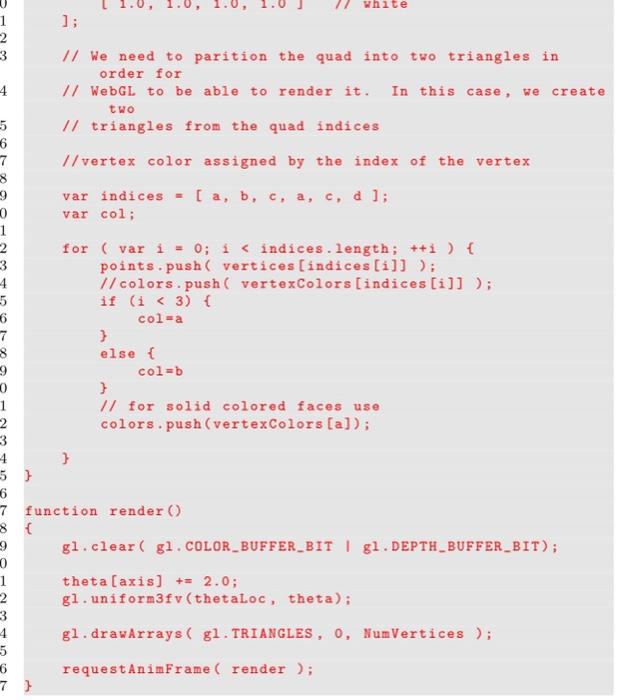
// We need to parition the quad into two triangles in
order for
// WebGL to be able to render it. In this case, we create
two
// triangles from the quad indices
//vertex color assigned by the index of the vertex
var indices = [ a, b, c, a, c, d ];
var col;
for ( var i = 0; i
//colors.push( vertexColors[indices[i]] ); if (i
col=a }
else { col=b
}
// for solid colored faces use
colors.push(vertexColors[a]);
} }
function render()
{
gl.clear( gl.COLOR_BUFFER_BIT | gl.DEPTH_BUFFER_BIT);
theta[axis] += 2.0;
gl.uniform3fv(thetaLoc , theta);
gl.drawArrays( gl.TRIANGLES , 0, NumVertices );
requestAnimFrame( render ); }
Step by Step Solution
There are 3 Steps involved in it
1 Expert Approved Answer
Step: 1 Unlock

Question Has Been Solved by an Expert!
Get step-by-step solutions from verified subject matter experts
Step: 2 Unlock
Step: 3 Unlock
 Study Help