







Question: GIVEN FILES //delete_product.php //display_results.php
GIVEN FILES
//delete_product.php
// Get IDs $product_id = filter_input(INPUT_POST, 'product_id', FILTER_VALIDATE_INT); $category_id = filter_input(INPUT_POST, 'category_id', FILTER_VALIDATE_INT);
// Delete the product from the database if ($product_id != FALSE && $category_id != FALSE) { $query = 'DELETE FROM products WHERE productID = :product_id'; $statement = $db->prepare($query); $statement->bindValue(':product_id', $product_id); $success = $statement->execute(); $statement->closeCursor(); }
// Display the Product List page include('index.php');
//delete_category.php
// Validate inputs if ($category_id == NULL || $category_id == FALSE) { $error = "Invalid category ID."; include('error.php'); } else { require_once('database.php');
// Add the product to the database $query = 'DELETE FROM categories WHERE categoryID = :category_id'; $statement = $db->prepare($query); $statement->bindValue(':category_id', $category_id); $statement->execute(); $statement->closeCursor();
// Display the Category List page include('category_list.php'); } ?>
//display_results.php
// set default error message of empty string $error_message = ''; // validate investment if ($investment === FALSE ) { $error_message .= 'Investment must be a valid number. '; } else if ( $investment 15 ) { $error_message .= 'Interest rate must be less than or equal to 15. '; } // validate years if ( $years === FALSE ) { $error_message .= 'Years must be a valid whole number. '; } else if ( $years 30 ) { $error_message .= 'Years must be less than 31. '; }
// if an error message exists, go to the index page if ($error_message != '') { include('index.php'); exit(); }
// calculate the future value $future_value = $investment; for ($i = 1; $i
Future Value Calculator
This calculation was done on .
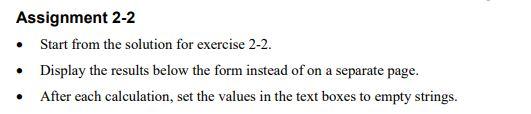
Assignment 2-2 - Start from the solution for exercise 2-2. - Display the results below the form instead of on a separate page. - After each calculation, set the values in the text boxes to empty strings
Step by Step Solution
There are 3 Steps involved in it

Get step-by-step solutions from verified subject matter experts
 Study Help