







Question: Given: Stack.py: class Stack: def __init__(self): self.items = [] def push(self, item): self.items.append(item) # MODIFY: RAISE AN EXCEPTION IF THIS METHOD IS INVOKED ON AN
Given:
![Given: Stack.py: class Stack: def __init__(self): self.items = [] def push(self, item):](https://s3.amazonaws.com/si.experts.images/answers/2024/08/66aba3642a035_51566aba363b77cd.jpg)
![self.items[len(self.items)-1] def isEmpty(self): return self.items == [] def size(self): return len(self.items) def](https://s3.amazonaws.com/si.experts.images/answers/2024/08/66aba367c48f7_51966aba3672f7f3.jpg)
Stack.py:
class Stack: def __init__(self): self.items = [] def push(self, item): self.items.append(item) # MODIFY: RAISE AN EXCEPTION IF THIS METHOD IS INVOKED ON AN EMPTY STACK def pop(self): return self.items.pop() # MODIFY: RAISE AN EXCEPTION IF THIS METHOD IS INVOKED ON AN EMPTY STACK def peek(self): return self.items[len(self.items)-1] def isEmpty(self): return self.items == [] def size(self): return len(self.items) def show(self): print(self.items) def __str__(self): stackAsString = '' for item in self.items: stackAsString += item + ' ' return stackAsString def clear(self): #TO DO: complete method according to updated ADT pass
Lab 5 Browser:
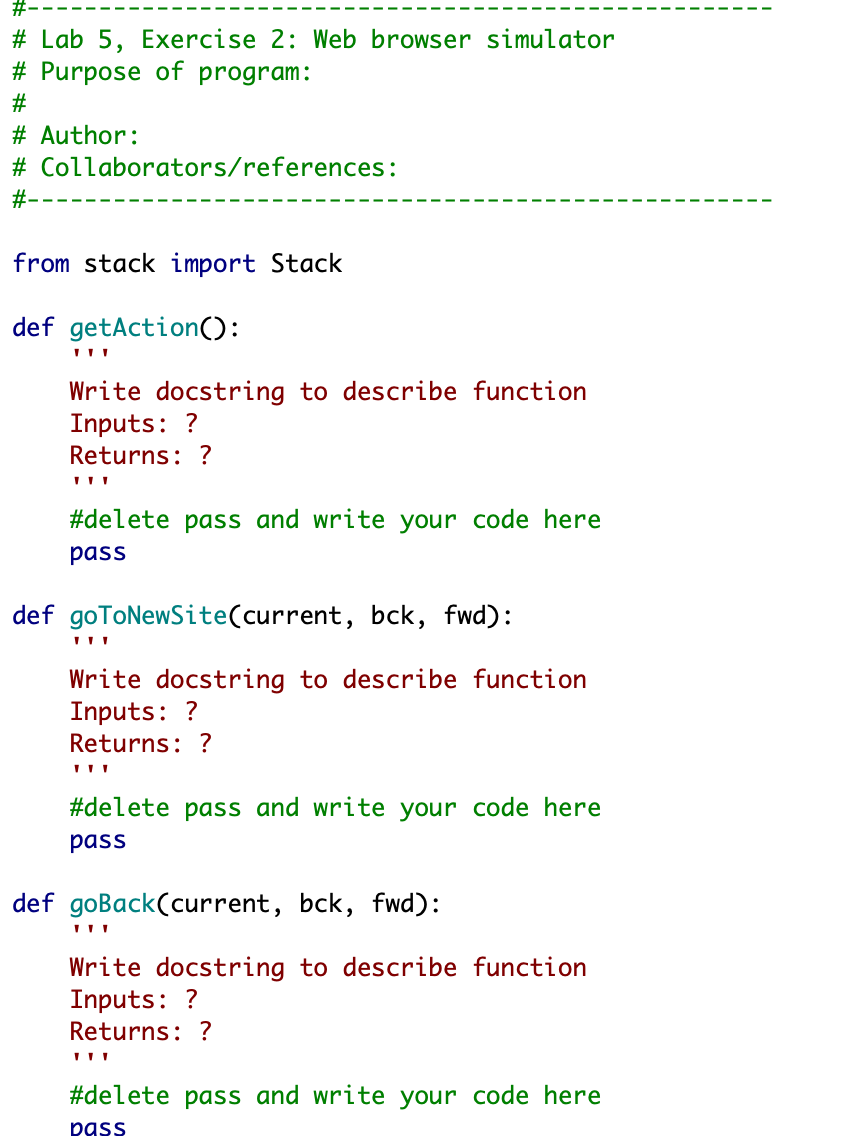
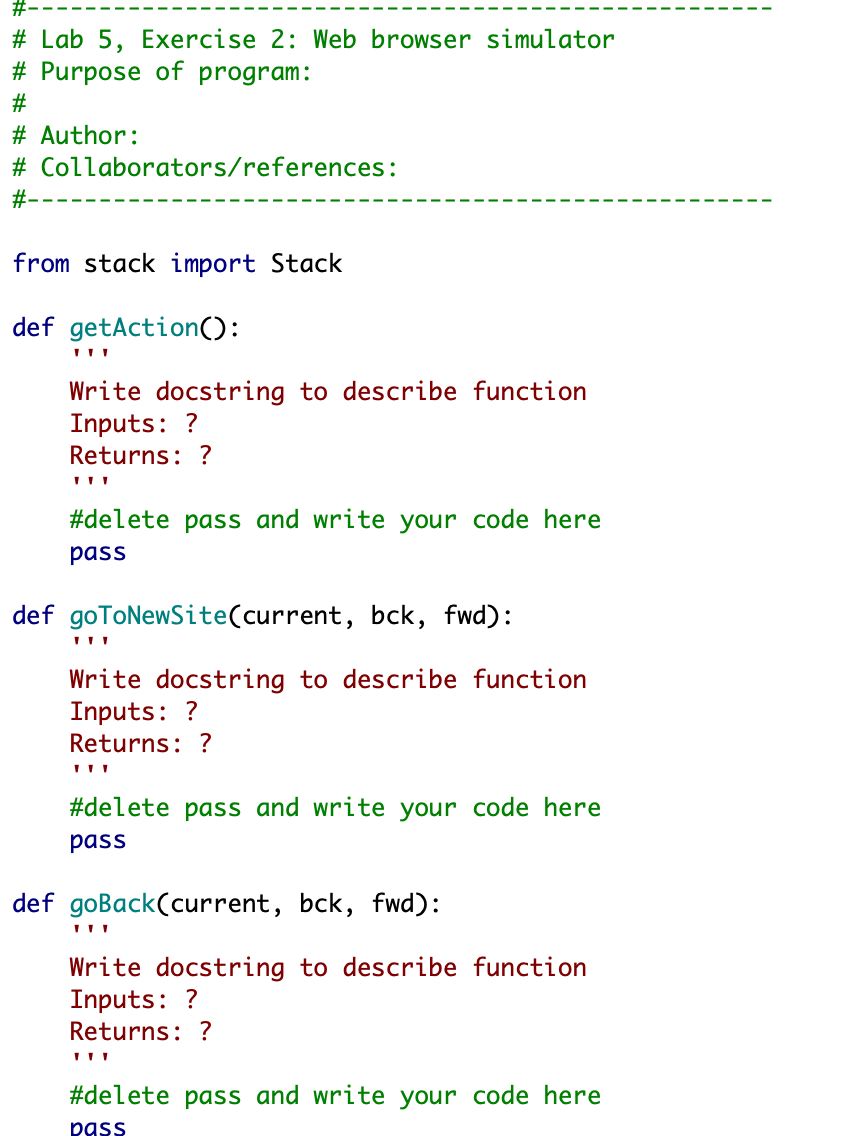
#---------------------------------------------------- # Lab 5, Exercise 2: Web browser simulator # Purpose of program: # # Author: # Collaborators/references: #----------------------------------------------------
from stack import Stack
def getAction(): ''' Write docstring to describe function Inputs: ? Returns: ? ''' #delete pass and write your code here pass
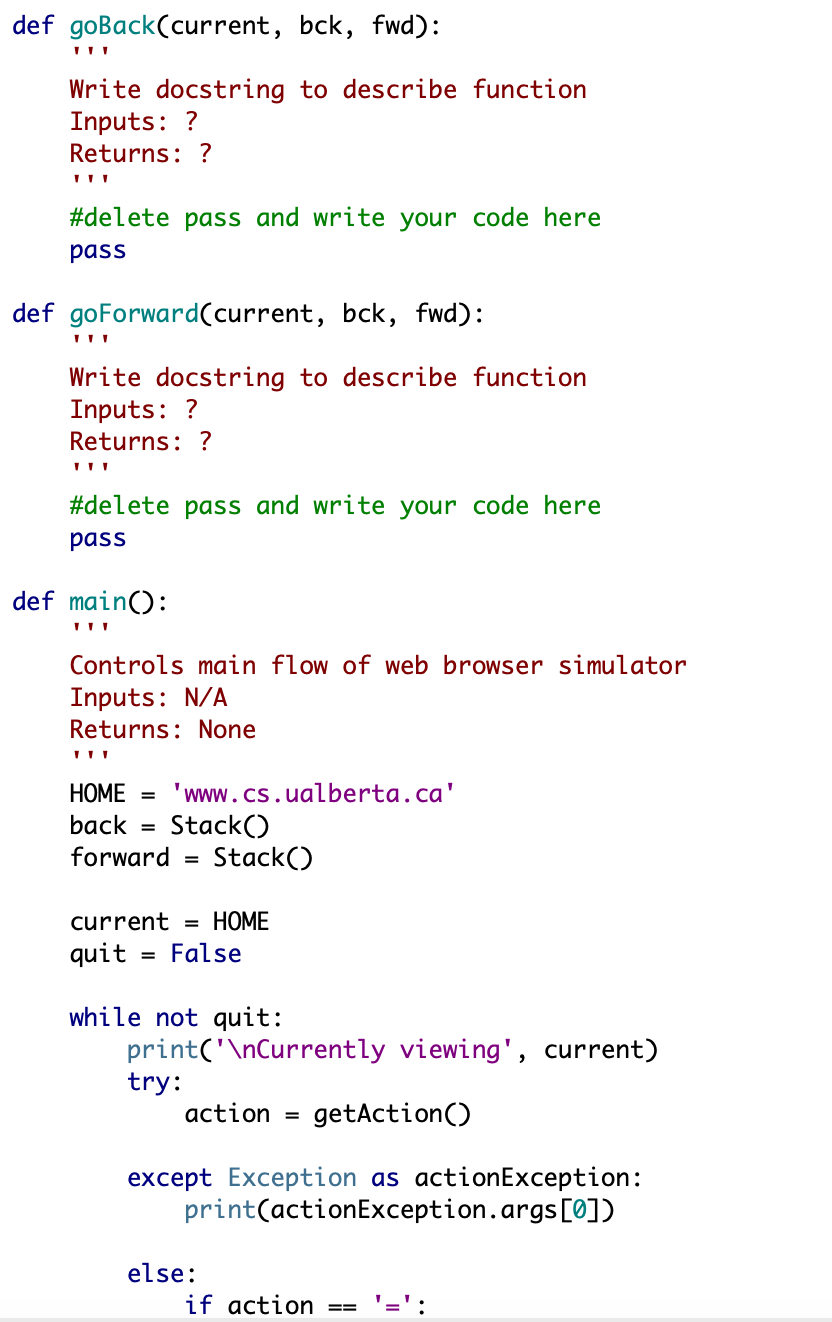
def goToNewSite(current, bck, fwd): ''' Write docstring to describe function Inputs: ? Returns: ? ''' #delete pass and write your code here pass def goBack(current, bck, fwd): ''' Write docstring to describe function Inputs: ? Returns: ? ''' #delete pass and write your code here pass
def goForward(current, bck, fwd): ''' Write docstring to describe function Inputs: ? Returns: ? ''' #delete pass and write your code here pass
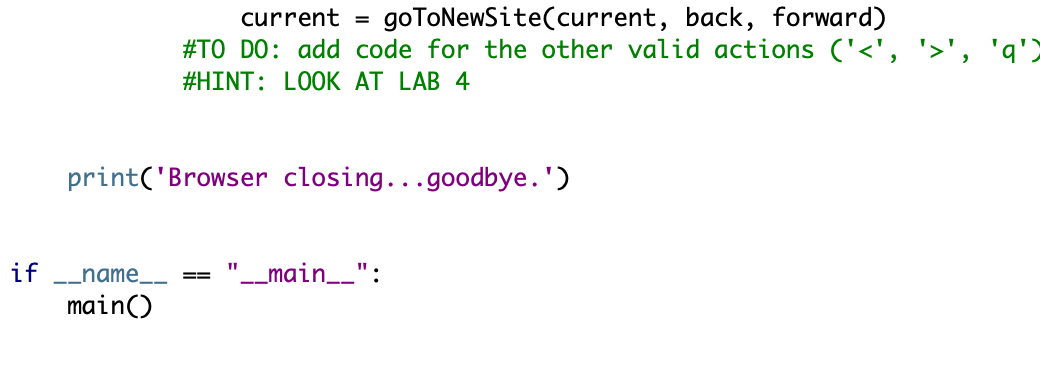
def main(): ''' Controls main flow of web browser simulator Inputs: N/A Returns: None ''' HOME = 'www.cs.ualberta.ca' back = Stack() forward = Stack() current = HOME quit = False while not quit: print(' Currently viewing', current) try: action = getAction() except Exception as actionException: print(actionException.args[0]) else: if action == '=': current = goToNewSite(current, back, forward) #TO DO: add code for the other valid actions ('', 'q') #HINT: LOOK AT LAB 4 print('Browser closing...goodbye.')
if __name__ == "__main__": main()
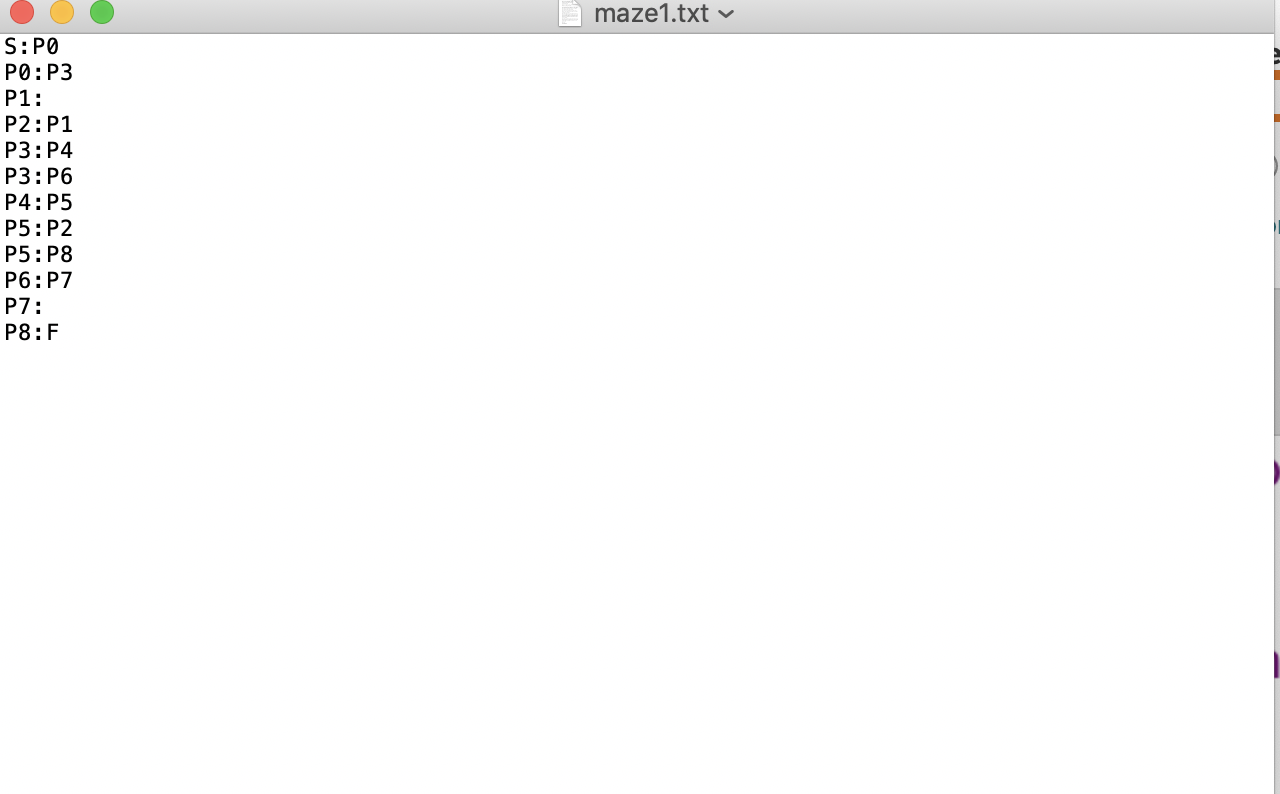
maze1:
S:P0 P0:P3 P1: P2:P1 P3:P4 P3:P6 P4:P5 P5:P2 P5:P8 P6:P7 P7: P8:F
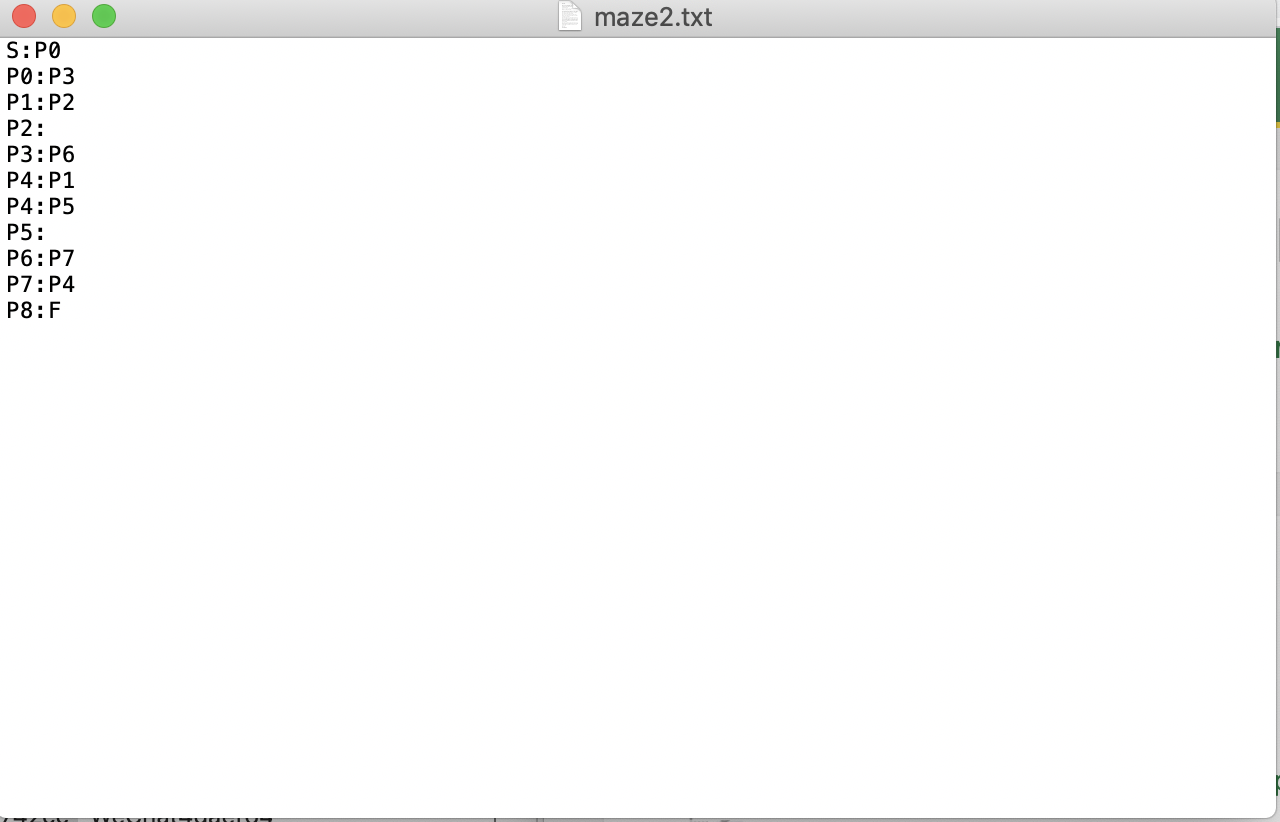
maze2:
S:P0 P0:P3 P1:P2 P2: P3:P6 P4:P1 P4:P5 P5: P6:P7 P7:P4 P8:F
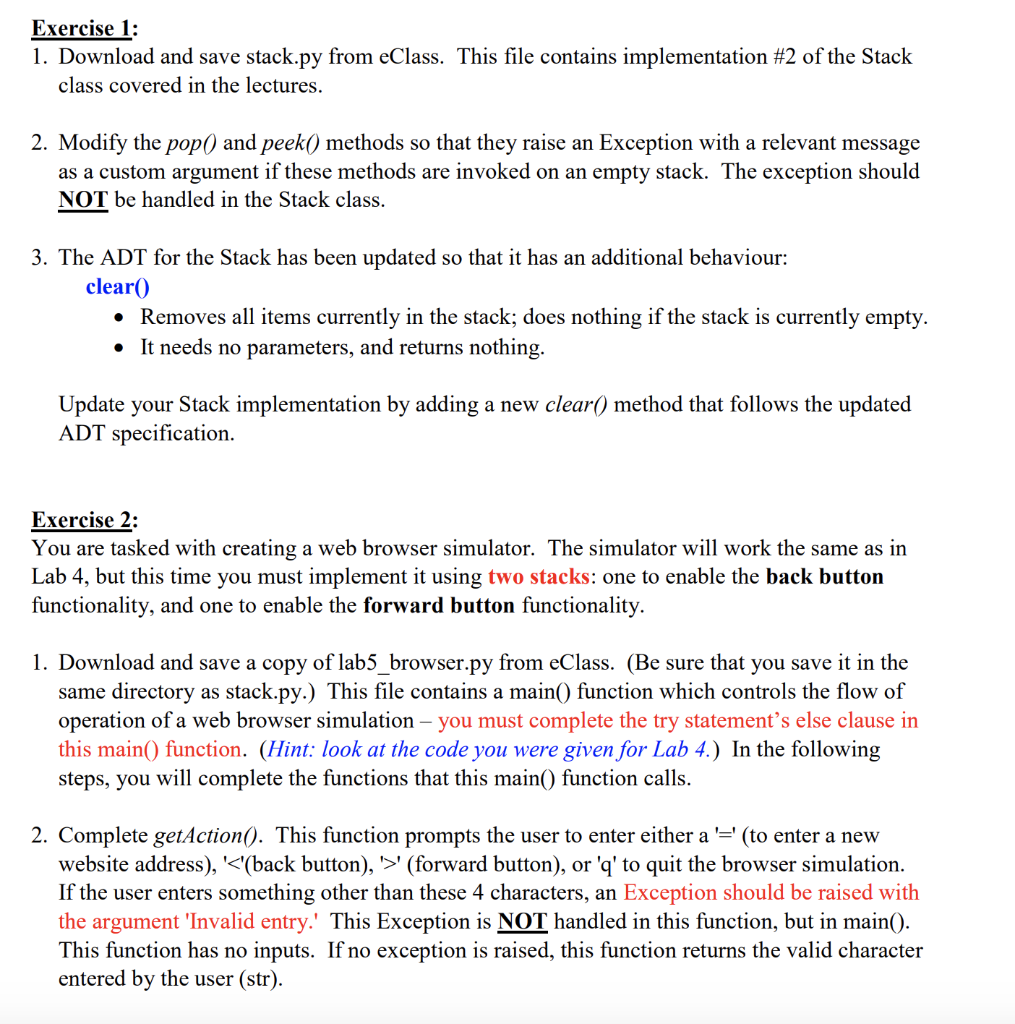
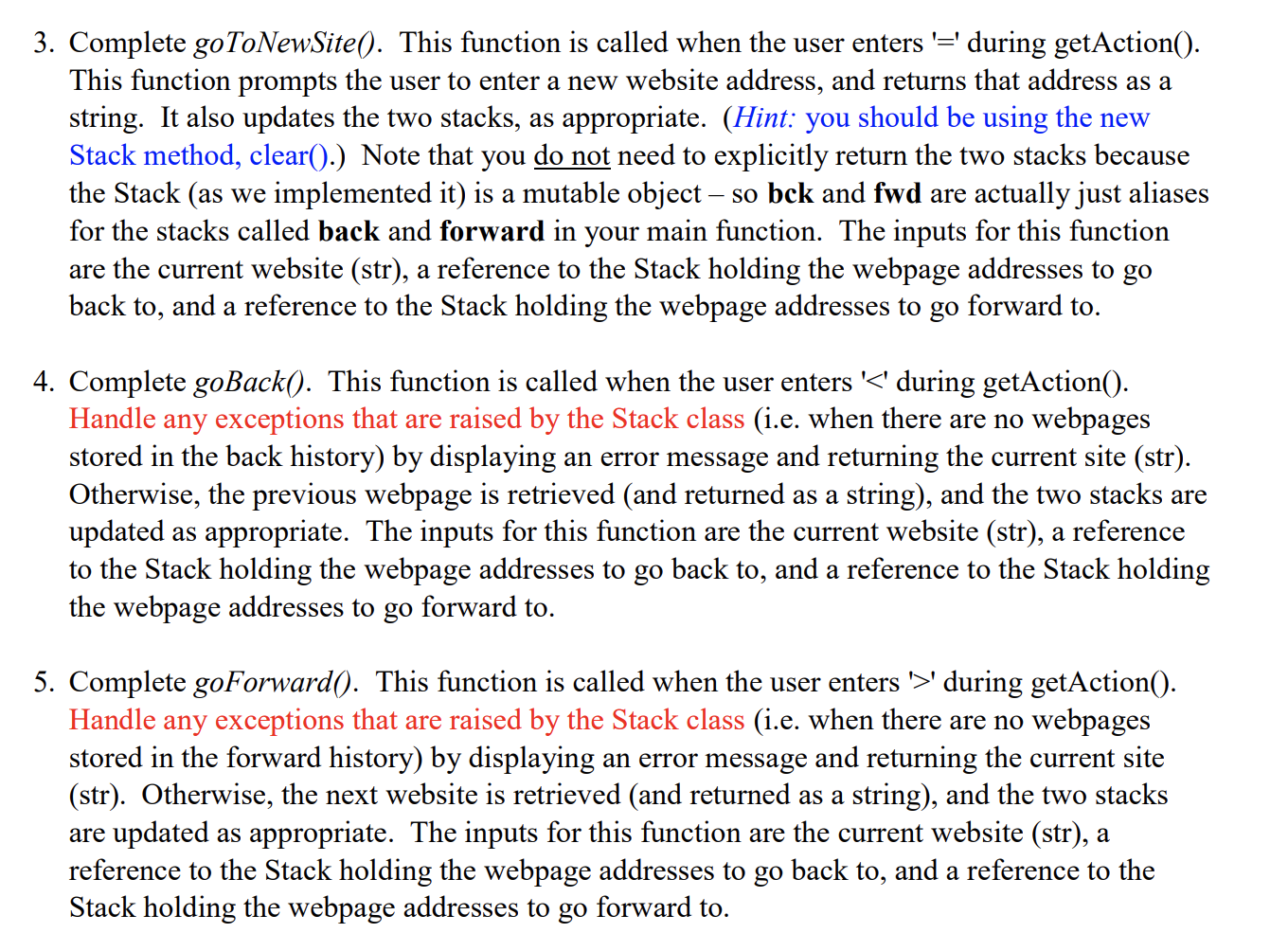
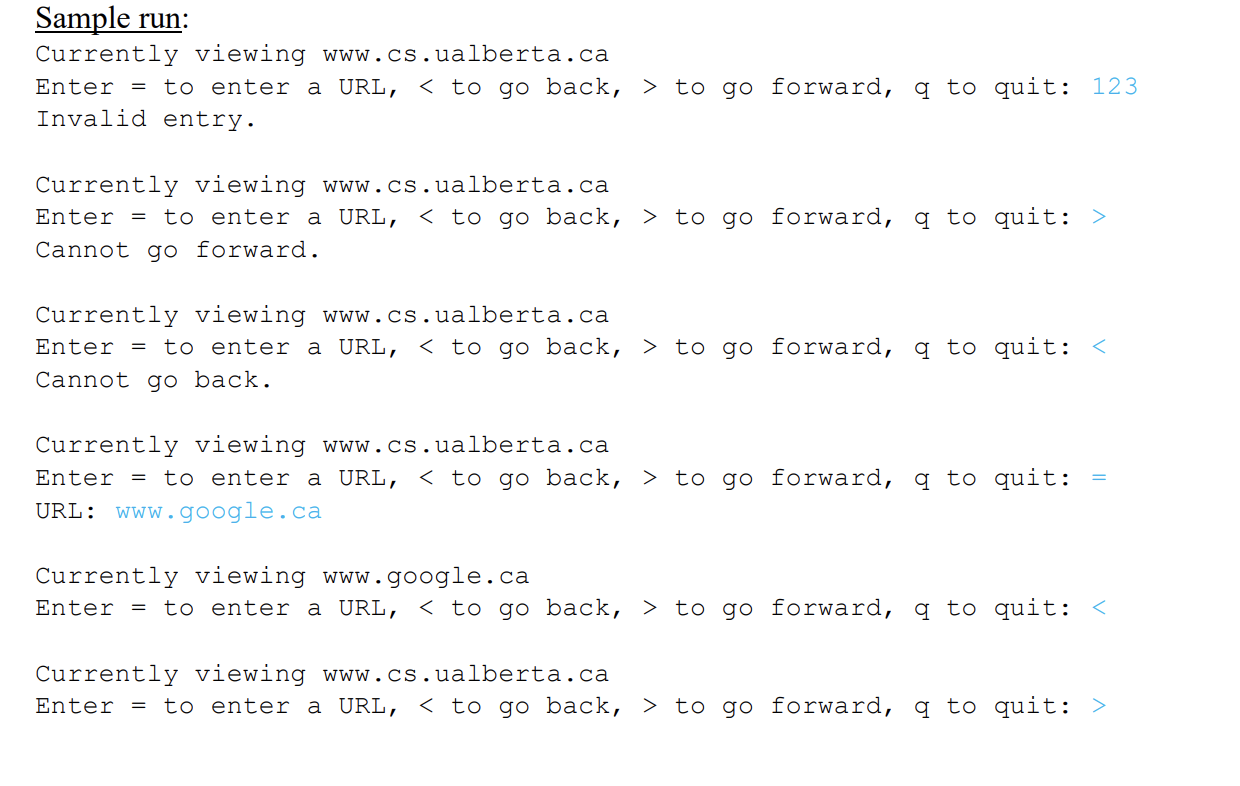
Lab 5 Lab 5 - Web Browser_StackExceptions.pdf lab5_browser.py maze1.txt maze2.txt stack.py Exercise 1: 1. Download and save stack.py from eClass. This file contains implementation #2 of the Stack class covered in the lectures. 2. Modify the pop() and peek() methods so that they raise an Exception with a relevant message as a custom argument if these methods are invoked on an empty stack. The exception should NOT be handled in the Stack class. 3. The ADT for the Stack has been updated so that it has an additional behaviour: clear() Removes all items currently in the stack; does nothing if the stack is currently empty. It needs no parameters, and returns nothing. Update your Stack implementation by adding a new clear() method that follows the updated ADT specification. Exercise 2: You are tasked with creating a web browser simulator. The simulator will work the same as in Lab 4, but this time you must implement it using two stacks: one to enable the back button functionality, and one to enable the forward button functionality. 1. Download and save a copy of lab5_browser.py from eClass. (Be sure that you save it in the same directory as stack.py.) This file contains a main() function which controls the flow of operation of a web browser simulation - you must complete the try statement's else clause in this main() function. (Hint: look at the code you were given for Lab 4.) In the following steps, you will complete the functions that this main() function calls. 2. Complete getAction(). This function prompts the user to enter either a '=' (to enter a new website address), '' (forward button), or 'q' to quit the browser simulation. If the user enters something other than these 4 characters, an Exception should be raised with the argument 'Invalid entry.' This Exception is NOT handled in this function, but in main(). This function has no inputs. If no exception is raised, this function returns the valid character entered by the user (str). 3. Complete goToNewSite(). This function is called when the user enters '=' during getAction(). This function prompts the user to enter a new website address, and returns that address as a string. It also updates the two stacks, as appropriate. (Hint: you should be using the new Stack method, clear().) Note that you do not need to explicitly return the two stacks because the Stack (as we implemented it) is a mutable object so bck and fwd are actually just aliases for the stacks called back and forward in your main function. The inputs for this function are the current website (str), a reference to the Stack holding the webpage addresses to go back to, and a reference to the Stack holding the webpage addresses to go forward to. 4. Complete goBack(). This function is called when the user enters '' during getAction(). Handle any exceptions that are raised by the Stack class (i.e. when there are no webpages stored in the forward history) by displaying an error message and returning the current site (str). Otherwise, the next website is retrieved (and returned as a string), and the two stacks are updated as appropriate. The inputs for this function are the current website (str), a reference to the Stack holding the webpage addresses to go back to, and a reference to the Stack holding the webpage addresses to go forward to. Sample run: Currently viewing www.cs.ualberta.ca Enter = to enter a URL, to go forward, q to quit: 123 Invalid entry. Currently viewing www.cs.ualberta.ca Enter = to enter a URL, to go forward, q to quit: > Cannot go forward. Currently viewing www.cs.ualberta.ca Enter = to enter a URL, to go forward, q to quit: to go forward, a to quit: = URL: www.google.ca Currently viewing www.google.ca Enter = to enter a URL, to go forward, a to quit: to go forward, a to quit: > Currently viewing www.google.ca Enter = to enter a URL, to go forward, q to quit: = URL: docs.python.org Currently viewing docs.python.org Enter = to enter a URL, to go forward, q to quit: to go forward, q to quit: to go forward, q to quit: = URL: www.beartracks.ualberta.ca Currently viewing www.beartracks.ualberta.ca Enter = to enter a URL, to go forward, q to quit: > Cannot go forward. Currently viewing www.beartracks.ualberta.ca Enter = to enter a URL, to go forward, q to quit: to go forward, q to quit: > Currently viewing www.beartracks. ualberta.ca Enter = to enter a URL, to go forward, q to quit: q Browser closing...goodbye. #---- # Lab 5, Exercise 2: Web browser simulator # Purpose of program: # Author: # Collaborators/references: #--- # - - - - - - - - - - - - - - - - - - - - - - - - - - - - - - - - - - - - - - - - - - - - - - - - - - - - from stack import Stack def getAction(): Write docstring to describe function Inputs: ? Returns: ? #delete pass and write your code here pass def goToNewSite(current, bck, fwd): Write docstring to describe function Inputs: ? Returns: ? #delete pass and write your code here pass def goBack(current, bck, fwd): Write docstring to describe function Inputs: ? Returns: ? #delete pass and write your code here pass def goBack(current, bck, fwd): Write docstring to describe function Inputs: ? Returns: ? #delete pass and write your code here pass def goForward(current, bck, fwd): Write docstring to describe function Inputs: ? Returns: ? #delete pass and write your code here pass def main(): Controls main flow of web browser simulator Inputs: N/A Returns: None HOME = 'www.cs.ualberta.ca' back = Stack() forward = Stack() current = HOME quit = False while not quit: print(" Currently viewing', current) try: action = getAction() except Exception as actionException: print(actionException.args[0]) else: if action == '=': current = gotoNewSite(current, back, forward) #TO DO: add code for the other valid actions ('', 'q') #HINT: LOOK AT LAB 4 print('Browser closing...goodbye.') if __name__ == "__main__": maino maze1.txt S: PO PO:P3 P1: P2:P1 P3:24 P3: P6 P4:P5 P5: P2 P5:P8 P6:P7 P7: P8:F maze2.txt S:PO PO:P3 P1:22 P2: P3: P6 P4:P1 P4:P5 P5: P6:P7 P7:24 P8:F #---- # Lab 5, Exercise 2: Web browser simulator # Purpose of program: # Author: # Collaborators/references: #--- # - - - - - - - - - - - - - - - - - - - - - - - - - - - - - - - - - - - - - - - - - - - - - - - - - - - - from stack import Stack def getAction(): Write docstring to describe function Inputs: ? Returns: ? #delete pass and write your code here pass def goToNewSite(current, bck, fwd): Write docstring to describe function Inputs: ? Returns: ? #delete pass and write your code here pass def goBack(current, bck, fwd): Write docstring to describe function Inputs: ? Returns: ? #delete pass and write your code here pass
Step by Step Solution
There are 3 Steps involved in it

Get step-by-step solutions from verified subject matter experts
 Study Help