







Question: Given the nonlinear equation: f(x) = x4 31x3 + 305x2 1025x + 750 = 0 Start with x1 = 20.0 and use a convergence tolerance
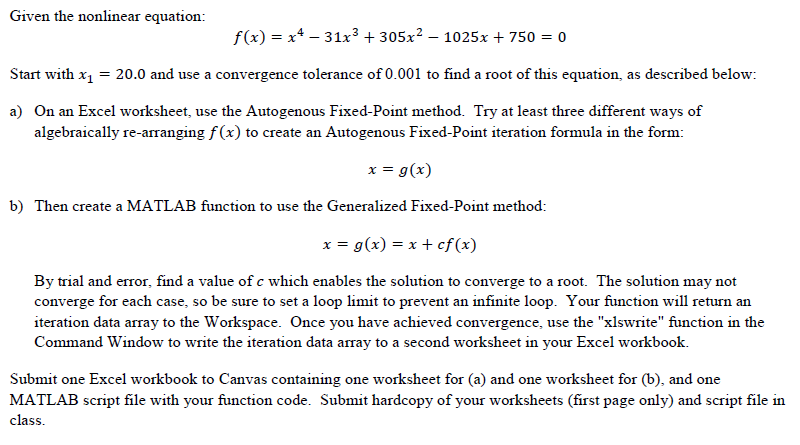
Given the nonlinear equation: f(x) = x4 31x3 + 305x2 1025x + 750 = 0 Start with x1 = 20.0 and use a convergence tolerance of 0.001 to find a root of this equation, as described below: a) On an Excel worksheet, use the Autogenous Fixed-Point method. Try at least three different ways of algebraically re-arranging f(x) to create an Autogenous Fixed-Point iteration formula in the form: x = g(x) b) Then create a MATLAB function to use the Generalized Fixed-Point method: x = g(x) = x + cf(x) By trial and error, find a value of c which enables the solution to converge to a root. The solution may not converge for each case, so be sure to set a loop limit to prevent an infinite loop. Your function will return an iteration data array to the Workspace. Once you have achieved convergence, use the "xlswrite" function in the Command Window to write the iteration data array to a second worksheet in your Excel workbook. Submit one Excel workbook to Canvas containing one worksheet for (a) and one worksheet for (b), and one MATLAB script file with your function code. Submit hardcopy of your worksheets (first page only) and script file in class. Given the nonlinear equation: f(x) = x4 31x3 + 305x2 1025x + 750 = 0 Start with x1 = 20.0 and use a convergence tolerance of 0.001 to find a root of this equation, as described below: a) On an Excel worksheet, use the Autogenous Fixed-Point method. Try at least three different ways of algebraically re-arranging f(x) to create an Autogenous Fixed-Point iteration formula in the form: x = g(x) b) Then create a MATLAB function to use the Generalized Fixed-Point method: x = g(x) = x + cf(x) By trial and error, find a value of c which enables the solution to converge to a root. The solution may not converge for each case, so be sure to set a loop limit to prevent an infinite loop. Your function will return an iteration data array to the Workspace. Once you have achieved convergence, use the "xlswrite" function in the Command Window to write the iteration data array to a second worksheet in your Excel workbook. Submit one Excel workbook to Canvas containing one worksheet for (a) and one worksheet for (b), and one MATLAB script file with your function code. Submit hardcopy of your worksheets (first page only) and script file in class
Step by Step Solution
There are 3 Steps involved in it

Get step-by-step solutions from verified subject matter experts
 Study Help