



Question: Gmail Password Breach On September 9, 2014 data on 4.93 million Google Gmail accounts was published on a Russian-language Bitcoin site. The usernames and passwords
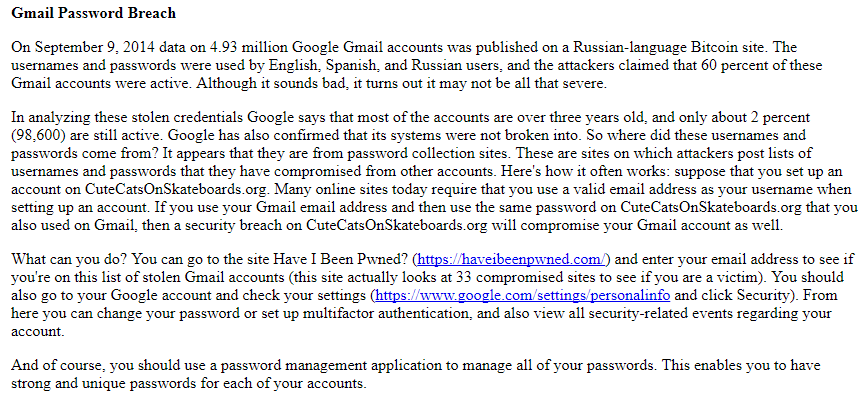
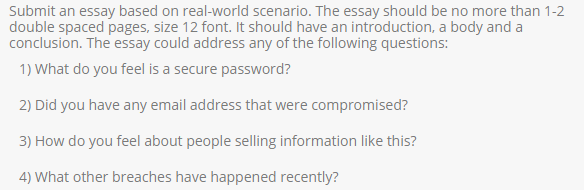
Gmail Password Breach On September 9, 2014 data on 4.93 million Google Gmail accounts was published on a Russian-language Bitcoin site. The usernames and passwords were used by English, Spanish, and Russian users, and the attackers claimed that 60 percent of these Gmail accounts were active. Although it sounds bad, it turns out it may not be all that severe In analyzing these stolen credentials Google says that most of the accounts are over three years old, and only about 2 percent (98,600) are still active. Google has also confirmed that its systems were not broken into. So where did these usernames and passwords come from? It appears that they are from password collection sites. These are sites on which attackers post lists of usernames and passwords that they have compromised from other accounts. Here's how it often works: suppose that you set up an account on CuteCatsOnSkateboards.org. Many online sites today require that you use a valid email address as your username when setting up an account. If you use your Gmail email address and then use the same password on CuteCatsOnSkateboards.org that you also used on Gmail, then a security breach on CuteCatsOnSkateboards.org will compromise your Gmail account as well. What can you do? You can go to the site Have I Been Pwned? (https:/haveibeenpwned.com/) and enter your email address to see if you're on this list of stolen Gmail accounts (this site actually looks at 33 compromised sites to see if you are a victim). You should also go to your Google account and check your settings (https://www.google com/settings /personalinfo and click Security). From here you can change your password or set up multifactor authentication, and also view all security-related events regarding your account. And of course, you should use a password management application to manage all of your passwords. This enables you to have strong and unique passwords for each of your accounts
Step by Step Solution
There are 3 Steps involved in it

Get step-by-step solutions from verified subject matter experts