


Question: Go to StatCrunch and select the applet Sampling Distributions. In the options choose a bell shape with mean 25 and std. dev. 5. Note that
Go to StatCrunch and select the applet "Sampling

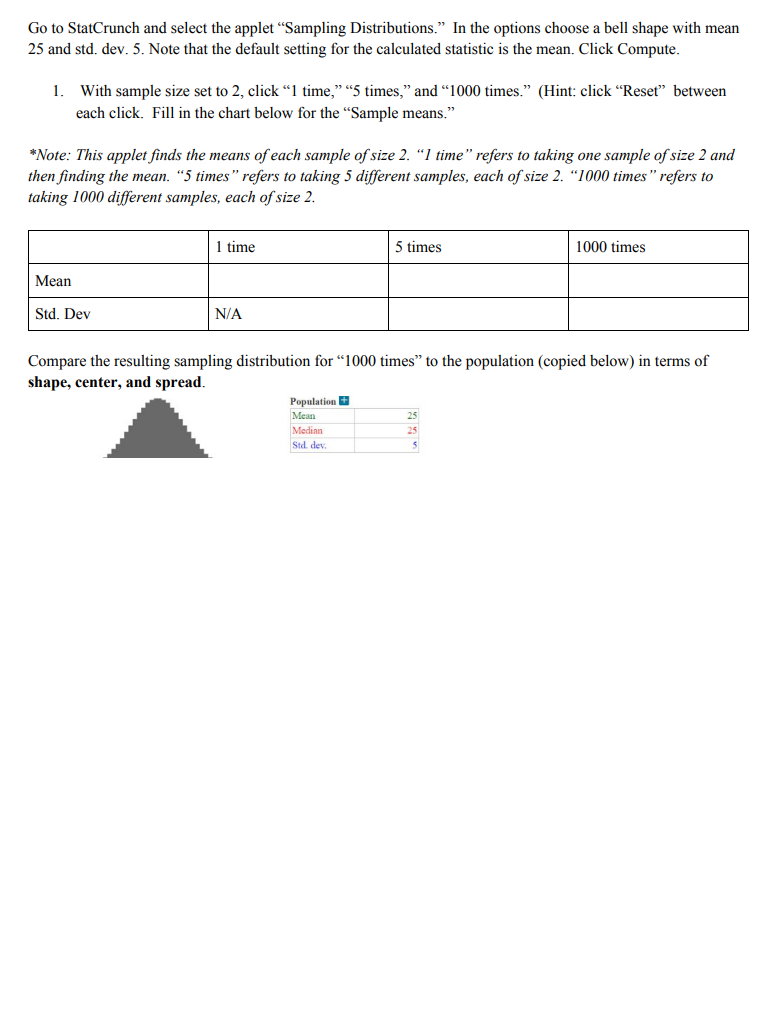
Go to StatCrunch and select the applet "Sampling Distributions. In the options choose a bell shape with mean 25 and std. dev. 5. Note that the default setting for the calculated statistic is the mean. Click Compute. 1. With sample size set to 2, click 1 time," "5 times," and "1000 times. (Hint: click Reset" between each click. Fill in the chart below for the "Sample means." *Note: This applet finds the means of each sample of size 2. 1 time" refers to taking one sample of size 2 and then finding the mean. "5 times" refers to taking 5 different samples, each of size 2. "1000 times" refers to taking 1000 different samples, each of size 2. 1 time 5 times 1000 times Mean Std. Dev N/A Compare the resulting sampling distribution for "1000 times to the population (copied below) in terms of shape, center, and spread. Population Mean Medinn Std. dev 25 25

Step by Step Solution

There are 3 Steps involved in it

1 Expert Approved Answer
Step: 1 Unlock blur-text-image

Question Has Been Solved by an Expert!

Get step-by-step solutions from verified subject matter experts

Step: 2 Unlock
Step: 3 Unlock

Students Have Also Explored These Related General Management Questions!