







Question: Go to the Tutorial Fees worksheet. This worksheet analyzes financial data for smallgroup training sessions, which Maxwell Training runs throughout the day. DeShawn has already
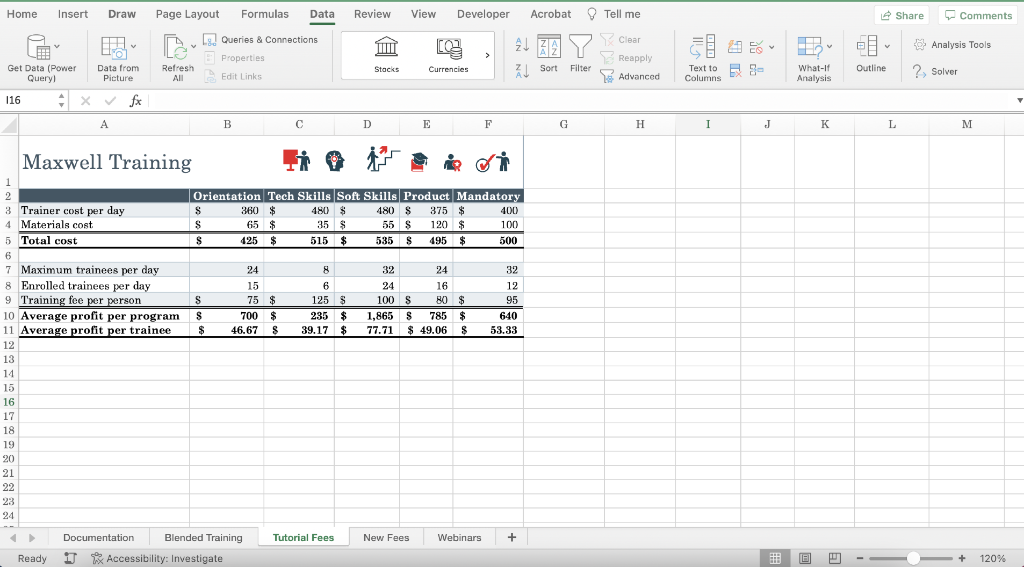
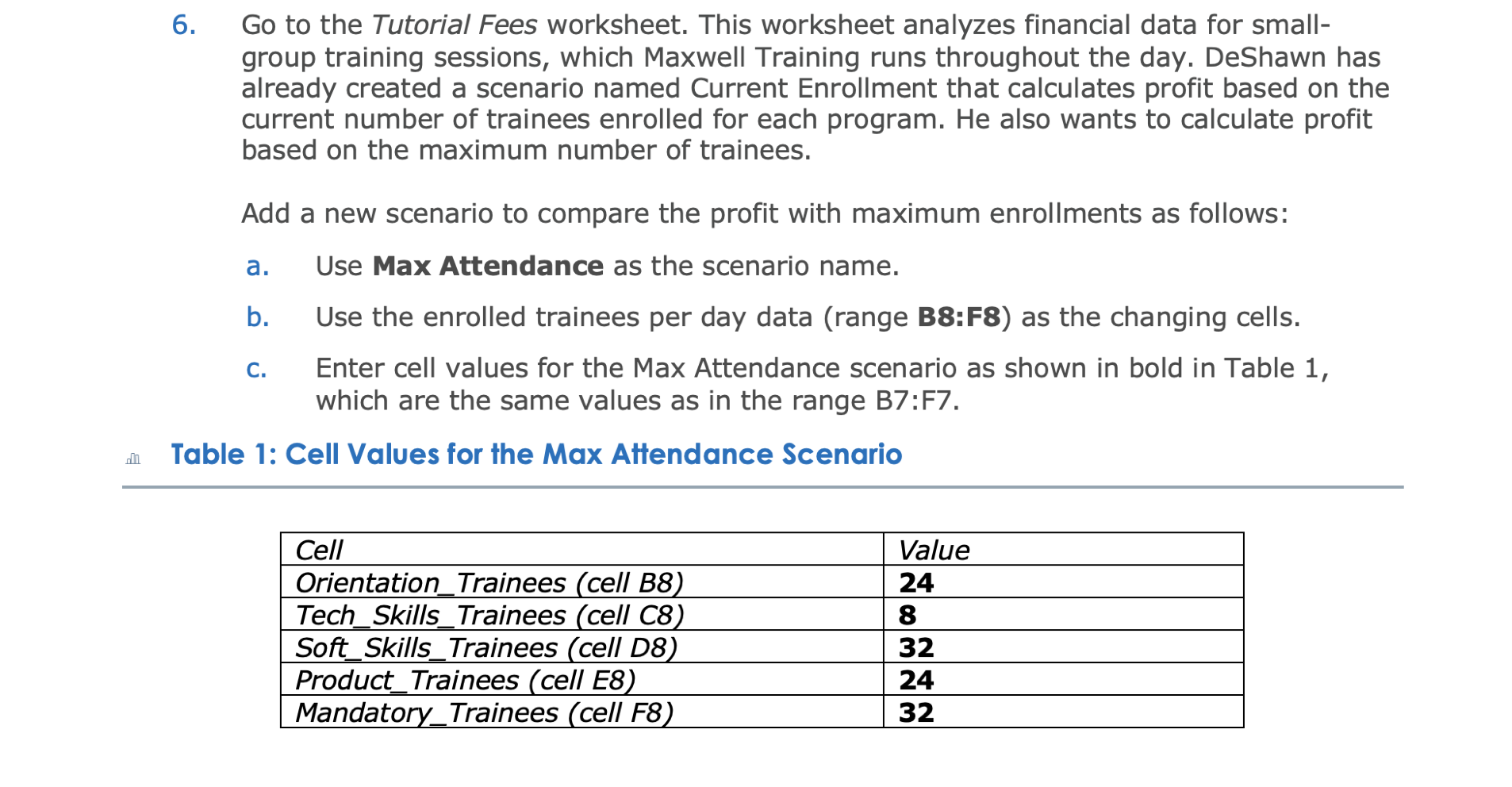
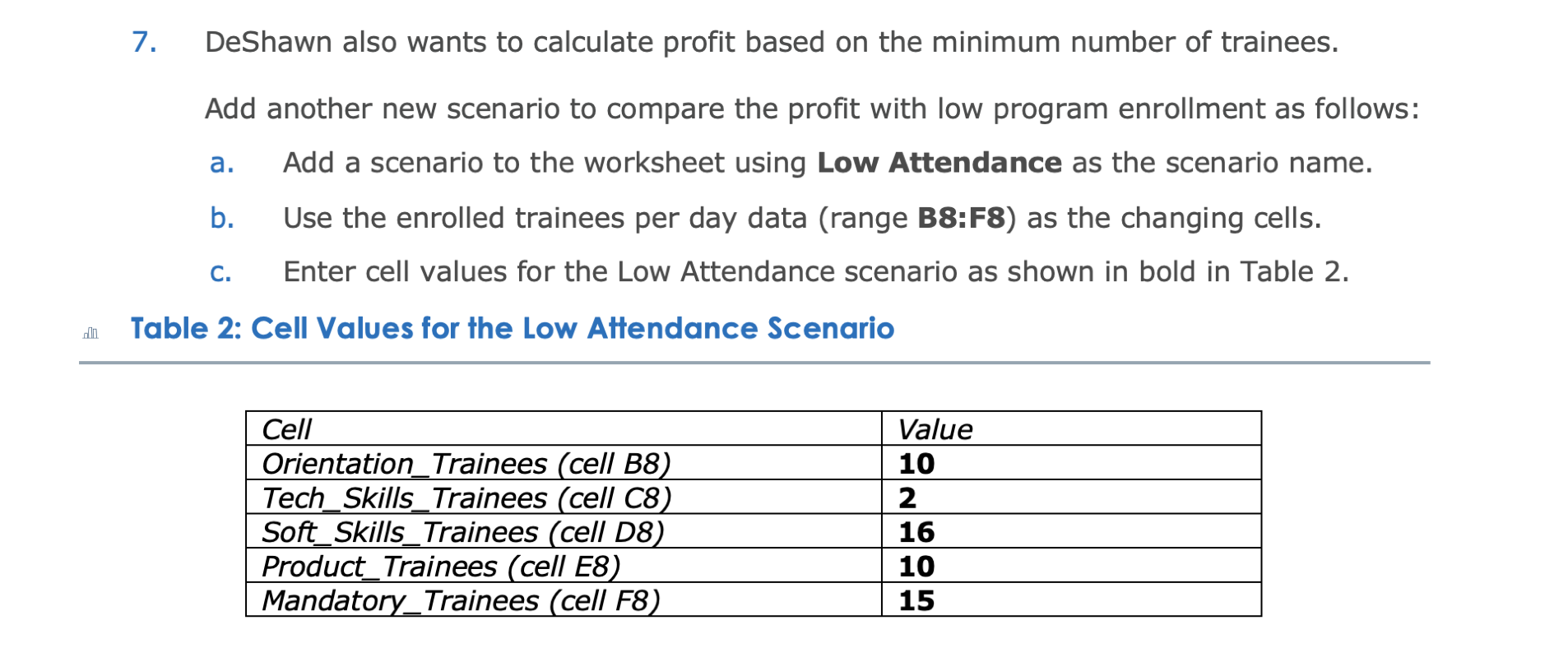
Go to the Tutorial Fees worksheet. This worksheet analyzes financial data for smallgroup training sessions, which Maxwell Training runs throughout the day. DeShawn has already created a scenario named Current Enrollment that calculates profit based on the current number of trainees enrolled for each program. He also wants to calculate profit based on the maximum number of trainees. Add a new scenario to compare the profit with maximum enrollments as follows: a. Use Max Attendance as the scenario name. b. Use the enrolled trainees per day data (range B8:F8) as the changing cells. c. Enter cell values for the Max Attendance scenario as shown in bold in Table 1, which are the same values as in the range B7:F7. able 1: Cell Values for the Max Attendance Scenario 7. DeShawn also wants to calculate profit based on the minimum number of trainees. Add another new scenario to compare the profit with low program enrollment as follows: a. Add a scenario to the worksheet using Low Attendance as the scenario name. b. Use the enrolled trainees per day data (range B8:F8) as the changing cells. c. Enter cell values for the Low Attendance scenario as shown in bold in Table 2. Table 2: Cell Values for the Low Attendance Scenario Go to the Tutorial Fees worksheet. This worksheet analyzes financial data for smallgroup training sessions, which Maxwell Training runs throughout the day. DeShawn has already created a scenario named Current Enrollment that calculates profit based on the current number of trainees enrolled for each program. He also wants to calculate profit based on the maximum number of trainees. Add a new scenario to compare the profit with maximum enrollments as follows: a. Use Max Attendance as the scenario name. b. Use the enrolled trainees per day data (range B8:F8) as the changing cells. c. Enter cell values for the Max Attendance scenario as shown in bold in Table 1, which are the same values as in the range B7:F7. able 1: Cell Values for the Max Attendance Scenario 7. DeShawn also wants to calculate profit based on the minimum number of trainees. Add another new scenario to compare the profit with low program enrollment as follows: a. Add a scenario to the worksheet using Low Attendance as the scenario name. b. Use the enrolled trainees per day data (range B8:F8) as the changing cells. c. Enter cell values for the Low Attendance scenario as shown in bold in Table 2. Table 2: Cell Values for the Low Attendance Scenario
Step by Step Solution
There are 3 Steps involved in it

Get step-by-step solutions from verified subject matter experts
 Study Help