Question: Goal Write a program that provides practice in class development and implementation of programs in multiple separate files using class inheritance. Make sure you thoroughly
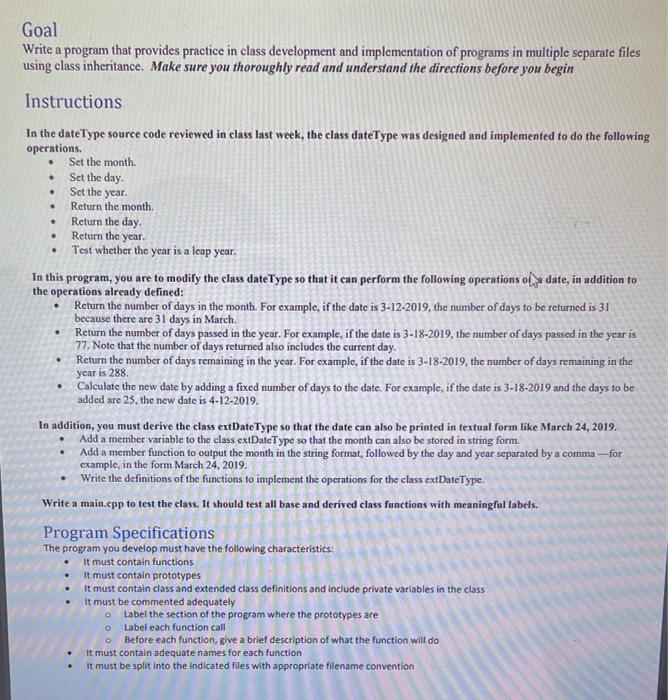
 Goal Write a program that provides practice in class development and
implementation of programs in multiple separate files using class inheritance. Make sure
you thoroughly read and understand the directions before you begin Instructions In
the dateType source code reviewed in class last week, the class dateType
was designed and implemented to do the following operations. Set the month.
Set the day. . . Set the year. . . Return the
month. Return the day Return the year. Test whether the year is
a leap year. In this program, you are to modify the class
dateType so that it can perform the following operations of a date,
in addition to the operations already defined: Return the number of days
in the month. For example, if the date is 3-12-2019, the number

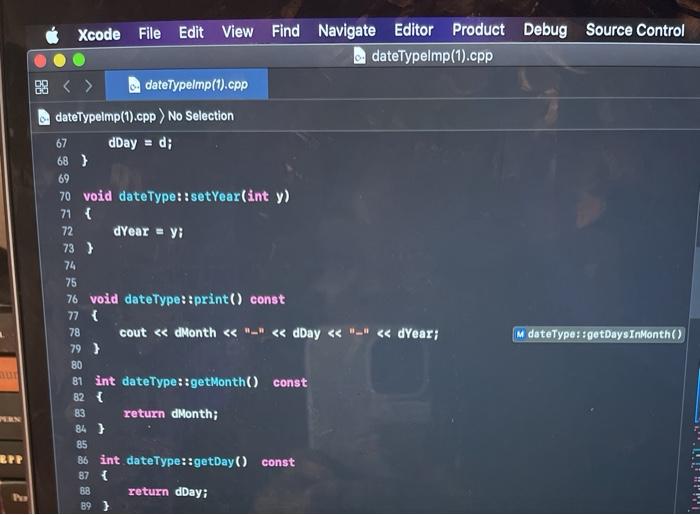
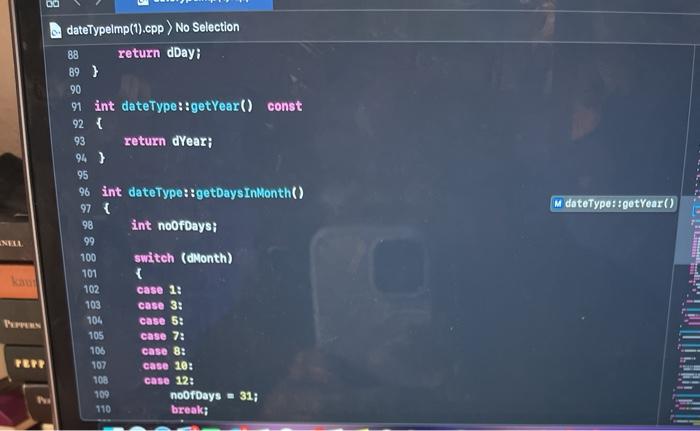
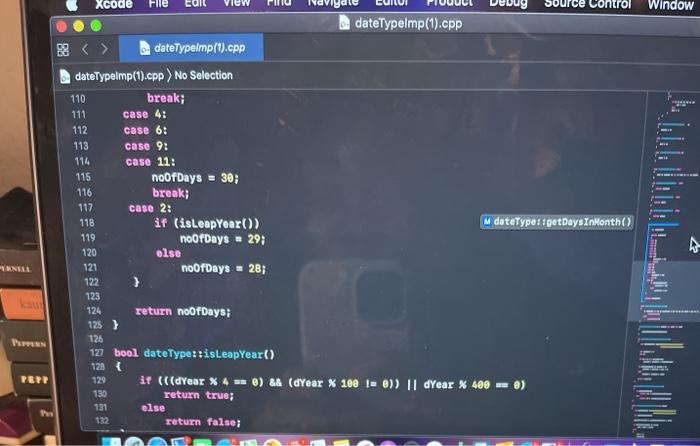
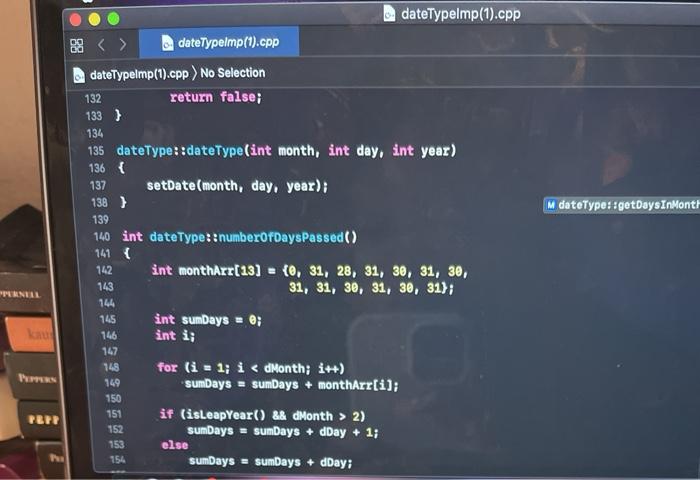
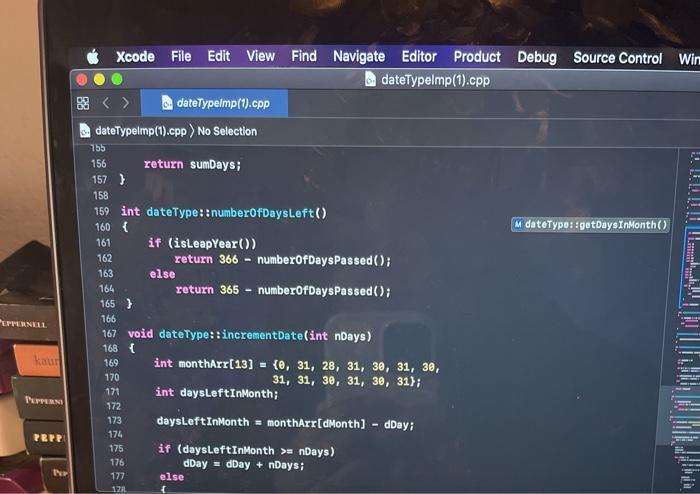
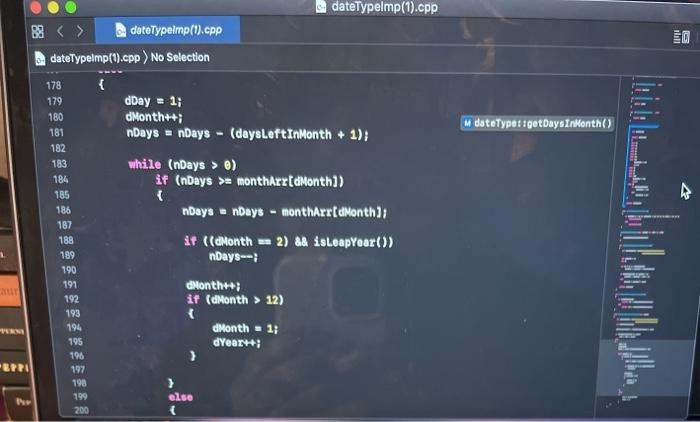
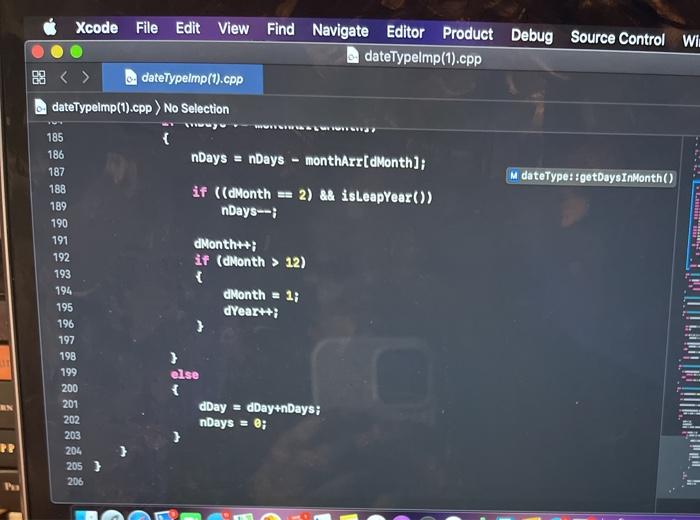
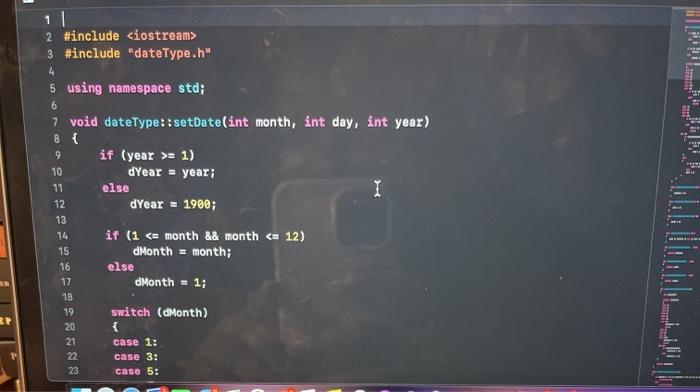
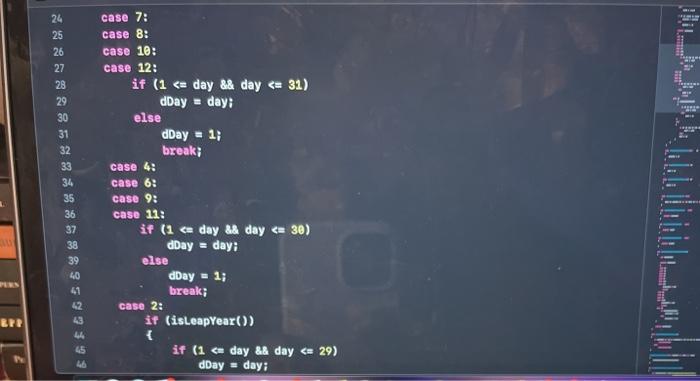
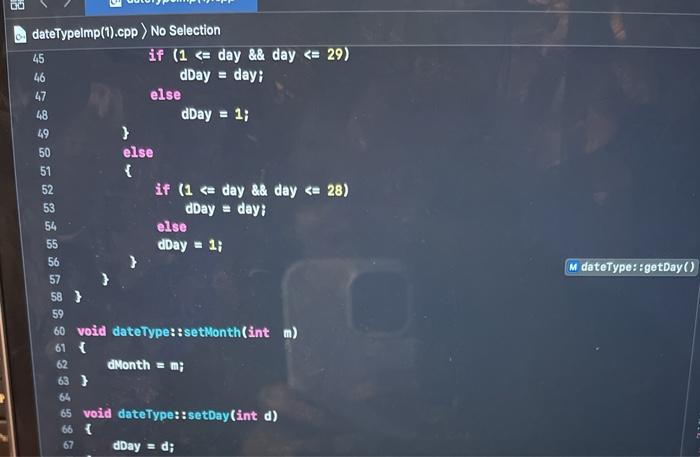
Goal Write a program that provides practice in class development and implementation of programs in multiple separate files using class inheritance. Make sure you thoroughly read and understand the directions before you begin Instructions In the dateType source code reviewed in class last week, the class dateType was designed and implemented to do the following operations. Set the month. Set the day. . . Set the year. . . Return the month. Return the day Return the year. Test whether the year is a leap year. In this program, you are to modify the class dateType so that it can perform the following operations of a date, in addition to the operations already defined: Return the number of days in the month. For example, if the date is 3-12-2019, the number of days to be returned is 31 because there are 31 days in March. Return the number of days passed in the year. For example, if the date is 3-18-2019, the number of days passed in the year is 77. Note that the number of days returned also includes the current day. Return the number of days remaining in the year. For example, if the date is 3-18-2019, the number of days remaining in the year is 288. Calculate the new date by adding a fixed number of days to the date. For example, if the date is 3-18-2019 and the days to be added are 25, the new date is 4-12-2019. In addition, you must derive the class extDateType so that the date can also be printed in textual form like March 24, 2019. Add a member variable to the class extDateType so that the month can also be stored in string form. Add a member function to output the month in the string format, followed by the day and year separated by a comma ---for example, in the form March 24, 2019. Write the definitions of the functions to implement the operations for the class extDateType. Write a main.cpp to test the class. It should test all base and derived class functions with meaningful labels. Program Specifications The program you develop must have the following characteristics. It must contain functions It must contain prototypes It must contain class and extended class definitions and include private variables in the class It must be commented adequately Label the section of the program where the prototypes are O Label each function call Before each function, give a brief description of what the function will do It must contain adequate names for each function It must be split into the indicated files with appropriate filename convention 2 #include 3 #include "dateType.h" 4 5 using namespace std; 6 7 void dateType::setDate(int month, int day, int year) B{ 9 if (year >= 1) 10 dYear = year; 11 else I 12 dYear = 1900; 13 14 if (1 No Selection 45 if (1 No Selection 110 break; 111 case 4: 112 case 6: 113 case 9: 114 case 11: 115 noOfDays = 30; break; 117 case 2: 118 if (isleapYear()) M dateType: getDaysInMonth() 119 noorDays - 29; 120 olse 121 noOfDays = 28; 122 123 124 return noOfDays; 125) 126 123 bool dateType::isleapYear() 121 129 if (((dYear * 4 = ) && (dYear x 100 = 0)) || dYear * 480 =) 130 return true; 131 else return false; PEPP 88 M dateType::getDaysInMonth dateTypelmp(1).cpp dateTypelmp (1).cpp dateTypelmp(1).cpp) No Selection 132 return false; 133} 134 135 dateType::dateType(int month, int day, int year) 136 { 137 setDate(month, day, year); 138 ) 139 140 int dateType:: numberOfDays Passed() 141 142 int monthArr(13) = {0, 31, 28, 31, 30, 31, 30, 143 31, 31, 30, 31, 30, 31); 144 145 int sumDays @; 146 ant i; 147 148 for (i = 1; i 2) 152 sumDays = sumDays + dDay + 1; 153 else 154 sumDays = sumDays + dDay; PUNUL PBPR Xcode File Edit View Find Navigate Editor Product Debug Source Control Win dateTypelmp (1).cpp dateTypeImp (1).cpp dateTypelmp(1).cpp) No Selection 755 156 return sumbays; 157 } 158 159 int dateType:: numberOfDaysLeft() 160 M dateType::getDaysInMonth() 161 if (isLeapYear()) 162 return 366 - numberOfDays Passed(); else return 365 - numberOfDays Passed(); 165 ) 163 164 166 167 void dateType::incrementDate(int nDays) kaurl int monthArr(13] = {0, 31, 28, 31, 30, 31, 30, 31, 31, 30, 31, 30, 31); int daysLeftInMonth; PEPPER 168 169 170 171 172 173 174 175 176 177 12 PRP daysLeftInMonth = montharr[dMonth) - day: if (daysLeft InMonth >= nDays) dDay - dDay + nDay else all M dateType! getDays InMonth() 178 179 180 181 182 183 184 165 186 187 188 189 dateTypelmp(1).cpp dateTypemp().cpp dateTypelmp(1).cpp) No Selection { dDay = 1; dMonth++; nDays = nDays - (daysLeft InMonth + 1); while (nDays > 0) if (nDays > montharr[dMonth) nDays - nDays - montharrt Month); if (dMonth = 2) && isleapYear()) nDays-- dNonth++; if (dMonth > 12) A 190 191 192 193 194 195 196 197 198 199 200 dMonth = 1; dYeart: EPPU else Xcode File Edit View Find Navigate Editor Product Debug Source Control Wi. dateTypelmp (1).cpp dateTypelmp(1).cpp dateTypeimp(1).cpp ) No Selection { nDays = nDays - montharr[dMonth); M dateType::gotDaysInMonth() if ((dMonth = 2) && isleapYear()) nDays-- www.ar 185 186 187 188 189 190 191 192 193 194 dMonth++; if (dMonth > 12) { dMonth = 1; dYear++; 195 196 197 198 199 200 201 202 203 204 205) 206 } else { dDay = dDay+nDays; nDays = 0; AN PP
Step by Step Solution

There are 3 Steps involved in it

1 Expert Approved Answer
Step: 1 Unlock blur-text-image
Question Has Been Solved by an Expert!

Get step-by-step solutions from verified subject matter experts

Step: 2 Unlock
Step: 3 Unlock

Students Have Also Explored These Related Databases Questions!