







Question: Goals: To be able to write a simple class with proper data types To be able to use classes (Formatter, Math, Scanner, String) from API
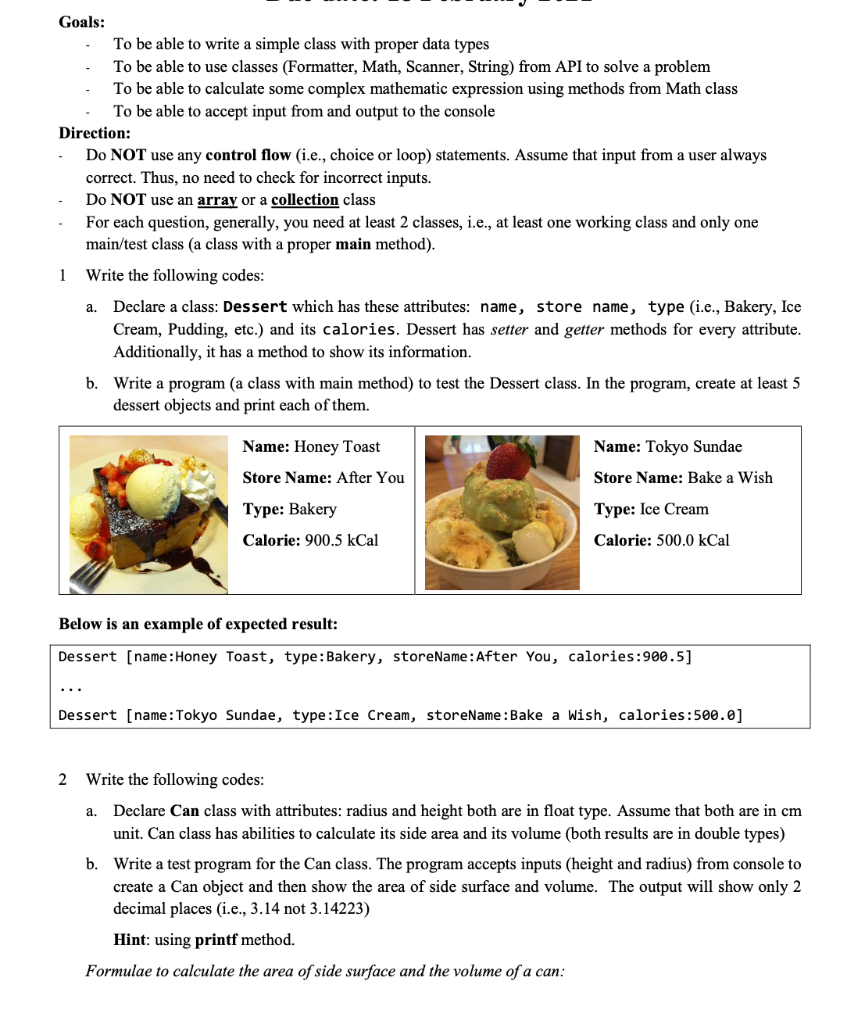
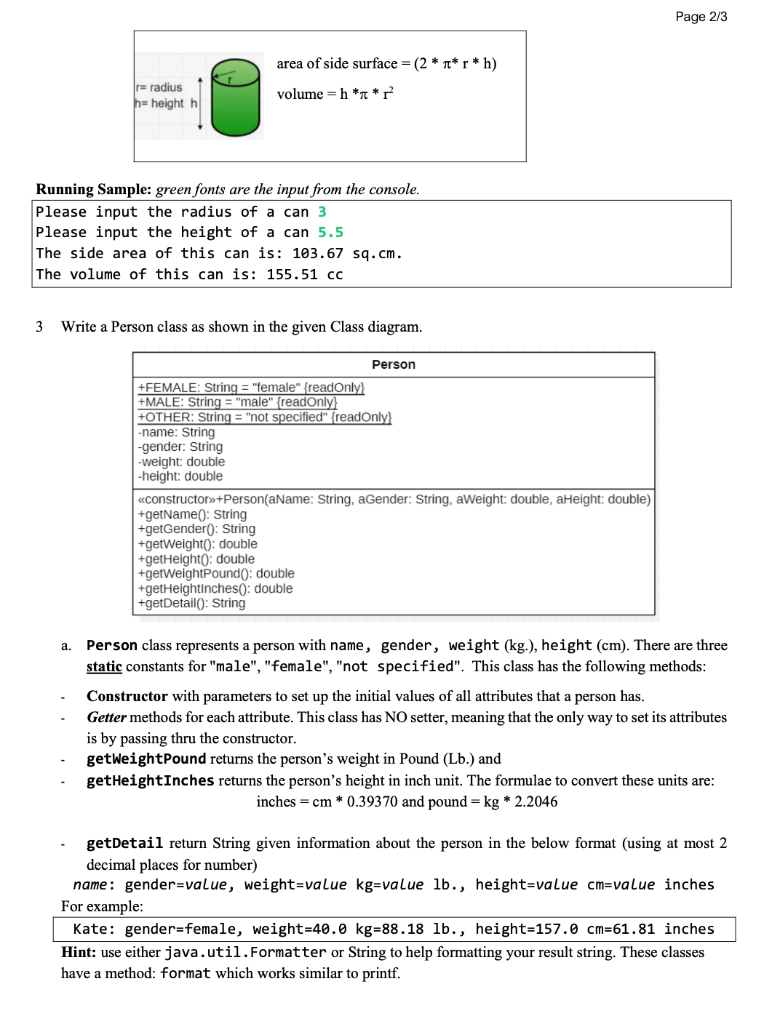
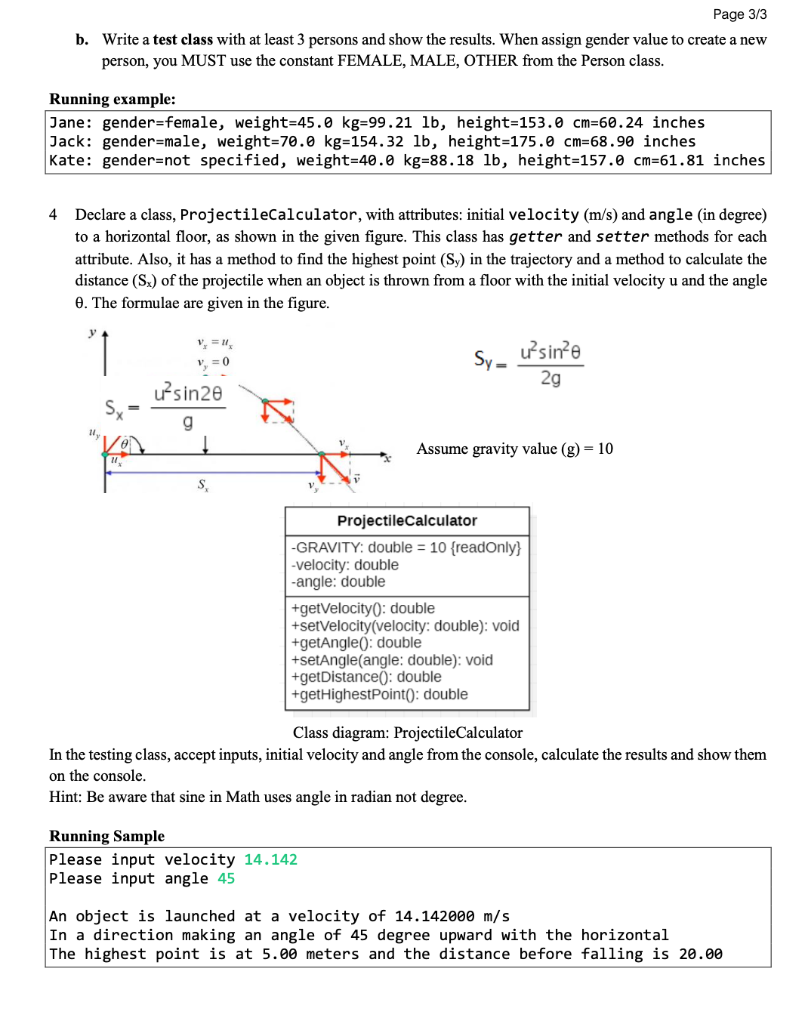
Goals: To be able to write a simple class with proper data types To be able to use classes (Formatter, Math, Scanner, String) from API to solve a problem To be able to calculate some complex mathematic expression using methods from Math class To be able to accept input from and output to the console Direction: Do NOT use any control flow (i.e., choice or loop) statements. Assume that input from a user always correct. Thus, no need to check for incorrect inputs. Do NOT use an array or a collection class For each question, generally, you need at least 2 classes, i.e., at least one working class and only one main/test class (a class with a proper main method). 1 Write the following codes: a. Declare a class: Dessert which has these attributes: name, store name, type (i.e., Bakery, Ice Cream, Pudding, etc.) and its calories. Dessert has setter and getter methods for every attribute. Additionally, it has a method to show its information. b. Write a program (a class with main method) to test the Dessert class. In the program, create at least 5 dessert objects and print each of them. Name: Honey Toast Store Name: After You Name: Tokyo Sundae Store Name: Bake a Wish Type: Ice Cream Type: Bakery Calorie: 900.5 kcal Calorie: 500.0 kcal Below is an example of expected result: Dessert [name: Honey Toast, type: Bakery, storeName: After You, calories:900.5] Dessert [name: Tokyo Sundae, type: Ice Cream, storeName : Bake a wish, calories:500.0] 2 Write the following codes: a. Declare Can class with attributes: radius and height both are in float type. Assume that both are in cm unit. Can class has abilities to calculate its side area and its volume (both results are in double types) b. Write a test program for the Can class. The program accepts inputs (height and radius) from console to create a Can object and then show the area of side surface and volume. The output will show only 2 decimal places (i.e., 3.14 not 3.14223) Hint: using printf method. Formulae to calculate the area of side surface and the volume of a can: Page 2/3 area of side surface = (2 * *r* h) r-radius hheighth volume = h ** Running Sample: green fonts are the input from the console. Please input the radius of a can 3 Please input the height of a can 5.5 The side area of this can is: 103.67 sq.cm. The volume of this can is: 155.51 cc 3 Write a Person class as shown in the given Class diagram. Person +FEMALE: String = "female" {readOnly +MALE: String = "male" (readonly) +OTHER: String = "not specified" (readOnly} -name: String -gender: String -weight: double -height: double constructor+Person(aName: String, aGender: String, aWeight: double, aHeight: double) +getName(): String +getGender(): String +getWeight(): double +getHeighto: double +gerweightPound(): double +getHeightincheso: double +getDetailo): String a. Person class represents a person with name, gender, weight (kg.), height (cm). There are three static constants for "male", "female", "not specified". This class has the following methods: Constructor with parameters to set up the initial values of all attributes that a person has. Getter methods for each attribute. This class has NO setter, meaning that the only way to set its attributes is by passing thru the constructor. getWeightPound returns the person's weight in Pound (Lb.) and getHeightInches returns the person's height in inch unit. The formulae to convert these units are: inches = cm * 0.39370 and pound=kg * 2.2046 getDetail return String given information about the person in the below format (using at most 2 decimal places for number) name: gender=value, weight=value kg=value lb., height=value cm=value inches For example: Kate: gender-female, weight=40.0 kg=88.18 lb., height=157.0 cm=61.81 inches Hint: use either java.util.Formatter or String to help formatting your result string. These classes have a method: format which works similar to printf. Page 3/3 b. Write a test class with at least 3 persons and show the results. When assign gender value to create a new person, you MUST use the constant FEMALE, MALE, OTHER from the Person class. Running example: Jane: gender-female, weight=45.0 kg=99.21 lb, height=153.0 cm=60.24 inches Jack: gender=male, weight=70.0 kg=154.32 lb, height=175.0 cm=68.90 inches Kate: gender=not specified, weight=40.0 kg=88.18 lb, height=157.0 cm=61.81 inches 4 Declare a class, ProjectileCalculator, with attributes: initial velocity (m/s) and angle (in degree) to a horizontal floor, as shown in the given figure. This class has getter and setter methods for each attribute. Also, it has a method to find the highest point (Sy) in the trajectory and a method to calculate the distance (S.) of the projectile when an object is thrown from a floor with the initial velocity u and the angle e. The formulae are given in the figure. 1 Y = 0 Sy- usine 2g usin2e g Assume gravity value (8) = 10 S ProjectileCalculator -GRAVITY: double = 10 {readOnly} -velocity: double -angle: double +getVelocity0: double +setVelocity(velocity: double): void +getAngle: double +setAngle(angle: double): void +getDistance: double +getHighestPoint(): double Class diagram: ProjectileCalculator In the testing class, accept inputs, initial velocity and angle from the console, calculate the results and show them on the console. Hint: Be aware that sine in Math uses angle in radian not degree. Running Sample Please input velocity 14.142 Please input angle 45 An object is launched at a velocity of 14.142000 m/s In a direction making an angle of 45 degree upward with the horizontal The highest point is at 5.00 meters and the distance before falling is 20.00
Step by Step Solution
There are 3 Steps involved in it

Get step-by-step solutions from verified subject matter experts
 Study Help