







Question: Graded Team-based Activity 2 Subjects : Create an HTML form page and a JSP page; the JSP page processes the form. Students can work together
Graded Team-based Activity 2
Subjects: Create an HTML form page and a JSP page; the JSP page processes the form. Students can work together as a team (of up to 3 members), and it is ok to have a smaller group. Please include names of your team members in your submission, and each team only needs to submit one copy on Canvas.
Instructions: Create a Java Web Project in NetBeans. Within the project, create an HTML page that contains a survey form (check out sample form codes in chapter 4). Next, create a JSP page (in the same project) that processes the survey form (check out sample jsp codes in the form-jsp-servlet PowerPoint, chapters 5 and 6, and supplement pdf documents on canvas). Specifically, the JSP page should summarize every form input of the survey page based on users choice. Please check the rubric on canvas.
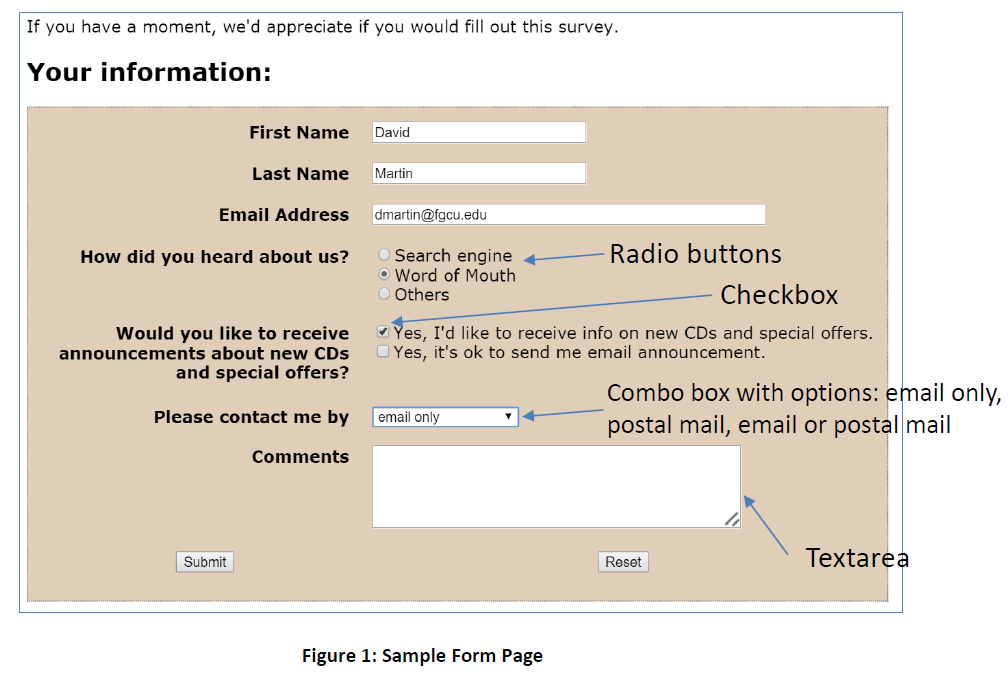
HTML Form Page: Your html form page should look like Figure 1. You may format the page differently by using different CSS styles, but it must contain all html elements shown in figure 1.
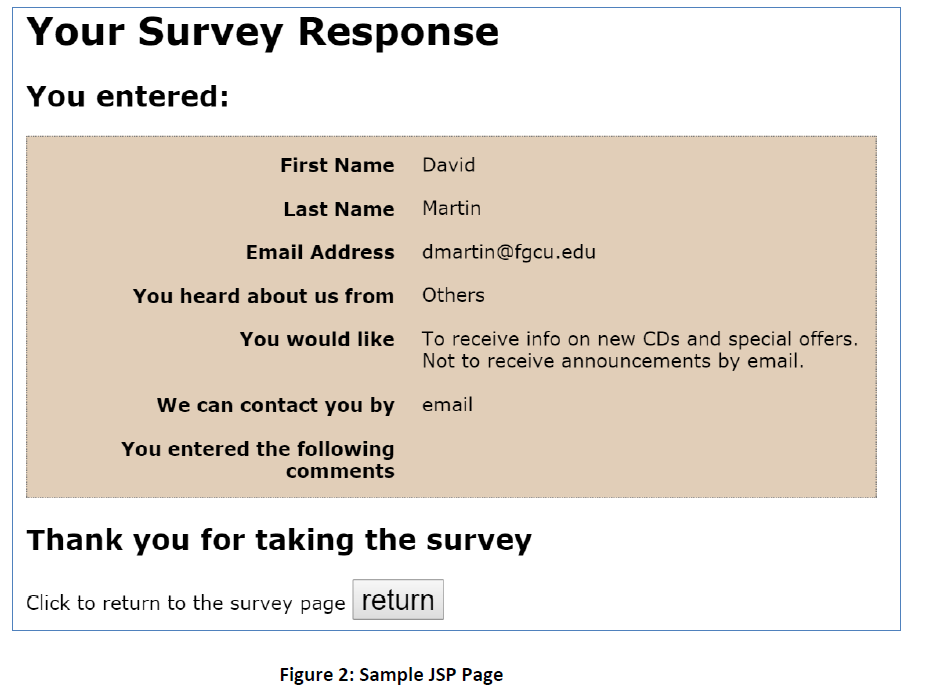
JSP Page: Your jsp page should look like Figure 2. You may format the page differently by using different CSS styles, but it must summarize all form elements as shown in figure 2. Hint: to simplify coding, you can use an implicit object out and its println method to direct write html code to the jsp. For example, inside a jsp scriplet, you can write: out.println(not to receive announcement ); and this will display the string in the jsp page followed with a new line.
Step by Step Solution
There are 3 Steps involved in it

Get step-by-step solutions from verified subject matter experts
 Study Help