







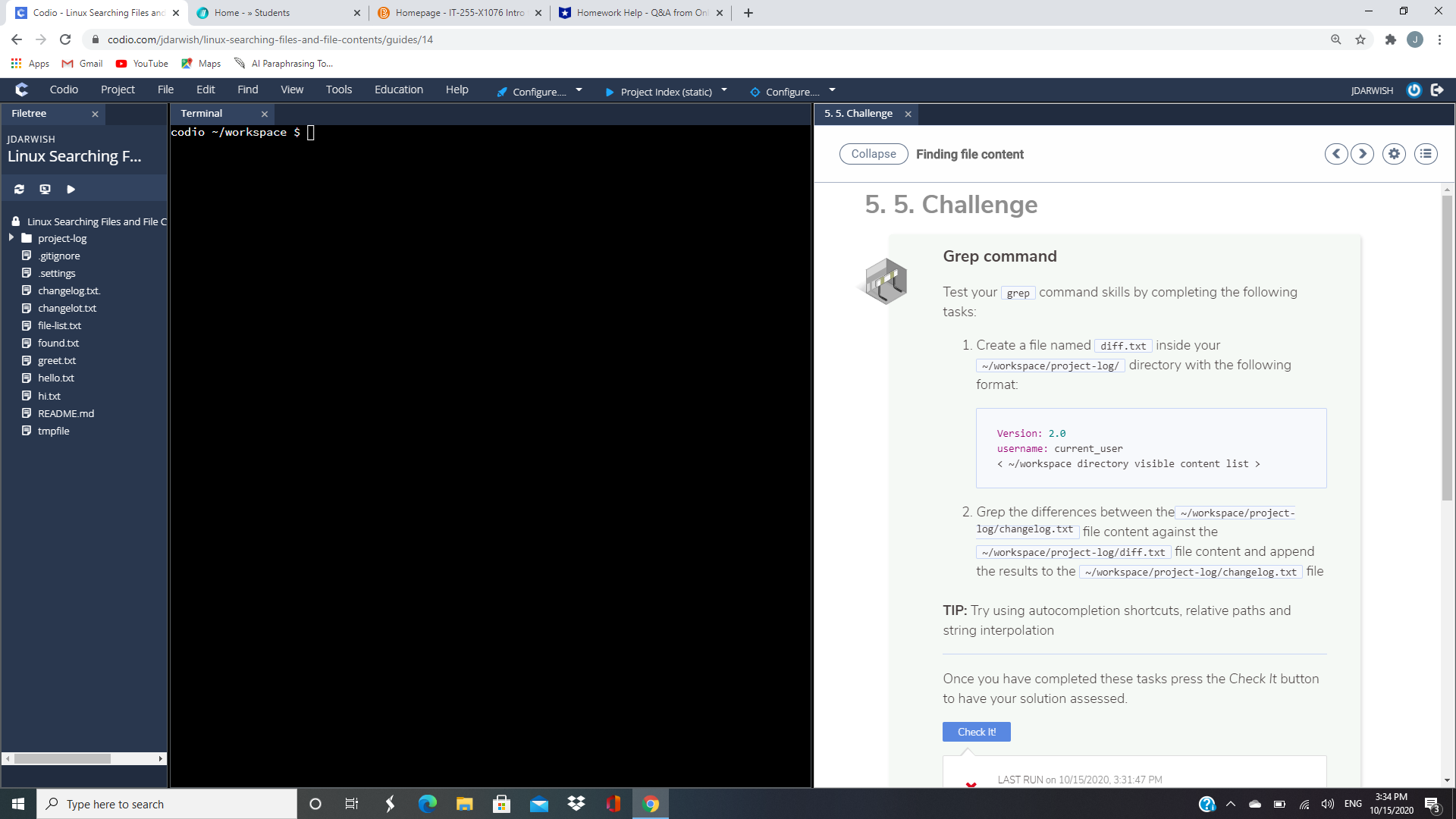
Question: Grep command Test yourgrepcommand skills by completing the following tasks: Create a file nameddiff.txtinside your~/workspace/project-log/directory with the following format: Version : 2.0 username : current_user
Grep command
Test yourgrepcommand skills by completing the following tasks:
- Createafile nameddiff.txtinside your~/workspace/project-log/directory with the following format:
Version: 2.0username: current_user
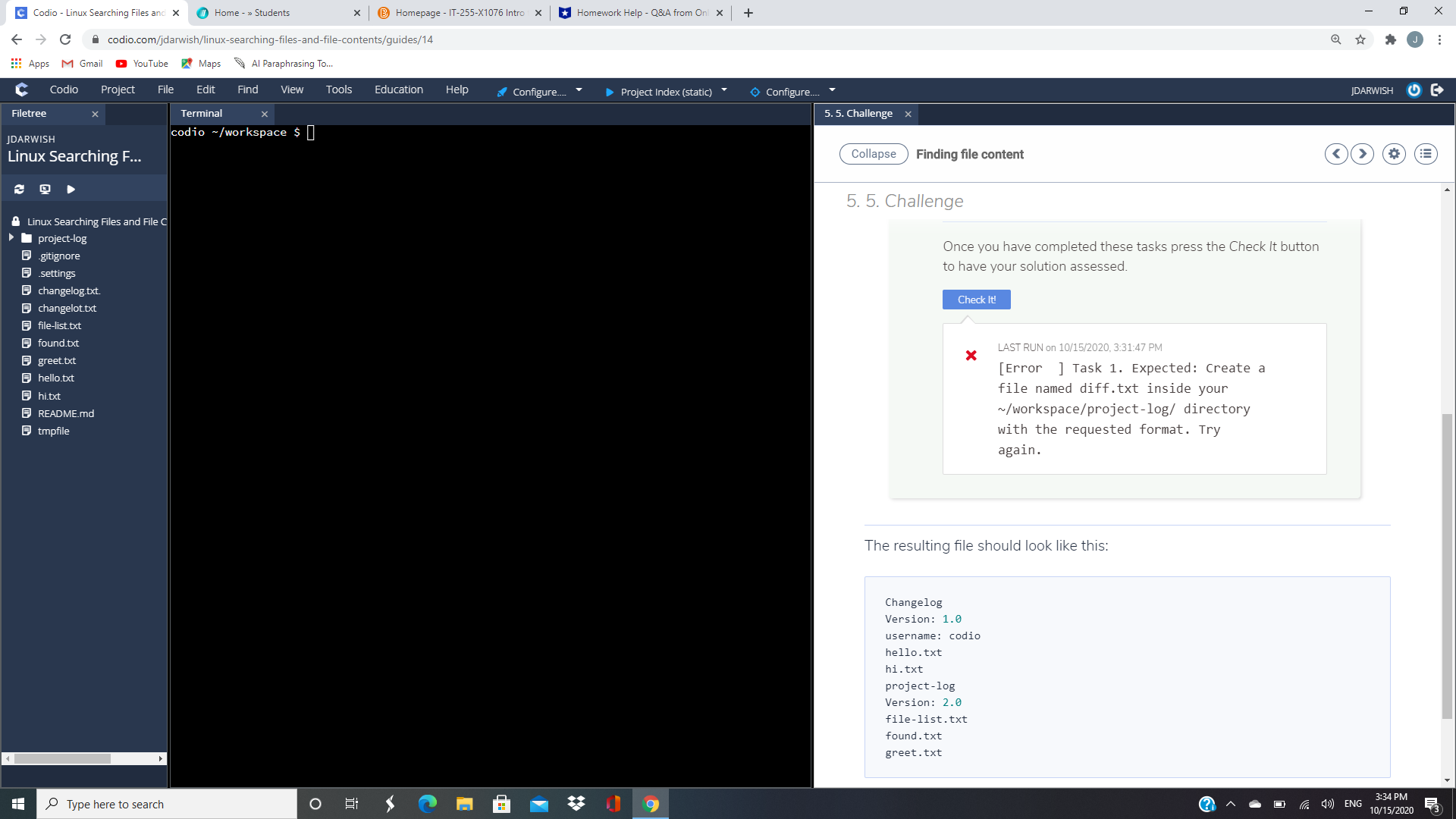
- Grepthe differences between the~/workspace/project-log/changelog.txtfile content against the~/workspace/project-log/diff.txtfile content and append the results to the~/workspace/project-log/changelog.txtfile
TIP:Try using autocompletion shortcuts, relative paths and string interpolation
Codio - Linux Searching Files and X @ Home - > Students * @ Homepage - IT-255-X1076 Intro x Homework Help - Q&A from Onl x + X - > C A codio.com/jdarwish/linux-searching-files-and-file-contents/guides/14 J : Apps M Gmail YouTube Maps Al Paraphrasing To. C Codio Project File Edit Find View Tools Education Help Configure.. Project Index (static) @ Configure.. JDARWISH Filetree Terminal 5. 5. Challenge x JDARWISH codio ~/workspace $ Linux Searching F... Collapse Finding file content A Linux Searching Files and File C 5. 5. Challenge project-log .gitignore Grep command .settings changelog.txt. Test your grep command skills by completing the following changelot.txt tasks: file-list.txt found.txt 1. Create a file named diff. txt inside your greet.txt hello.txt w/workspace/project-log/ |directory with the following format: README.md @ tmpfile Version: 2.0 username: current_user 2. Grep the differences between the ~/workspace/project- log/changelog. txt file content against the w/workspace/project-log/diff. txt file content and append the results to the |~/workspace/project-log/changelog. txt file TIP: Try using autocompletion shortcuts, relative paths and string interpolation Once you have completed these tasks press the Check It button to have your solution assessed. Check It! LAST RUN on 10/15/2020, 3:31:47 PM Type here to search O 9 () ENG 3:34 PM 10/15/2020Codio - Linux Searching Files and X @ Home - > Students * @ Homepage - IT-255-X1076 Intro x Homework Help - Q&A from Onl x + X - > C A codio.com/jdarwish/linux-searching-files-and-file-contents/guides/14 J : Apps M Gmail YouTube Maps Al Paraphrasing To. C Codio Project File Edit Find View Tools Education Help Configure.. Project Index (static) @ Configure.. JDARWISH Filetree Terminal 5. 5. Challenge x JDARWISH codio ~/workspace $ Linux Searching F... Collapse Finding file content 5. 5. Challenge A Linux Searching Files and File C project-log Once you have completed these tasks press the Check It button .gitignore .settings to have your solution assessed. changelog.txt. Check It! changelot.txt file-list.txt found.txt LAST RUN on 10/15/2020, 3:31:47 PM greet.txt X [Error ] Task 1. Expected: Create a hello.txt file named diff. txt inside your README.md ~/workspace/project-log/ directory @ tmpfile with the requested format. Try again. The resulting file should look like this: Changelog Version: 1.0 username: codio hello. txt hi . txt project -log Version: 2.0 file-list. txt found . txt greet . txt Type here to search O 9 ^ - D ) ENG 3:34 PM 10/15/2020
Step by Step Solution
There are 3 Steps involved in it

Get step-by-step solutions from verified subject matter experts
 Study Help