







Question: Hands-On Project 1-1 In this exercise you will use document.write() statements in a script section to add finan. cial planning tips to a web page.
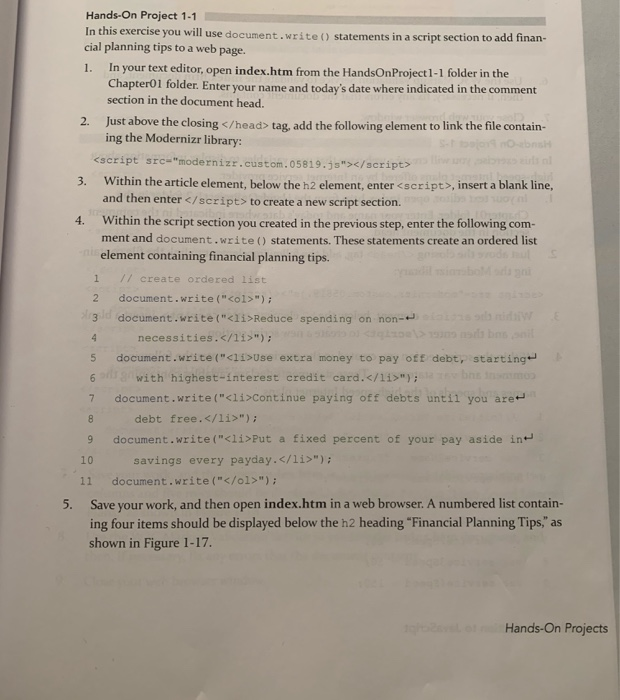

Hands-On Project 1-1 In this exercise you will use document.write() statements in a script section to add finan. cial planning tips to a web page. 1. In your text editor, open index.htm from the HandsOn Project 1-1 folder in the Chapter01 folder. Enter your name and today's date where indicated in the comment section in the document head. 2. Just above the closing tag, add the following element to link the file contain ing the Modernizr library: 3. Within the article element, below the h2 element, enter to create a new script section. 4. Within the script section you created in the previous step, enter the following com- ment and document.write() statements. These statements create an ordered list element containing financial planning tips. 1 // create ordered list 2 document.write("
- "); 3 document.write("
- Reduce spending on non- necessities. "); 5 document.write("C11>Use extra money to pay of debt, starting 6 with highest-interest credit card.11>"); 7 document.write("
- Continue paying off debts until you are debt free. "); 9 document.write("
- Put a fixed percent of your pay aside in 10 savings every payday. "); 11 document.write("
"); 5. Save your work, and then open index.htm in a web browser. A numbered list contain- ing four items should be displayed below the h2 heading "Financial Planning Tips," as shown in Figure 1-17. Hands-On Projects 6. Use the W3C Markup Validation Service to validate the index.htm document, and then, if necessary, fix any errors that the document contains. 7. Close your web browser window
Step by Step Solution
There are 3 Steps involved in it

Get step-by-step solutions from verified subject matter experts
 Study Help