







Question: Hands-On Project 6-2: Encrypting and Decrypting Data For this hands-on project, you will use the SQL Server named instance SQLSERVERHOA and the HandsOnOne database and
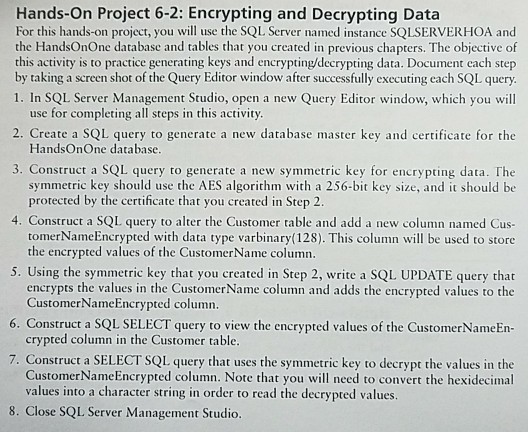
Hands-On Project 6-2: Encrypting and Decrypting Data For this hands-on project, you will use the SQL Server named instance SQLSERVERHOA and the HandsOnOne database and tables that you created in previous chapters. The objective of this activity is to practice generating keys and encrypting/decrypting data. Document each step by taking a screen shot of the Query Editor window after successfully executing each SQL query 1. In SQL Server Management Studio, open a new Query Editor window, which you wil use for completing all steps in this activity 2. Create a SQL query to generate a new database master key and certificate for the HandsOnOne database 3. Construct a SQL query to generate a new symmetric key for encrypting data. The symmetric key should use the AES algorithm with a 256-bit key size, and it should be protected by the certificate that you created in Step 2 4. Construct a SQL query to alter the Customer table and add a new column named Cus- tomerNameEncrypted with data type varbinary(128). This column will be used to store the encrypted values of the CustomerName column 5. Using the symmetric key that you created in Step 2, write a SQL UPDATE query that encrypts the values in the CustomerName column and adds the encrypted values to the CustomerNameEncrypted column 6. Construct a SQL SELECT query to view the encrypted values of the CustomerNameEn- crypted column in the Customer table. 7. Construct a SELECT SQL query that uses the symmetric key to decrypt the values in the CustomerNameEncrypted column. Note that you will need to convert the hexidecimal values into a character string in order to read the decrypted values 8. Close SQL Server Management Studio Hands-On Project 6-2: Encrypting and Decrypting Data For this hands-on project, you will use the SQL Server named instance SQLSERVERHOA and the HandsOnOne database and tables that you created in previous chapters. The objective of this activity is to practice generating keys and encrypting/decrypting data. Document each step by taking a screen shot of the Query Editor window after successfully executing each SQL query 1. In SQL Server Management Studio, open a new Query Editor window, which you wil use for completing all steps in this activity 2. Create a SQL query to generate a new database master key and certificate for the HandsOnOne database 3. Construct a SQL query to generate a new symmetric key for encrypting data. The symmetric key should use the AES algorithm with a 256-bit key size, and it should be protected by the certificate that you created in Step 2 4. Construct a SQL query to alter the Customer table and add a new column named Cus- tomerNameEncrypted with data type varbinary(128). This column will be used to store the encrypted values of the CustomerName column 5. Using the symmetric key that you created in Step 2, write a SQL UPDATE query that encrypts the values in the CustomerName column and adds the encrypted values to the CustomerNameEncrypted column 6. Construct a SQL SELECT query to view the encrypted values of the CustomerNameEn- crypted column in the Customer table. 7. Construct a SELECT SQL query that uses the symmetric key to decrypt the values in the CustomerNameEncrypted column. Note that you will need to convert the hexidecimal values into a character string in order to read the decrypted values 8. Close SQL Server Management Studio
Step by Step Solution
There are 3 Steps involved in it

Get step-by-step solutions from verified subject matter experts
 Study Help