







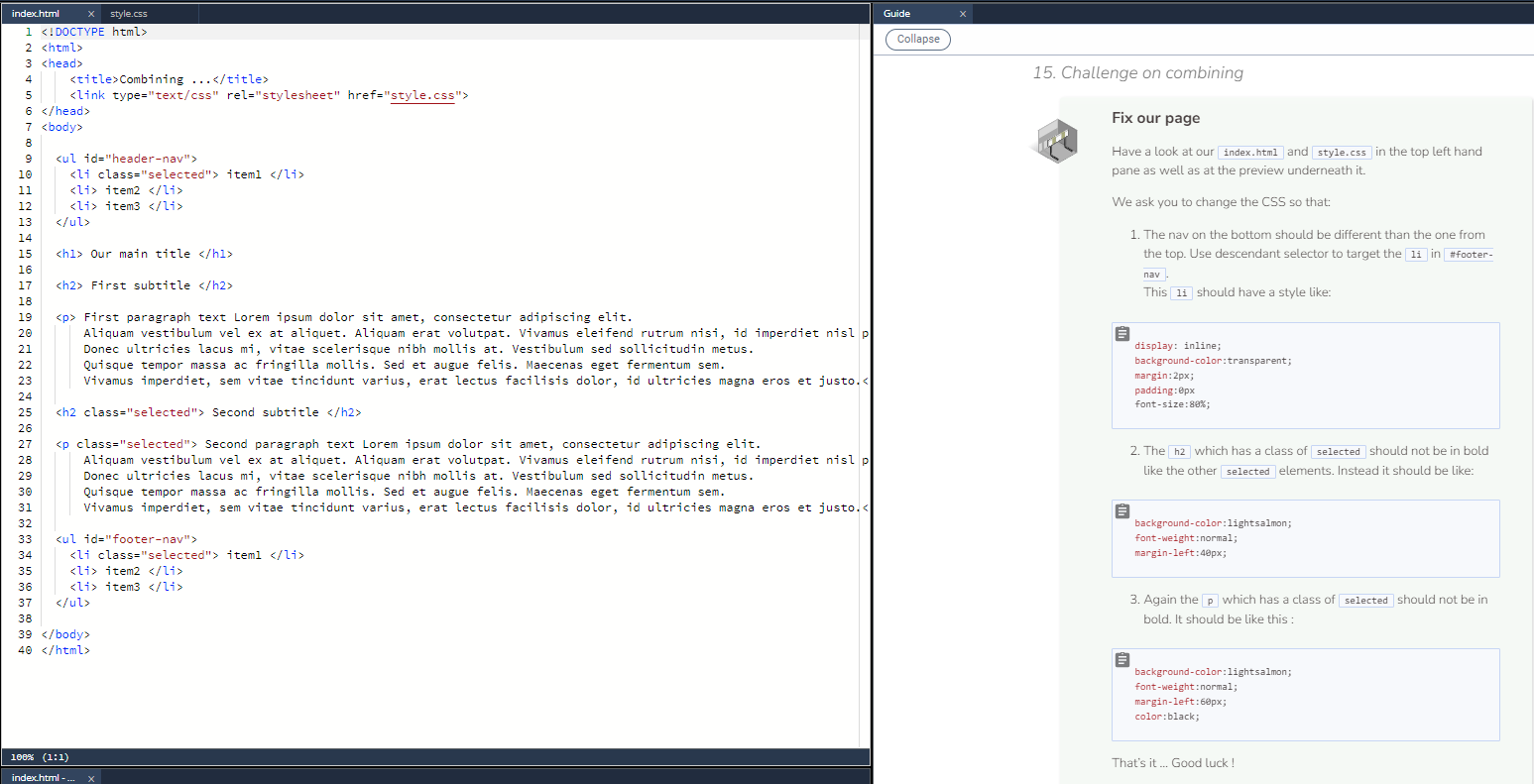
Question: Have a look at our index.html and style.css in the top left hand pane as well as at the preview underneath it . We ask
Have a look at our index.html and style.css in the top left hand pane as well as at the preview underneath it
We ask you to change the CSS so that:
The nav on the bottom should be different than the one from the top. Use descendant selector to target the li in #footernav.
This li should have a style like:
display: inline;
backgroundcolor:transparent;
margin:px;
padding:px
fontsize:;
The h which has a class of selected should not be in bold like the other selected elements. Instead it should be like:
backgroundcolor:lightsalmon;
fontweight:normal;
marginleft:px;
Again the p which has a class of selected should not be in bold. It should be like this :
backgroundcolor:lightsalmon;
fontweight:normal;
marginleft:px;
color:black;
Step by Step Solution
There are 3 Steps involved in it
1 Expert Approved Answer
Step: 1 Unlock

Question Has Been Solved by an Expert!
Get step-by-step solutions from verified subject matter experts
Step: 2 Unlock
Step: 3 Unlock
 Study Help