







Question: Having a ton of problems with three, my coding seems to work fine but nothing seems to change where attributel is the name of a
Having a ton of problems with three, my coding seems to work fine but nothing seems to change 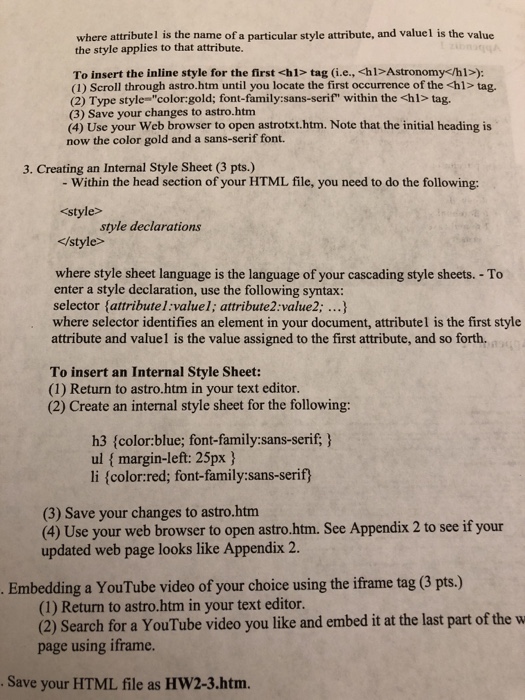
where attributel is the name of a particular style attribute, and valuel is the value the style applies to that attribute. To insert the inline style for the first
tag (i.e., hlAstronomy) (1) Scroll through astro.htm until you locate the first occurrence of the tag. (2) Type style "color gold; font-family:sans-serif" within the tag. (3) Save your changes to astro.htm (4) Use your Web browser to open astrotxt.htm. Note that the initial heading is now the color gold and a sans-serif font. 3. Creating an Internal Style Sheet (3 pts.) - Within the head section of your HTML file, you need to do the following: style declarations where style sheet language is the language of your cascading style sheets. -To enter a style declaration, use the following syntax: selector (attributel:valuel; attribute2:value2; ...) where selector identifies an element in your document, attributel is the first style attribute and valuel is the value assigned to the first attribute, and so forth. To insert an Internal Style Sheet: (1) Return to astro.htm in your text editor. (2) Create an internal style sheet for the following: h3 fcolor:blue; font-family:sans-serif;) ul margin-left: 25px li (colorred; font-family:sans-serif (3) Save your changes to astro.htm (4) Use your web browser to open astro.htm. See Appendix 2 to see if your updated web page looks like Appendix 2. Embedding a YouTube video of your choice using the iframe tag (3 pts.) (1) Return to astro.htm in your text editor. (2) Search for a YouTube video you like and embed it at the last part of the w page using iframe Save your HTML file as HW2-3.htm
Step by Step Solution
There are 3 Steps involved in it
1 Expert Approved Answer
Step: 1 Unlock

Question Has Been Solved by an Expert!
Get step-by-step solutions from verified subject matter experts
Step: 2 Unlock
Step: 3 Unlock
 Study Help